Insert and Merge PDFs extension for Microsoft Edge or Google Chrome.

No more need to acquire PDF file management applications to insert and merge pdfs. With DocHub’s add-on, the necessary capabilities are just a click away.
DocHub logo
Gmail logo

Do more with your PDF documents directly from your Chrome or Edge browser

Connect DocHub

Edit and annotate your PDF

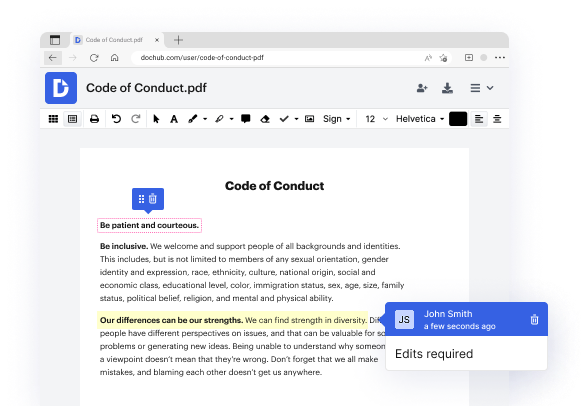
Easily open and edit PDFs from your browser. Add texts, images, drawings, comments, and highlights to your document. Swipe your cursor to white out, underline, or strike out text.
Edit PDFs

Organize PDFs with ease

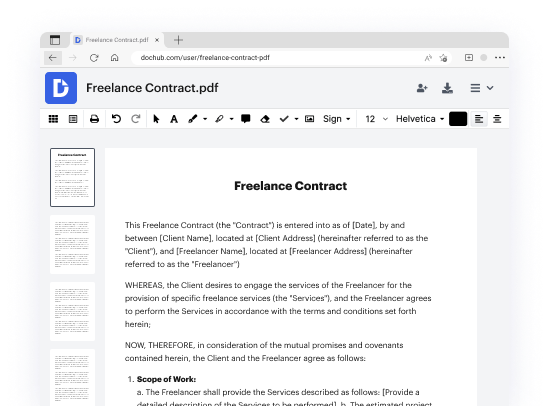
Enhance your PDF directly from Edge or Chrome. Easily remove unneeded pages, insert new ones, correct misoriented pages, or rearrange them with a quick drag and drop to make your PDF cohesive.
Sign eSignatures

Sign, request, and track signatures

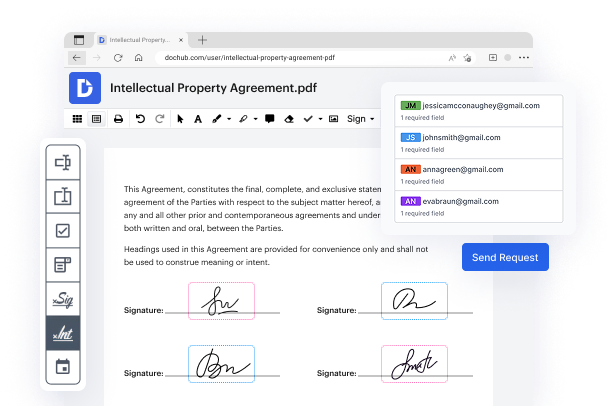
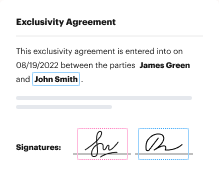
eSign documents right from your browser. Choose your preferred method to add a legally-binding eSignature and request signatures from others in a specific order or all at once and track them in real-time.
Build PDF forms

Create and share PDF forms and templates

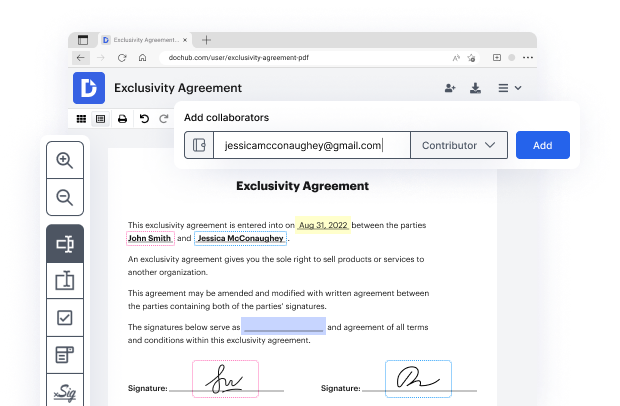
Turn any PDF into a fillable form straight from your Chrome or Edge browser. Add signature or data fields and convert it into a reusable template. You can make it public, set editing permissions, or share it with recipients. It’s as simple as that.
Build PDF forms

Export or download PDF

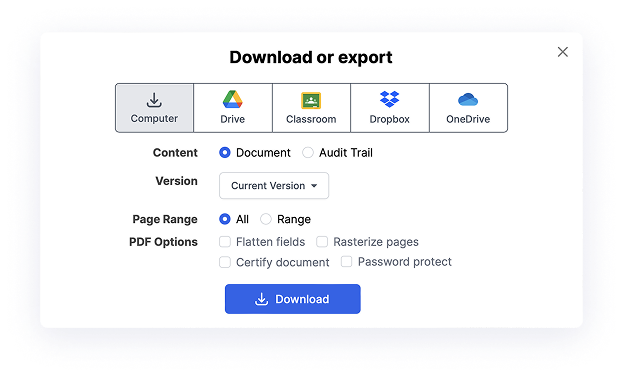
Once finalized, you can export your PDF to the cloud storage service of your choice, store it securely in DocHub, or download it to your device. If you need a physical copy of your PDF, print it out from DocHub with a single click.

Take your document workflow anywhere with DocHub’s extension for Chrome and Edge.

Stay connected with your team

Boost team productivity. Open PDF from Edge or Chrome, add comments, and share with specific permissions for others to view or edit.
benefit card decoration
Get more work done

Experience PDF editing, eSigning, and form creation on Chrome and Edge. Create documents, collect data and signatures while web browsing.

Ensure document security

Secure PDFs in your browser with DocHub’s encryption and two-factor authentication while complying with data security regulations.

Seal the deal from anywhere

No more chasing contracts. Sign a PDF yourself, or invite others to sign it in any order. Track signatures with real-time alerts.

benefit card decoration

Simplify online document management like never before with the DocHub extension

What other users say about DocHub's eSignature

Great solution for PDF docs with very little pre-knowledge required.
"Simplicity, familiarity with the menu and user-friendly. It's easy to navigate, make changes and edit whatever you may need. Because it's used alongside Google, the document is always saved, so you don't have to worry about it."
Pam Driscoll F
Teacher
A Valuable Document Signer for Small Businesses.
"I love that DocHub is incredibly affordable and customizable. It truly does everything I need it to do, without a large price tag like some of its more well known competitors. I am able to send secure documents directly to me clients emails and via in real time when they are viewing and making alterations to a document."
Jiovany A
Small-Business
I can create refillable copies for the templates that I select and then I can publish those.
"I like to work and organize my work in the appropriate way to meet and even exceed the demands that are made daily in the office, so I enjoy working with PDF files, I think they are more professional and versatile, they allow..."
Victoria G
Small-Business

Got questions?

Here are some common questions from our customers that may provide you with the answer you're looking for. If you can't find an answer to your question, please don't hesitate to reach out to us.
Contact us
What to Know In the Chrome browser, select the three vertical dots (More icon) in the upper-right corner. Choose Settings Privacy and security Site Settings Additional content settings PDF documents Download PDF files.
20152021. On February 9, 2021, Google PDF Viewer was removed from the Play Store and discontinued. Part of Alphabet Inc. Developed by Amazon.
Tips and tricks for organizing and managing combined PDF files in Microsoft Edge. Microsoft Edge is the one-stop-shop for managing and organizing combined PDFs! Heres how you can make the most of its intuitive features: Use the Combine feature to join multiple documents into one.
With the Acrobat Chrome extension, you can edit PDFs, convert them to Microsoft files, leave comments, and more all from your browser. Using Microsoft Edge? Theres an extension for you, too.
With SharePoint, you can merge two or more PDF files into a new PDF file, or you can extract pages from a PDF file to make new individual PDF files. The Merge option lets you quickly combine PDF files into a new PDF file stored in SharePoint or OneDrive.
You can efficiently and safely merge multiple PDF files in less than 10 seconds. ✓ Device Compatibility: Integrate the PDF Combiner Chrome extension to your desktop computer. It handles your files, and it is simple for users. Thus, you can use our free PDF joiner easily!
The Google Chrome browser comes with built-in PDF viewer functionality that enables you to open and access PDFs easily. You can amplify your ability to work with PDFs by using the Adobe Acrobat extension for Google Chrome.

Learn how to Insert and Merge PDFs using DocHub’s extension

Managing files can be so much simpler! With our robust add-on for your browser, you can seamlessly Insert and Merge PDFs and take control of your PDFs. Here are 8 actions to switch to the most convenient online file management:

  1. Visit the Chrome Web Store or Edge Add-ons and search for ‘DocHub.’
  2. For Google Chrome, select Add to Chrome, or for Microsoft Edge, select Get.
  3. Pin the add-on to the toolbar for quick reach.
  4. Select the DocHub icon to make changes to a PDF in your browser.
  5. Follow the instructions to create a free account, or sign in if you already have one.
  6. Once signed in, your file will open in the editor and be set for you to use.
  7. Insert and Merge PDFs with the user-friendly tools in the toolbar.
  8. Store or send your ready file immediately from your tab.

That’s it! Whether you need to edit, comment on, or share your files, DocHub has got you backed.