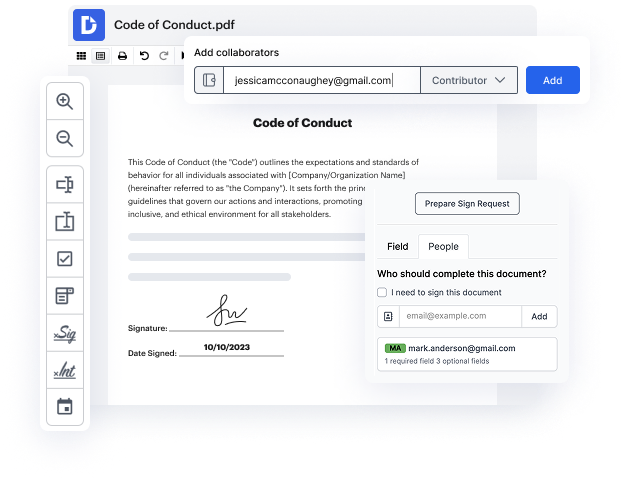
Easily integrate DocHub with Box to Group documents into folders online
How to Group documents into folders Directly from DocHub with Box Integration

Cloud storage for documents is handy for accessing and downloading your files, no matter the device you’re working with. If you want to enhance your work with forms and modify them on the spot, with no need to download them, use DocHub to Group documents into folders right from Box. By simply connecting your account with your go-to platforms, you won’t need to switch between tabs, as all the necessary functionality is on the same tab with you files.
Steps to integrate DocHub with Box to Group documents into folders online
- Visit the DocHub website and log in to your account. If you don’t have one yet, take a few minutes to sign up and start your free trial.
- Open your Dashboard and select New Document to upload your file.
- In the file window, select the integration you need as the file source to Group documents into folders in Box via DocHub.
- Enter your account there, and you will be able to edit every form in that location.
- Make your form edits utilizing the DocHub toolbar.
- Place your signature on the sheet as needed.
- Once done, save your adjustments. You can keep the paperwork in your files, download it on your computer, or import it back to the cloud.
For your convenience, more comprehensive tools are available to transform your day-to-day document editing tasks. Try it now!
integration spotlight
Drive efficiency with DocHub for Box
Easily access documents stored in your Box account, make modifications, add annotations and signatures, and share them seamlessly. In addition, you can transform Box files into fillable forms and reusable templates to make your workflow even more efficient.
Award-winning solution, recognized for ease of use and excellence




Streamline document workflows with the DocHub for Box integration
Improve collaboration and productivity
Work together on Box files directly from DocHub. Leave comments and set access permissions to let others view or edit your documents.

Work uninterrupted
Easily access Box files from your DocHub account. Make edits or create and share reusable templates and forms to easily capture data.

Drive your business forward
Storing business documents in Box? Get them signed in minutes using DocHub. With instant email notifications, you won't miss any changes.

Keep sensitive data secure
DocHub uses access control, encrypted folders, and two-factor authentication as additional layers of security for your Box files.
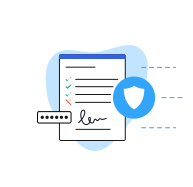
Industry-leading security and compliance
DocHub complies with industry-leading standards, regulations, and certifications to ensure the most effective and secure workflows.


Why choose DocHub?

Powerful features in the free version
DocHub offers free access to premium tools without any time limits or hidden costs. Test out DocHub's advanced functionality with a free 30-day trial.

Google integrations
DocHub is deeply integrated with the Google ecosystem, making it super easy to edit, sign, and manage documents without leaving your favorite Google Apps.

Security
DocHub ensures the security of your data with 256-bit SSL encryption, OAuth 2.0 authentication, and encrypted storage.