
decoration

Export PDF in Box for Healthcare Providers via DocHub

Securely manage your Healthcare Providers documents with DocHub’s Box Integration in a few clicks. Export PDF, set up complex workflows, and stay on top of your processes with ease.
Try for free

Quickly Export PDF in Box for Healthcare Providers with DocHub Integration

Form edit decoration

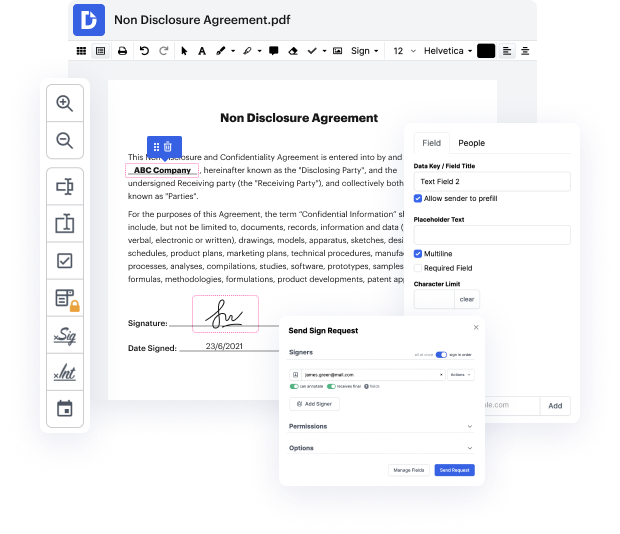
A fast-paced business environment requires innovative software to optimize everyday document workflows. DocHub provides several Integration choices, such as Box for Healthcare Providers, to optimize your productivity and efficiency without the need of compromising your file quality. Export PDF, eSign, and securely export and import your files without missing information as you go along.

How to quickly Export PDF in Box for Healthcare Providers online by using DocHub

  1. Sign in or register a free DocHub profile.
  2. Access your Dashboard and add your file by clicking the New Document option.
  3. Select Box and sign in to your profile.
  4. When the document opens in our editor, effortlessly Export PDF and take care of your file.
  5. Enjoy lossless modifying and go to import or store your file within your profile.
  6. Share your document with other contributors and facilitate seamless cooperation.

Bring in seamless information sharing and streamline your everyday document management. Create a Template for commonly used documents, work together with your team, and keep your data arranged and Export PDF in Box for Healthcare Providers with DocHub Integration. Join DocHub right now and discover the available integrations.

integration spotlight

Drive efficiency with DocHub for Box

Easily access documents stored in your Box account, make modifications, add annotations and signatures, and share them seamlessly. In addition, you can transform Box files into fillable forms and reusable templates to make your workflow even more efficient.


Award-winning solution, recognized for ease of use and excellence

Grid leader 2025 Momentum leader 2025 Grid leader small business 2025 High performer 2025

Streamline document workflows with the DocHub for Box integration

Improve collaboration and productivity

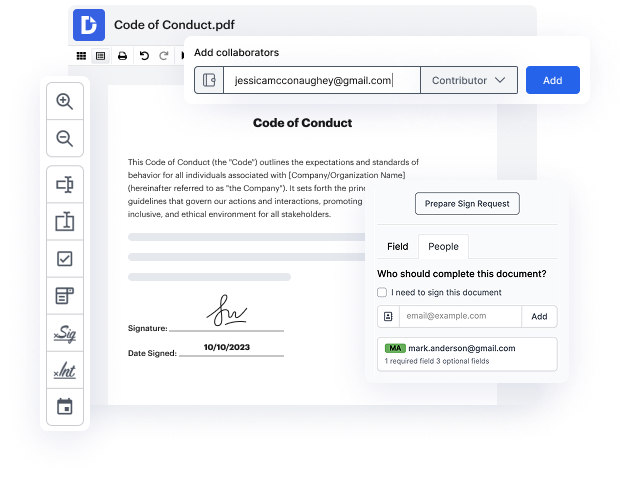
Work together on Box files directly from DocHub. Leave comments and set access permissions to let others view or edit your documents.

card decoration

Work uninterrupted

Easily access Box files from your DocHub account. Make edits or create and share reusable templates and forms to easily capture data.

card decoration

Drive your business forward

Storing business documents in Box? Get them signed in minutes using DocHub. With instant email notifications, you won't miss any changes.

card decoration

Keep sensitive data secure

DocHub uses access control, encrypted folders, and two-factor authentication as additional layers of security for your Box files.
card decoration

DocHub users are making their document workflows a breeze right from Box

It does what it says on the Box, edit pdfs and sign them. No hassles, no spam. It does occasionally nag you to get the pro version, but for a free product it's way better than some other ones that have random popups every 5 minutes. This is perfect for the occasional document as the free does limit your monthly usage on signatures.
Kevin D.

Industry-leading security and compliance

DocHub complies with industry-leading standards, regulations, and certifications to ensure the most effective and secure workflows.

GDPR compliance
Regulates the collection, use, and holding of personal data for EU residents.
PCI DSS certification
Ensures the security of credit and debit card transactions made by a customer.
CPRA compliance
Enhances the privacy rights of California residents while protecting their personal data.
SOC 2 certification
Ensures the security of your data and the privacy of your clients.
HIPAA compliance
Protects privacy, security, and integrity of sensitive healthcare information.

Why choose DocHub?

icon

Powerful features in the free version

DocHub offers free access to premium tools without any time limits or hidden costs. Test out DocHub's advanced functionality with a free 30-day trial.

icon

Google integrations

DocHub is deeply integrated with the Google ecosystem, making it super easy to edit, sign, and manage documents without leaving your favorite Google Apps.

icon

Security

DocHub ensures the security of your data with 256-bit SSL encryption, OAuth 2.0 authentication, and encrypted storage.

Get started for free
decoration image

Got questions?

Here are some common questions from our customers that may provide you with the answer you're looking for. If you can't find an answer to your question, please don't hesitate to reach out to us.
Contact us
We developed our integrations user-friendly and accessible for everyone. You can connect Box to DocHub in a few simple steps. In your Dashboard, click New Document - a new tab with integration options will appear. Select Box, sign in to your Box account, and click Grant access to Box. Choose the document you wish to upload and open it in the editor. You can then proceed to Export PDF in Box with DocHub Integration.
We recommend visiting the DocHub Support Center, which provides tailored articles and FAQs for particular questions. If your concern about the ability to integrate DocHub with Box to Export PDF for Healthcare Providers online hasn’t been resolved, or if you have a new integration request, you can contact us via the online form or our support email.
After you Export PDF in Box with DocHub Integration, click the down arrow located in the top-right corner of the editor and select Download / Export. You can select from various export methods and send your file to other storage solutions or download it to your laptop. Also, when storing the file, you have the option to adjust the settings of your output file according to the Healthcare Providers sector requirements and pick your preferred document version.
For the ability to Export PDF in Box with DocHub Integration, DocHub currently supports DOC, DOCX, XLS, TXT, PPT, and PPTX file formats. As long as your documents are in these formats, and both Box and DocHub support them, your integration process will be smooth. Also, take into account that every file is automatically converted to PDF when integrated with DocHub for a smoother editing experience for any industry, including Healthcare Providers.
The ability to Export PDF in Box for Healthcare Providers via DocHub is available in both our Free and Pro plans. However, if you wish to experience the wide range of pro tools DocHub provides, we suggest trying our free 30-day trial. You can cancel it anytime before the billing date.