Enhance your document operations with Professional Corporation Document Templates

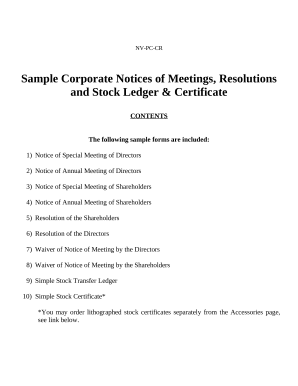
Your workflows always benefit when you can obtain all of the forms and documents you may need on hand. DocHub delivers a a large collection document templates to ease your daily pains. Get hold of Professional Corporation Document Templates category and quickly find your document.

Begin working with Professional Corporation Document Templates in several clicks:

  1. Access Professional Corporation Document Templates and locate the form you require.
  2. Click on Get Form to open it in the editor.
  3. Start modifying your document: add more fillable fields, highlight paragraphs, or blackout sensitive information.
  4. The application saves your modifications automatically, and after you are ready, you can download or share your form with other contributors.

Enjoy seamless document administration with DocHub. Explore our Professional Corporation Document Templates online library and discover your form right now!


Video Guide on Professional Corporation Document Templates management

video background

Commonly Asked Questions about Professional Corporation Document Templates

A business requirements document template is a guide companies use to define the objectives they want to achieve. Business analysts and managers often create business requirements documents when theyre working on a large project to establish what the key deliverables are and what tasks their team needs to complete.
Whether youre writing a formal document or an internal email, lets go through each business document format consideration and its critical role in your document. Start with the most important details. White space is essential. Use lists. Keep your paragraphs short. Use headings. Maintain visual consistency.
5 Steps to Perfect Business Documents Identify Your Audience. Know your audience and direct your writing towards them. Identify the Documents Purpose and Keep it Focused. Organize Your Writing. Re-Read Your Business Document Before Sending. Make Sure Your Business Document Appears Professional.
We will guide you through the process by showing you eight steps for making all your documents flawless: Pick the right font. Use standard page size and margins. Organize content for readability. Add section breaks. Set up headers, footers, and page numbering. Make sure line and paragraph formatting is consistent.
How can you format business documents for maximum readability and impact? Choose a suitable font. Be the first to add your personal experience. Use white space and margins. Align and justify your text. Add color and graphics. Proofread and test your document. Heres what else to consider.
7 Small Business Templates You Should Be Using Already Job Descriptions. Getting the right employees all starts with the job ads that you create when trying to find them. Business Plans. Employee Scheduling Small Business Template. Invoices. Partnership Agreements. Marketing Plans. Employee Reviews.
A standard business document is any written or printed material that contains information about a companys operations, activities or transactions. These documents include but are not limited to, reports, proposals, contracts, agreements, letters, memos, invoices, receipts and process documents.
Step 1: Identify the Need for the Document. Step 2: Know Your Audience. Step 3: Plan the Structure. Step 4: Use Clear and Concise Language. Step 5: Incorporate Visuals. Step 6: Format Properly. Step 7: Edit and Proofread. Step 8: Get Feedback.