Manage Consulting company Balance Sheet Templates quickly online

Document management can overpower you when you can’t discover all the documents you need. Luckily, with DocHub's vast form collection, you can find everything you need and swiftly take care of it without changing between applications. Get our Consulting company Balance Sheet Templates and begin utilizing them.

The best way to manage our Consulting company Balance Sheet Templates using these basic steps:

  1. Check Consulting company Balance Sheet Templates and select the form you need.
  2. Preview the template and click on Get Form.
  3. Wait for it to upload in the online editor.
  4. Edit your template: add new information and images, and fillable fields or blackout certain parts if necessary.
  5. Prepare your template, save changes, and prepare it for delivering.
  6. When all set, download your form or share it with your contributors.

Try out DocHub and browse our Consulting company Balance Sheet Templates category without trouble. Get your free profile right now!


Video Guide on Consulting company Balance Sheet Templates management

video background

Commonly Asked Questions about Consulting company Balance Sheet Templates

The balance sheet displays the companys total assets and how the assets are financed, either through either debt or equity. It can also be referred to as a statement of net worth or a statement of financial position. The balance sheet is based on the fundamental equation: Assets = Liabilities + Equity.
Whats considered a strong balance sheet? A positive net asset position. The right amount of key assets. More debtors than creditors. A fast-moving receivables ledger. A good debt-to-equity ratio. A strong current ratio. Trade Finance. Debtor Finance.
A balance sheet should show you all the assets acquired since the company was born, as well as all the liabilities. It is based on a double-entry accounting system, which ensures that equals the sum of liabilities and equity. In a healthy company, assets will be larger than liabilities, and you will have equity.
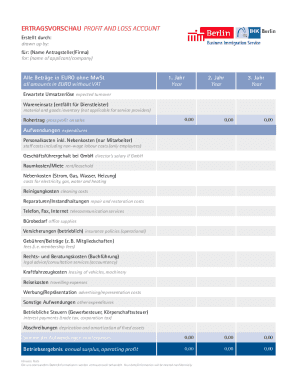
The Balance Sheet Template for Excel is a pre-designed spreadsheet that allows users to enter their companys financial information, including assets, liabilities, and equity. This template is useful for businesses of all sizes, as it can be customized to fit each companys specific needs.
Follow these steps: Step 1: Pick the balance sheet date. Step 2: List all of your assets. Step 3: Add up all of your assets. Step 4: Determine current liabilities. Step 5: Calculate long-term liabilities. Step 6: Add up liabilities. Step 7: Calculate owners equity. Step 8: Add up liabilities and owners equity.
Heres one common example of how to structure your balance sheet: Assets section in the top left corner. Liabilities section in the top right corner. Owners equity section below liabilities. Total assets category at the bottom of the balance sheet. Combined total liabilities and owners equity category under total assets.