What is the difference between DocHub vs Docxpresso.com vs. DaXtra Styler?
When comparing DocHub, Docxpresso.com, and DaXtra Styler, it's important to understand their unique features and functionalities.
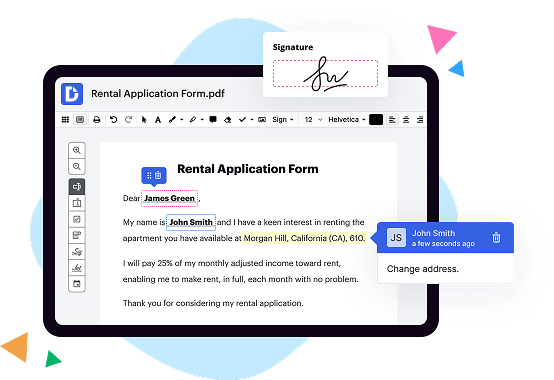
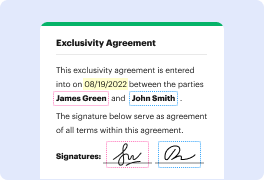
DocHub is a versatile document management platform that allows users to edit, sign, and share documents seamlessly. With its intuitive interface and extensive collaboration tools, DocHub empowers users to streamline their document workflows efficiently. It also offers robust security measures to ensure the confidentiality of your files. Overall, DocHub is a reliable choice for individuals and businesses looking for an all-in-one solution for their document management needs.
Docxpresso.com is another noteworthy option, offering an array of document automation features. This platform enables users to create dynamic, customized templates using familiar tools like Microsoft Word. With its user-friendly interface, anyone can effortlessly generate personalized documents, reducing time and effort. Docxpresso.com's advanced features like conditional logic and data merging make it a valuable tool for businesses that require efficient document generation.
Lastly, DaXtra Styler is a unique solution that focuses specifically on aesthetics. It provides users with the ability to enhance the visual appearance of their resumes or CVs. This platform offers various templates and styling options, making it easy to create eye-catching and professional documents. DaXtra Styler is particularly beneficial for job seekers or professionals who want to stand out in a competitive market.
In conclusion, when considering DocHub, Docxpresso.com, and DaXtra Styler, it's clear that each platform brings something distinct to the table. DocHub excels in its comprehensive document management capabilities, while Docxpresso.com specializes in document automation. Additionally, DaXtra Styler offers a unique focus on visual aesthetics. Depending on your specific needs, one of these solutions may be the perfect fit for you.
DocHub vs Docxpresso.com vs DaXtra Styler: which is better for Enterprises?
While Docxpresso.com and DaXtra Styler are good solutions to work with PDFs online, DocHub offers greater capabilities to help individuals and businesses digitize their documents and make them run smoothly across different devices and your favorite apps.
DocHub vs Docxpresso.com vs DaXtra Styler: which is better for small businesses?
Docxpresso.com and DaXtra Styler are good options for editing, signing, and sharing PDFs. However, DocHub offers a more comprehensive featureset that includes organizations, reusable templates, advanced eSignatures, seamless Google integrations, and more that are perfect for small businesses, helping them simplify and streamline document editing, sharing, signing, and form completition.
What is DocHub?
DocHub is a Google-integrated PDF editor and eSignature solution that helps you get your PDFs done online, using any device. DocHub comes with an online PDF editor, advanced eSignatures, PDF forms, reusable templates, and straightforward Google integrations so you can maximize your productivity when working within your favorite Google apps.
What is Docxpresso.com and how does it work?
Docxpresso.com is an exceptional online platform that allows you to effortlessly generate and manage highly professional and visually appealing documents. With its user-friendly interface and multitude of features, Docxpresso.com is truly a game-changer in the world of document creation.
So, how does it work? Well, it's quite simple. Once you sign up for an account, you gain access to a world of possibilities! With just a few clicks, you can start creating stunning documents with ease and efficiency. No more struggling with complicated software or spending hours formatting and designing. Docxpresso.com takes care of all that for you, leaving you with more time to focus on what truly matters.
Using Docxpresso.com is like having your own personal document assistant. It empowers you to customize and tailor your documents to meet your specific needs. Whether you're creating contracts, reports, invoices, or any other type of document, Docxpresso.com provides a wide range of templates and tools to help you achieve professional results.
But that's not all! Docxpresso.com also offers powerful collaboration features. You can easily share your documents with colleagues, clients, or collaborators, and work on them together in real-time. No more back-and-forth emails or version control issues. With Docxpresso.com, everything is streamlined and efficient.
The platform also ensures the security and confidentiality of your documents. Your data is encrypted and protected, providing you with peace of mind.
In addition, Docxpresso.com integrates seamlessly with other popular tools and platforms, making it even more convenient and versatile. You can connect it to your favorite cloud storage services or integrate it into your existing workflow effortlessly.
In summary, Docxpresso.com is the ultimate solution for all your document creation needs. Its exceptional features, user-friendly interface, and commitment to security make it a standout choice. Sign up today and experience the ease and efficiency of Docxpresso.com for yourself. You won't be disappointed!
What is DaXtra Styler and how does it work?
DaXtra Styler is a powerful tool designed to effortlessly transform your plain and generic candidate CVs into visually stunning and highly professional documents. With a user-friendly interface and advanced formatting capabilities, it enables you to create captivating resumes that will surely catch the eye of employers.
Using DaXtra Styler is a breeze. You simply upload your candidates' CVs, and the software does the rest. It automatically applies predefined formatting styles, such as font types, sizes, colours, and layouts, to the document, resulting in an aesthetically pleasing and consistent look. By maintaining a consistent format across all resumes, DaXtra Styler ensures that your brand identity shines through and leaves a lasting impression on potential employers.
But DaXtra Styler doesn't stop at aesthetics alone. It also allows you to customize and tailor each resume to suit specific job requirements. You can effortlessly rearrange sections, add or remove content, and highlight key skills or experiences, all while maintaining a polished and professional appearance. The intuitive interface makes it easy for even the least tech-savvy users to make these edits without any hassle.
With DaXtra Styler, you can save hours of manual formatting work, allowing you to focus on what truly matters: finding the perfect candidates for your organization. Its seamless integration with DaXtra Search ensures a smooth workflow, as the resumes stylized in DaXtra Styler can be instantly matched against job vacancies, making the hiring process more efficient and effective.
In conclusion, DaXtra Styler is a game-changer when it comes to CV formatting. Its user-friendly interface, customizable options, and ability to create visually stunning resumes make it a valuable tool for any recruitment professional. Say goodbye to boring and uninspiring CVs, and say hello to a world of eye-catching and impactful resumes, all thanks to DaXtra Styler.
Is DocHub free?
Yes. DocHub's free plan is a perfect fit for one-offs or occasional projects. You can start using DocHub’s Free Plan straight away after completing the quick account registration. No learning is needed. The DocHub Pro Plan has a 30-day free trial so you have enough time to test the product.
Is Docxpresso.com free to use?
Yes, Docxpresso.com is indeed free to use! You can access its fantastic features and functionalities without spending a dime. With a clear and easy-to-navigate user interface, Docxpresso.com offers a seamless experience for all your document needs. Whether you want to create, edit, or collaborate on documents, this platform has got you covered. Plus, you can trust in its reliability and security measures that ensure your data remains protected. So, go ahead and explore the countless benefits of using Docxpresso.com, completely free of charge!
Is DaXtra Styler free to use?
Yes, DaXtra Styler is absolutely free to use! We designed it with you in mind, making sure that you have access to all its amazing features without any cost. With DaXtra Styler, you can effortlessly enhance your resume formatting, giving it that extra flair and professional touch. Plus, it's incredibly user-friendly, so you'll have no trouble navigating through its various options and customizing your resume to perfection. Whether you want to highlight your skills, add a splash of color, or choose from a wide range of templates, DaXtra Styler has got you covered. Start using DaXtra Styler today and make your resume stand out from the crowd effortlessly.
What is DocHub’s cost and pricing?
DocHub has straightforward pricing that includes one free plan and one paid plan. If you need to get documents done once in a while, the Free Plan is just the thing for you. It includes all the PDF tools to help you edit, sign, share, and organize your documents. For a growing document workflow, we recommend the DocHub Pro plan at $14 per user per month. It includes unlimited PDF capabilities and priority tech support. You can even test it free for 30 days before buying.
Is Docxpresso.com safe?
Yes, Docxpresso.com is indeed safe for users. This online platform offers a secure and trustworthy environment for all your document automation needs. With its user-friendly interface and robust security measures in place, you can rest assured that your confidential information and files are in good hands. Their commitment to ensuring the safety and privacy of their users is evident in their stringent data protection protocols. So, feel confident in utilizing Docxpresso.com to streamline your document processes without any worries about safety or security.
Is DaXtra Styler safe?
Yes, DaXtra Styler is absolutely safe. Developed with utmost attention to security, DaXtra Styler is a reliable tool that you can trust. We prioritize the safety and privacy of our users, ensuring that their data is protected at all times. By adhering to industry-standard security practices, DaXtra Styler offers a secure and worry-free experience.
With DaXtra Styler, you can confidently enhance your documents without any concerns. We understand the importance of maintaining the confidentiality of your personal information and guarantee that it remains protected. Our platform is built to meet the highest security standards, ensuring that all your data is handled securely.
Rest assured that DaXtra Styler is a proven and trusted solution. It has been widely praised by users for its safety and reliability. We continuously update and improve our system to provide you with the safest experience possible.
In summary, DaXtra Styler is a safe and secure tool that you can rely on to enhance your documents with confidence. Experience the peace of mind that comes with using a trusted and secure platform like DaXtra Styler.
What are the main DocHub alternatives?
The main DocHub alternatives are Lumin PDF, Small PDF, PDF escape, and others. However, DocHub’s ease of use, flexibility, affordability, and deep Google integrations are the reasons why DocHub is ahead of the competition.
What are the 10 best Docxpresso.com alternatives?
When it comes to finding the perfect alternative to Docxpresso.com, there are several top-notch options available that can cater to your needs. One outstanding alternative that deserves special attention is DocHub. However, I would like to emphasize that this is just the beginning of an exciting journey to explore all the fantastic alternatives out there.
1. DocHub: This user-friendly platform offers a comprehensive set of features for editing, signing, and sharing documents. Its intuitive interface and seamless integration with popular cloud storage services make it a go-to choice.
2. PandaDoc: With its extensive range of document templates and advanced analytics, PandaDoc stands out as a top contender. Its collaborative features and eSignature capabilities make it a breeze to create professional, legally binding documents.
3. Adobe Sign: From the renowned software company Adobe, this powerful solution provides extensive features for creating, signing, and managing documents. Its integration with other Adobe products makes it a reliable choice for seamless workflows.
4. HelloSign: Streamlining the document signing process, HelloSign boasts a clean and simple interface. Its impressive authentication and security measures ensure the confidentiality and legal validity of your documents.
5. SignNow: Offering a host of innovative features, SignNow enables effortless document creation, editing, and signing. With its advanced workflow automation and robust integrations, it's a solid choice for businesses of all sizes.
6. PDFfiller: This versatile solution allows you to easily fill, edit, and sign documents. With its broad range of collaboration tools and integration options, PDFfiller ensures smooth document management and processing.
7. Nitro Sign: Known for its user-friendly interface, Nitro Sign offers a seamless document workflow experience. Its comprehensive feature set, including collaboration tools and unlimited eSigning, makes it an attractive option.
8. CudaSign: Ideal for businesses seeking a reliable eSignature solution, CudaSign simplifies the document signing process. Its intuitive interface and extensive security measures make it a top-notch choice for fast and secure document management.
9. SignEasy: Bringing simplicity to the document signing process, SignEasy allows you to create, sign, and send documents effortlessly. Its mobile-friendly app and offline signing capability make it a convenient choice for users on the go.
10. eversign: With its wide range of features, including in-person signing and custom branding options, eversign offers a comprehensive solution for managing and signing documents. Its robust security measures ensure the integrity of your files.
Remember, while mentioning DocHub as a remarkable option, it's essential to explore these alternatives as they present unique features and functionalities. Choose the one that best aligns with your specific requirements and enjoy a seamless document management experience.
What are the 10 best DaXtra Styler alternatives?
If you're searching for the best alternatives to DaXtra Styler, look no further! We've got you covered with a list of 10 amazing options that will surely exceed your expectations. And guess what? The first one we'll mention is the incredible DocHub! But of course, we won't make it the sole focus; we've got plenty more to explore.
1. DocHub: A versatile and user-friendly tool that offers a wide range of features. It allows you to edit, sign, and share PDF documents seamlessly.
2. PDFescape: With its intuitive interface, PDFescape makes editing PDFs a breeze. It also provides helpful annotation and form filling capabilities.
3. Smallpdf: Known for its simplicity, Smallpdf offers a handy set of tools to convert, edit, and compress PDF files effortlessly.
4. Foxit Reader: A powerful alternative that boasts exceptional speed and efficiency. Enjoy advanced features like annotation, collaboration, and document security.
5. Nitro PDF Reader: This feature-packed software enables you to create, edit, and convert PDF files effortlessly. It also offers customizable tools to enhance your productivity.
6. Sejda PDF Editor: Offering both online and offline versions, Sejda PDF Editor makes it easy to edit and convert PDFs in a snap. Its clean interface is a pleasure to use.
7. PDF-XChange Editor: A robust alternative with extensive editing capabilities. It also supports OCR technology for scanned documents and offers a comprehensive set of tools.
8. Soda PDF: Streamline your PDF workflow with Soda PDF's intuitive interface and a wide array of editing features. Create, convert, merge, and even collaborate with ease.
9. Google Docs: While not specifically designed for PDF editing, Google Docs offers basic editing functionality. It's a convenient and free alternative worth considering.
10. Adobe Acrobat Reader: Last but not least, the ever-reliable Adobe Acrobat Reader provides essential PDF viewing and commenting features. It's a solid option for those seeking a no-frills experience.
All of these alternatives bring their unique strengths to the table, ensuring smooth PDF editing and management. So go ahead and explore the possibilities – you're just a few clicks away from finding the perfect match for your needs!