St 389 2016 form-2026

Get Form
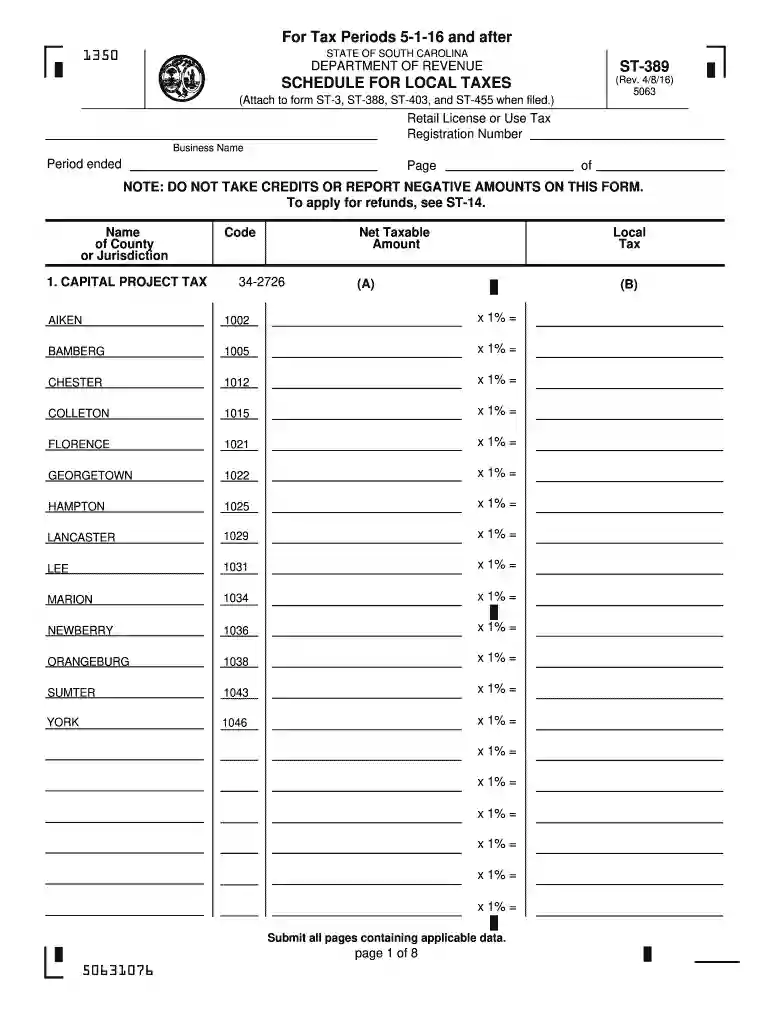
st 389 2016 form Preview on Page 1

Here's how it works

01. Edit your form online
Type text, add images, blackout confidential details, add comments, highlights and more.

02. Sign it in a few clicks
Draw your signature, type it, upload its image, or use your mobile device as a signature pad.

03. Share your form with others
Send it via email, link, or fax. You can also download it, export it or print it out.

How to use or fill out st 389 2016 form with our platform

Form edit decoration
9.5
Ease of Setup
DocHub User Ratings on G2
9.0
Ease of Use
DocHub User Ratings on G2
  1. Click ‘Get Form’ to open the ST-389 form in the editor.
  2. Begin by entering your Retail License or Use Tax Registration Number and Business Name at the top of the form. Ensure that you also specify the period ended.
  3. In Section 1, list the name of the County or Jurisdiction and enter the Net Taxable Amount for each applicable local tax. Use the provided codes for accurate reporting.
  4. Proceed to Item 1 where you will report your Total Gross Proceeds of Sales/Rental, Use Tax, and Withdrawals of Inventory. This should reflect amounts from your state sales and use tax return worksheet.
  5. For Item 2, detail any Local Tax Allowable Deductions in Column A and their corresponding amounts in Column B. Calculate total deductions in Item 3.
  6. Finally, calculate your Net Sales and Purchases by subtracting total deductions from gross proceeds in Item 4. Review all entries for accuracy before submission.

Start using our platform today to fill out your ST-389 form online for free!

See more st 389 2016 form versions

We've got more versions of the st 389 2016 form form. Select the right st 389 2016 form version from the list and start editing it straight away!
Versions Form popularity Fillable & printable
2023 4.9 Satisfied (35 Votes)
2022 4.6 Satisfied (51 Votes)
2019 4.8 Satisfied (125 Votes)
2018 4.3 Satisfied (141 Votes)
2017 4.4 Satisfied (31 Votes)
2016 4.4 Satisfied (158 Votes)
2015 4 Satisfied (21 Votes)
2014 4.1 Satisfied (35 Votes)
2011 4.1 Satisfied (35 Votes)
2007 4 Satisfied (52 Votes)
be ready to get more

Complete this form in 5 minutes or less

Get form

Got questions?

We have answers to the most popular questions from our customers. If you can't find an answer to your question, please contact us.
Contact us
If you file as a part-year resident, you will claim all of your income as though you were a resident for the entire year and take credit for any taxes paid in another state. As a non- resident, you will report only income earned in South Carolina.
South Carolina is tax-friendly toward retirees. Social Security income is not taxed. Withdrawals from retirement accounts are partially taxed. Wages are taxed at normal rates, and your marginal state tax rate is 0.0%.
Nonresidents: Nonresidents are individuals who are not South Carolina residents at any time during the year. They will file SC1040 with Schedule NR.
The Account Closing Form C-278 is essential for businesses in South Carolina that are sold or permanently closed. This form needs to be accurately filled out to ensure proper closure of your tax accounts. Submit this form to the Department of Revenue to avoid any future tax complications.
Quarterly filing schedule* Period EndedDue Date March 31 April 20 June 30 July 20 September 30 October 20 December 31 January 20

Security and compliance

At DocHub, your data security is our priority. We follow HIPAA, SOC2, GDPR, and other standards, so you can work on your documents with confidence.

Learn more
ccpa2
pci-dss
gdpr-compliance
hipaa
soc-compliance
be ready to get more

Complete this form in 5 minutes or less

Get form

People also ask

Taxpayers and electronic return originators (EROs) use this form to send any required paper forms or supporting documentation listed next to the checkboxes on the front of the form. Form 8453 is used solely to transmit the forms listed on the front of the form. Do not send Forms W-2, W-2G, or 1099-R.
A part-year resident or nonresident of South Carolina should file an SC1040 with a completed Schedule NR (Nonresident Schedule) attached. You can file your South Carolina Income Tax return using one of the following methods: ​Online filing using an approved software vendor

Related links