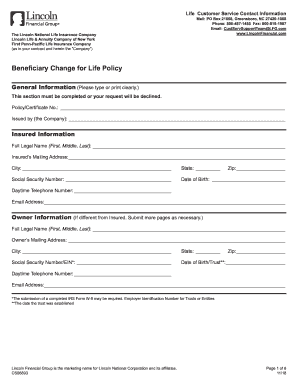
Definition and Purpose of the Departmental Authorization RFO Change Request Form
The "Departmental Authorization RFO Change Request Form" is a critical document designed for requesting changes or delegations in Responsible Financial Officer (RFO) statuses. This form plays a vital role in managing departmental financial responsibilities, ensuring that the right individuals are assigned control over financial decisions and budgets. It facilitates a structured method for updating or altering departmental authorization lists, thereby maintaining organizational accountability and financial integrity.
- RFO Meaning: The RFO, or Responsible Financial Officer, refers to individuals designated with the authority to oversee financial operations within a department.
- Delegation of Authority: The form allows for the delegation of financial authority to specific individuals, ensuring they are legally recognized as responsible for financial management.
- Security and Compliance: Using this form ensures adherence to financial management protocols, safeguarding the organization from unauthorized financial transactions.
How to Use the Departmental Authorization RFO Change Request Form
Utilizing the "Departmental Authorization RFO Change Request Form" effectively requires understanding its layout and the information it demands. Follow these steps to complete the form accurately:
-
Identification Section: Begin by accurately filling out the identification section that includes fields like Last Name and EMPLID (Employee Identification Number). This information uniquely identifies the individual requesting authority.
-
Current RFO Status: Document the current RFO status of the individual or department involved. This involves listing existing authorizations and any changes that are being requested.
-
New Authorization Requirements: Clearly outline the new RFO authority being requested. Specify the nature of the changes, such as adding new responsibilities or transferring existing ones.
-
Signatures and Approvals: Obtain the necessary signatures from both the requester and authorized departmental authorities to validate the form.
-
Submission Guidelines: Follow institutional guidelines for submitting the form, typically involving internal mail or electronic submission systems.
Steps to Complete the Departmental Authorization RFO Change Request Form
Completing the form with precision is crucial for the approval of delegation requests. Here is a step-by-step guide to ensure proper completion:
-
Gather Required Information: Prior to filling out the form, compile all necessary details, including personal identifiers like EMPLID and relevant financial authorizations.
-
Input Personal Details: Enter the requester's last name and EMPLID accurately, ensuring there are no typographical errors.
-
Outline Current and New Responsibilities: Distinctly state the current RFO duties and the new responsibilities being requested. This section should be comprehensive to avoid any ambiguity.
-
Authorization Verification: Secure signatures from department heads or financial officers to authenticate changes. This step validates the request and confirms departmental consent.
-
Ensure Compliance and Submission: Double-check all filled sections for correctness before submission. Submitting the form as per the prescribed institutional procedures is the final step in formalizing the change request.
Key Elements of the Departmental Authorization RFO Change Request Form
Certain elements of the form are pivotal to its functionality and must be accurately completed:
- Identification Fields: Includes details such as Last Name and EMPLID, which are crucial for uniquely identifying the individual.
- Current vs. Requested Changes: Comparative detailing of existing authorizations against proposed statuses ensures clarity in requests.
- Signatures and Date Fields: Essential for legitimacy, these fields confirm the authenticity and approval of the request.
- Justification for Change: Providing a rationale for authority alterations helps in evaluating the necessity and impact of the suggested modifications.
Important Terms Related to the Departmental Authorization RFO Change Request Form
Understanding key terminologies associated with the form enhances its accurate usage:
- EMPLID (Employee Identification Number): A unique number assigned to employees, crucial for internal identification.
- Delegation: Refers to the process of formally assigning responsibility and authority.
- Financial Officer: An individual responsible for managing financial processes and records within an organization.
Legal Use and Significance of the Form
Using the "Departmental Authorization RFO Change Request Form" correctly adheres to compliance and legal standards:
- Internal Controls: The form serves as a mechanism to uphold internal financial controls within departments.
- Accountability: Ensures accountable financial management by clearly delineating individual responsibilities.
- Compliance Standards: Helps organizations meet legal standards for financial oversight and reporting, reducing the risk of unauthorized financial activities.
Who Typically Uses the Departmental Authorization RFO Change Request Form
This form is predominantly used by individuals and entities within an organization that require official recognition or alteration of their financial oversight roles:
- Departmental Heads: Personnel at the helm of departments who need to delegate or change financial responsibilities.
- Financial Officers: Individuals responsible for overseeing and managing departmental finances.
- Administrative Staff: Individuals involved in processing and managing administrative workflows related to financial authorizations.


Form Submission Methods and Guidelines
Submitting the form involves several methods, each catering to different organizational infrastructures:
- Electronic Submission: Many organizations support electronic submissions through internal management systems, ensuring efficient processing.
- Fax or Mail: Some institutions may still rely on traditional submission methods such as faxing or mailing physical copies, particularly in scenarios lacking electronic infrastructure.
Whether using electronic or traditional submission methods, following organizational protocols is essential for effective processing.