




01. Edit your self employed income worksheet online
Type text, add images, blackout confidential details, add comments, highlights and more.

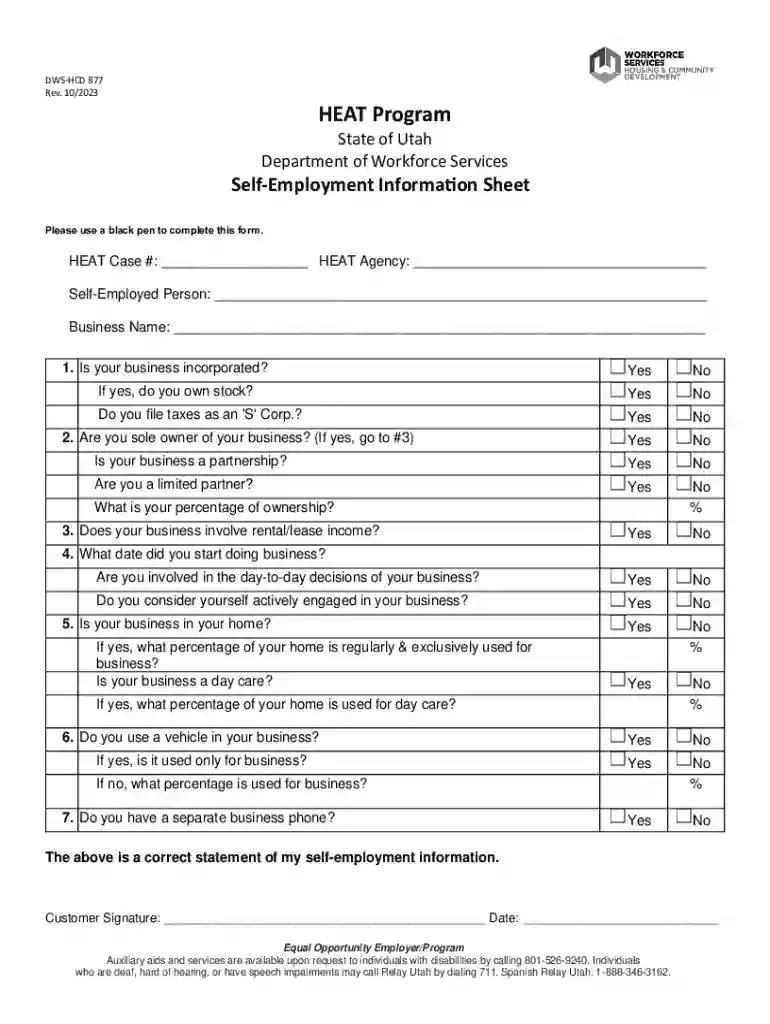
Type text, add images, blackout confidential details, add comments, highlights and more.

Draw your signature, type it, upload its image, or use your mobile device as a signature pad.

Send self employment worksheet via email, link, or fax. You can also download it, export it or print it out.
Online forms refer to digital versions of traditional paper forms used to collect information or signatures over the internet. These forms are designed to be filled out and submitted electronically through a web browser, eliminating the need for physical paperwork. Online forms are versatile, facilitating tasks such as data collection, application submissions, and document signing. Due to their digital nature, they can include interactive features like checkboxes, dropdown menus, and signature fields, enhancing user interaction.
Accessing the Form: Start by locating the form you need on the respective organization's website. This might involve navigating to a specific section or using a search feature.
Filling Out the Form: Use your computer or mobile device to enter the required information directly into the form fields. Ensure that each portion is completed accurately to avoid delays in processing.
Submitting the Form: Once completed, submit the form through the provided option, usually a submit button at the end of the document. A confirmation screen or email will typically acknowledge the receipt of your submission.
Preparation: Gather all necessary information, documents, and identification numbers to complete the form without interruptions.
Form Access: Open the form using a secure and compatible web browser to ensure all form functions are available.
Fill In Information: Enter your details carefully into the form fields. For forms with complex or repetitive sections, use pasted data where appropriate, ensuring accurate entry.
Review: Double-check all entries for accuracy to catch any errors before submission.
Submit: Click the submit button and follow any additional prompts to finalize your submission. Save a copy of the confirmation receipt or email for future reference.
Online forms have legal standing similar to paper forms when correctly executed. They adhere to electronic signatures and electronic communications legislation, such as the U.S. ESIGN Act, ensuring that digital signatures are legally binding. This becomes critical for contracts, applications, and official submissions made online.
Forms are typically issued by governmental bodies, organizations, or companies offering products or services. In many cases, forms support compliance with industry regulations, facilitation of transactions, or gathering feedback. The issuer's authority grants authenticity and relevance to the form, ensuring its recognized status for intended purposes.
When filling out an online form, having necessary documents on hand streamlines the process. Such documents might include:
For forms under state jurisdiction, such as tax filings or legal applications, regulations and requirements may differ. For example, certain states might have specific regulations regarding privacy disclosures or additional fields to address state-specific data needs.
Each section listed above reflects essential elements and steps related to the online use and handling of forms, ensuring users can effectively engage with digital processes.
We've got more versions of the self employed income worksheet form. Select the right self employed income worksheet version from the list and start editing it straight away!
At DocHub, your data security is our priority. We follow HIPAA, SOC2, GDPR, and other standards, so you can work on your documents with confidence.
Self-employment is when you work for yourself. Some examples of self-employment include child care, renting or leasing property, cutting hair, Uber, DoorDash,
The self-employed individual must pay self-employment (SE) tax to be entitled to similar benefits. This is paid when they file their federal income tax return.


