




01. Edit your form online
Type text, add images, blackout confidential details, add comments, highlights and more.

Type text, add images, blackout confidential details, add comments, highlights and more.

Draw your signature, type it, upload its image, or use your mobile device as a signature pad.

Send it via email, link, or fax. You can also download it, export it or print it out.
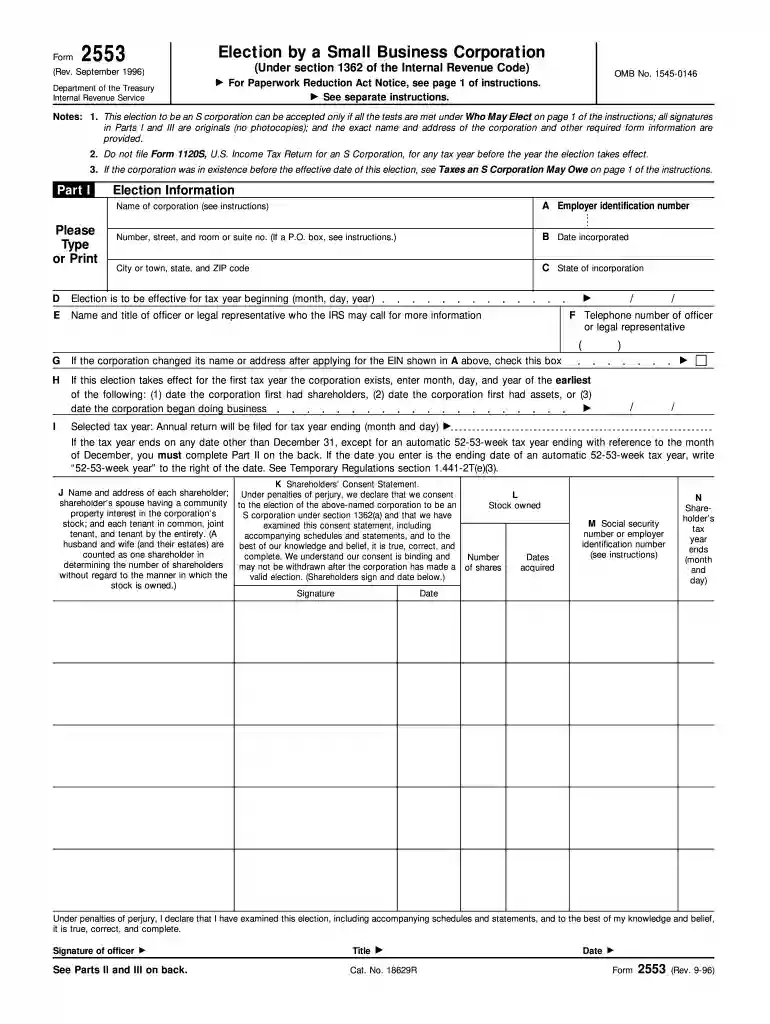
The September 1996 Department of the Treasury Internal Revenue Service form, commonly associated with matters of tax reporting and compliance, requires a thorough understanding of the application process. Typically, this involves gathering the necessary supporting documents, completing the form with accurate details, and submitting it to the Internal Revenue Service (IRS) for approval. The approval timeline can vary based on submission volume and other factors but generally spans several weeks. Monitoring the process and communication with the IRS can aid in timely resolution.
Required Steps:
Approval Considerations:
This form serves as a critical component within the framework of U.S. tax administration. Its primary function is to facilitate the reporting of specific tax-related information to the IRS. It carries the authority of the September 1996 stipulations from the Department of the Treasury, ensuring compliance with federal regulations. Understanding its role is essential for individuals and entities engaged in specific tax activities.
Users should approach the form with an understanding of its purpose and required entries. It is imperative to carefully read through each section instruction before filling out the form. Users should use documentation that aligns with the information requested on the form. This promotes accurate data input and lessens the likelihood of errors.
This form is primarily used by a range of taxpayers, including individuals and small businesses, needing to comply with specific tax requirements. Individuals in complex financial situations or those managing a business will likely have more interaction with this form.


The form features key sections that capture vital taxpayer information, financial details, and the specific tax period applicable. It is critical to pay attention to each segment to ensure comprehensive data submission.
Adhering to IRS deadlines is crucial to avoid penalties. The form’s submission should align with fiscal year-end requirements or any specified IRS deadlines communicated for specific forms.
Submission of this form typically requires supplementary documents to support the data reported. These may include financial statements, previous tax reports, or other documentation as stipulated within the form’s instructions.
Failing to comply with the form’s requirements can result in financial penalties or other repercussions imposed by the IRS. Understanding these risks can drive adherence and timely filing.
The form can be submitted via multiple channels, such as online filing through IRS systems, traditional mail, or in-person delivery at an IRS office. Selecting a method depends on personal convenience and ensuring adherence to IRS processes.
Real-world scenarios and examples where this IRS form plays a significant role can be explored for better comprehension. A typical example may include a business entity calculating tax liabilities for a reporting period.
We've got more versions of the September 1996) Department of the Treasury Internal Revenue Service OMB No - irs form. Select the right September 1996) Department of the Treasury Internal Revenue Service OMB No - irs version from the list and start editing it straight away!
At DocHub, your data security is our priority. We follow HIPAA, SOC2, GDPR, and other standards, so you can work on your documents with confidence.
displays a valid OMB control number. Section references are to the Internal Revenue Code unless otherwise noted. Department of the Treasury. Internal RevenueRead more
Department of the Treasury. Internal Revenue Service. Please type or print. OMB No. 1545-0029. T. FF. FD. FP. I. T. If address is different from prior return,Read more
If you are filing this form solely to elect allocation. Form 709 that is they total $10,000 or less. You may not claim any annual Revenue Service office where


