
Open Watermark License For Free with DocHub and make the most of your documents





Open Watermark License For Free easily
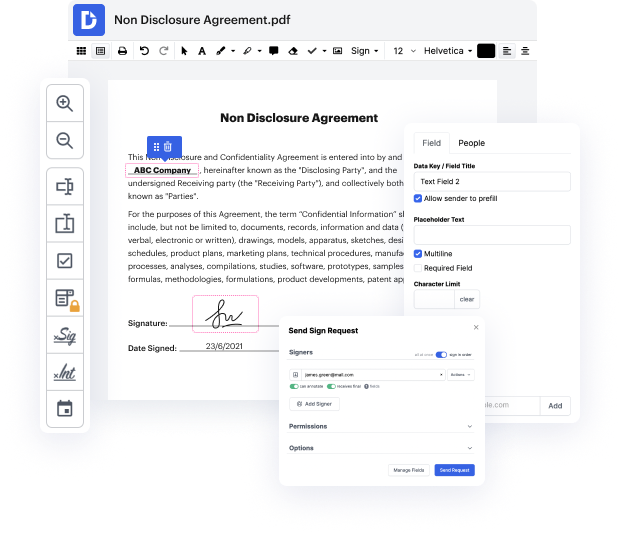
Contrary to popular belief, editing documents online can be trouble-free. Sure, some file formats might appear too challenging with which to work. But if you get the right solution, like DocHub, it's easy to modify any file with minimum effort. DocHub is your go-to tool for tasks as simple as the ability to Open Watermark License For Free a single document or something as daunting as dealing with a huge stack of complex paperwork.
Below, you can find six simple steps to get you started and Open Watermark License For Free with DocHub:
- Head to to the upload page and choose how you want to add the file.
- You can start working on your document when you’re taken to the editor.
- Find the required option to Open Watermark License For Free and utilize the undo option to revert unwanted modifications.
- Check out the tools at the top of your editor to make your added file look neater, more structured, and more professional.
- Share your file with other people or download it to your computer.
- Add a different document and keep exploring DocHub’s features.
When considering a tool for online file editing, there are many solutions on the market. However, not all of them are powerful enough to accommodate the needs of individuals requiring minimum editing capabilities or small businesses that look for more advanced tools that enable them to collaborate within their document-based workflow. DocHub is a multi-purpose solution that makes managing paperwork online more simplified and easier. Try DocHub now!
PDF editing simplified with DocHub






Drive efficiency with the DocHub add-on for Google Workspace
How to watermark license
hey whats up guys today on this video I will show you how we can remove this water mat right here activate windows go to settings to activate windows so if you have Windows license then you can go to settings and you can activate the your Windows PC with the license but if you dont have license then there is a way to remove this watermark by changing the configuration from registry editor so let me show you how we can do that first of all we have to go to registry editor and for that press windows + R on your keyboard and you can see this run dialog so here you have to type r z ad AIT and click on ok now click on and here unregister editor so we have to go to at key local machine and expand this and from here let me make a little bit large so from here expand system and from system expand current control set and expand services and from here is pull down and find this SV SVC so make sure that you are on this path on your registry editor at Sookie local machine system currentcontrols

Got questions about watermark licence?
Can Pexels be trusted?
Can I use licensable images for free?
Is Pexels completely free?
How do I know if an image is licensed?
Where can I get free licensed photos?
Does Pexels cost money?
How can I get licensed photos for free?
Where can I find CC licensed photos?
How do I create my own watermark?
How do I add a watermark for free?
See why our customers choose DocHub


Security and compliance
At DocHub, your data security is our priority. We follow HIPAA, SOC2, GDPR, and other standards, so you can work on your documents with confidence.
Learn more


