
Make fillable PDF form on Tablet quickly


How to make fillable PDF form on Tablet with DocHub
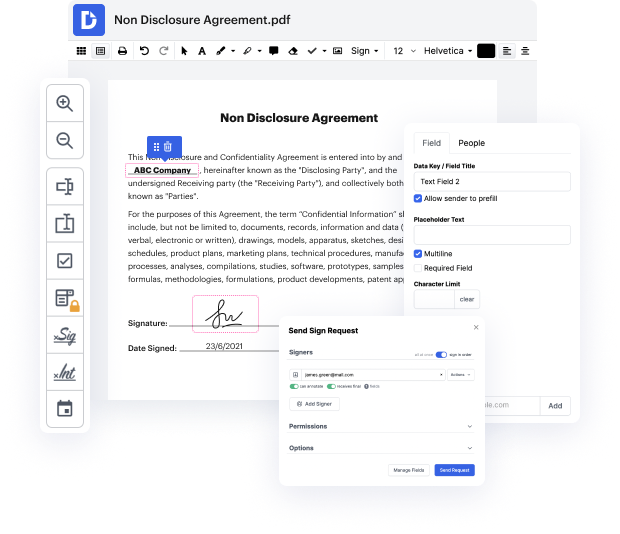
DocHub is your go-to platform for seamless document management. With its robust features, you can easily edit, sign, and distribute documents, including creating fillable PDF forms. The integration with Google Workspace further enhances productivity, allowing for smooth interactions and efficient workflows. Whether you're working on a business proposal or a simple questionnaire, our editor makes it convenient to create professional documents directly from your tablet.
Follow the steps to create your fillable PDF form
- Open the DocHub website in your tablet's web browser and log in to your account.
- Upload the PDF document you want to transform by selecting the upload option from your dashboard.
- Once the document is open in the editor, locate the tool that allows you to add interactive fields to your PDF.
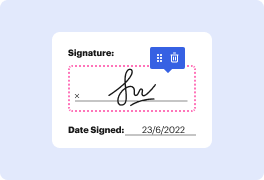
- Select the type of field you wish to add, such as text boxes, checkboxes, or signature fields, and place them in the desired locations.
- Adjust the properties of each field by clicking on them to ensure they meet your requirements, like setting mandatory fields.
- After finishing the layout, save your changes to the document.
- Finally, download the fillable PDF form, print it, or share it directly via email or cloud services.
Start making your fillable PDF forms today with DocHub and streamline your document processes for free!
PDF editing simplified with DocHub






Drive efficiency with the DocHub add-on for Google Workspace
How to dochub fillable pdf
The text provided is too short for me to create a summary as it only contains the words "foreign " repeated twice. Please provide a longer text for me to summarize.

Got questions about create fillable forms for mobile devices free?
How do I fill out a PDF on my tablet?
How do I fill out a form sent to me as a PDF?
How do I write on a PDF on my tablet?
How to make a PDF fillable on a mobile device?
Can you fill out forms on a tablet?
How do I turn my PDF into a fillable form?
How do I fill out a PDF form on my tablet?
See why our customers choose DocHub


Security and compliance
At DocHub, your data security is our priority. We follow HIPAA, SOC2, GDPR, and other standards, so you can work on your documents with confidence.
Learn more


