
Export e-sign in PDF on Chromebook quickly


How to export e-sign in PDF on ChromeBook with DocHub
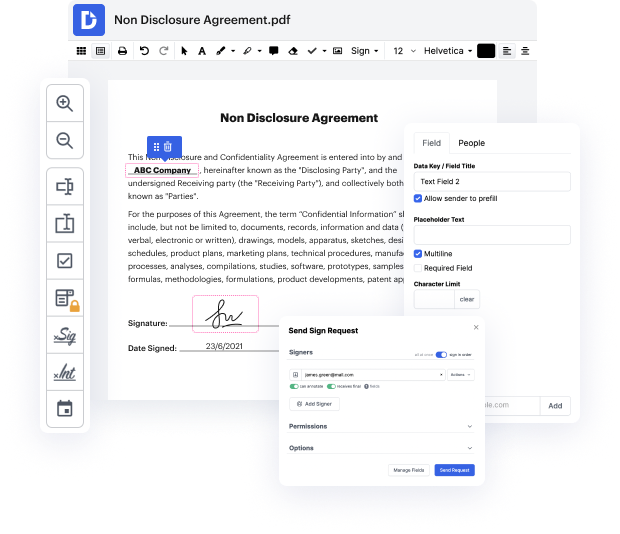
DocHub is a powerful platform designed to streamline your document management process. With features that allow for easy editing, signing, and distribution, our editor empowers users to work efficiently. Whether you’re completing forms or collaborating on documents, the integration with Google Workspace ensures that you can import, export, modify, and sign documents seamlessly, all from your ChromeBook.
Follow the steps to export e-sign in PDF on ChromeBook
- Open your web browser on your ChromeBook and navigate to the DocHub website. Log in to your account using your credentials.
- Once logged in, locate the document you wish to sign. You can either upload a new document from your device or choose one from your Google Drive if you have it linked.
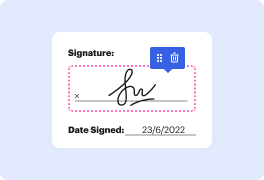
- With the document open in the editor, use the signing tool to add your e-signature. You can create a new signature or select one you’ve previously saved.
- After placing your signature, make any additional edits or annotations as necessary. This is your chance to finalize the document to your satisfaction.
- When you’re ready to export, navigate to the download option. Choose the PDF format, ensuring that your e-signature and any edits are included.
- Save the document to your ChromeBook or share it directly via email or through your preferred cloud storage service.
Start using DocHub today to simplify your document management and experience the ease of exporting e-sign in PDF on your ChromeBook!
PDF editing simplified with DocHub






Drive efficiency with the DocHub add-on for Google Workspace
How to export e-sign in PDF on Chromebook
With docHub, you can quickly and easily get documents signed by entering the signer's email address, adding a file, and typing a custom message. Ensure only the right people see and sign your document with identity verification and passwords. Customize form fields and signature blocks, set fields to be required or read-only, and easily create your own form field specifications. Signers receive an email guiding them through the signing process. Both parties receive a secured PDF copy of the signed document. Track signing progress in real time and access a full audit trail in your docHub account. Trust docHub for e-signatures.

Got questions?
How do I export a sign from a PDF?
How do I extract an e sign from a PDF?
How do I extract a signed page from a PDF?
How do I get an Esign from a PDF?
How to digitally sign a PDF on Chromebook?
How do I save a fillable PDF on a Chromebook?
How do I keep the e sign in a PDF?
How do I copy a sign from a PDF?
See why our customers choose DocHub


Security and compliance
At DocHub, your data security is our priority. We follow HIPAA, SOC2, GDPR, and other standards, so you can work on your documents with confidence.
Learn more


