
Explore new possibilities and Create Vehicle Records with AI

*Powered by ChatGPT
Coming soon
Aug 6th, 2022
forms filled out
0
forms filled out
forms signed
0
forms signed
forms sent
0
forms sent
Service screenshot
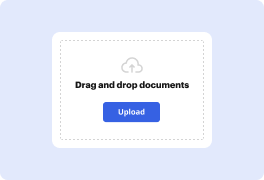
01. Upload a document from your computer or cloud storage service.
Service screenshot
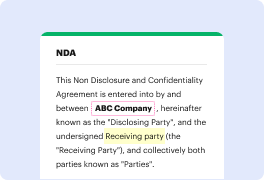
02. Modify your document or let the ai PDF editor summarize, rewrite, or proofread your PDF.
Service screenshot
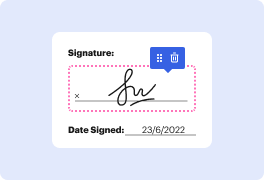
03. Sign your document online in a few clicks.
Service screenshot
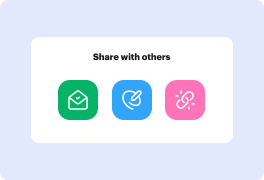
04. Send, export, fax, download, or print out your document.

Effortlessly Create Vehicle Records using AI

Form edit decoration

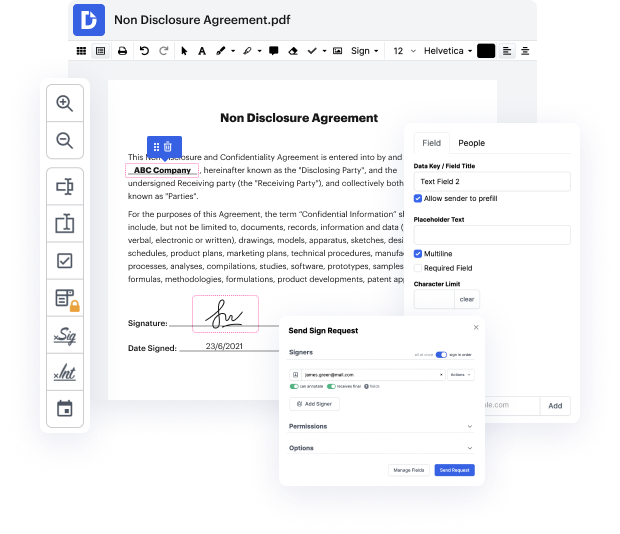
Daily business workflows include handling lots of papers. The benefit of document managing systems is apparent: you reclaim your office hours and embrace more eco-friendly procedures. DocHub provides upcoming ChatGPT-powered capabilities to make your document managing even simpler. Create Vehicle Records with AI effortlessly, eSign and modify your documents, and safely share them with your customers and teammates. Improve your collaboration and communication with a click.

The best way to Create Vehicle Records using AI in six steps

  1. Get your DocHub profile to begin working with the editor.
  2. Upload your document from your device or one of the incorporated cloud storage services.
  3. Open AI DocHub robot to Create Vehicle Records.
  4. Make other modifications utilizing the Manage Fields sidebar.
  5. Assign people to specific fields and provide specific access.
  6. Enjoy smooth file managing on any system.

Forget about cumbersome tasks and over-the-top unnecessary capabilities. DocHub supplies only the essential capabilities you need to succeed with your business goals. With our upcoming AI-powered capabilities, you can be sure you will find it even easier to Create Vehicle Records. Start a free trial version today to discover all the use cases.

A single solution for all your PDF needs

icon
Lossless PDF editing
Edit a PDF as easily as you would a Word document. Add text, images, drawings, and highlight or white out information without affecting document quality. No rasterized text or removed fields.
icon
Secure collaboration and document sharing
Improve teamwork with comments and document permissions that allow others to view, edit, and sign your documents online. Securely send your document via email, fax, public or private link, and export the finalized PDF to the cloud or download it to your device.
icon
Quick data collection
Create and fill out PDF forms online on any device. Turn your form or document into a reusable template and share it via URL or email so anyone can fill out their own copy.
icon
Legally-binding eSignatures
Instantly sign any document — type or draw your signature, or upload an image of it. Request eSignatures from others and track them every step of the way. No need to print and scan.
icon
Google integrations
DocHub extends its PDF editing, form creation, and eSignature capabilities to Google Workspace so you can easily import, export, edit, fill out, and sign your documents directly from your favorite Google Apps.
icon
AI PDF functionality
Improve productivity with DocHub's ai tools. Get quick summaries with the ai PDF summarizer, enhance document readability with an ai that reads PDF, and use the ai PDF editor to ensure the quality of your document’s content.
dochub logo
google logo

Drive efficiency with the DocHub add-on for Google Workspace

Access documents and edit, sign, and share them straight from your favorite Google Apps.
Install now

Got questions?

Here are some common questions from our customers that may provide you with the answer you're looking for. If you can't find an answer to your question, please don't hesitate to reach out to us.
Contact us
Driver assistance is one of the best uses of AI in the automotive industry. AI-enabled systems use sensors to assist with steering and pedestrian detection, monitor blind spots, and alert the driver ingly, enabling them to take preventive measures to stay protected against road accidents.
Deep learning, a type of machine learning that involves training artificial neural networks on large datasets, is widely used in the development of self-driving cars. Self-driving cars are generally classified ing to levels of automation, ranging from level 0 (no automation) to level 5 (fully autonomous).
A. Advanced driver-assistance systems (ADAS), LiDAR, IoT, and speech recognition are the topmost techniques used in the automotive industry.
Transportation. Transportation benefits from the use of AI in the automobile industry by developing driver assist programs, autonomous driving, driver risk assessments, and driver monitoring, such as monitoring a drivers eye to identify the danger of falling asleep at the wheel.
Autonomous Vehicles (AVs) By harnessing the power of Generative AI, we can generate images and videos that serve as building blocks for virtual environments and realistic simulations. This allows autonomous vehicles (AVs) to learn and adapt within controlled settings.
What is generative AI? Generative AI can learn from existing artifacts to generate new, realistic artifacts (at scale) that reflect the characteristics of the training data but dont repeat it. It can produce a variety of novel content, such as images, video, music, speech, text, software code and product designs.
Generative AI plays a vital role in enhancing Advanced Driver Assistance Systems (ADAS). Teslas autopilot system, powered by AI, utilizes Generative AI models to comprehend and gain insights from a wide range of driving scenarios, thereby continuously improving its capabilities.
Companies like Waze use generative AI to provide real-time, personalized navigation suggestions based on user preference and traffic conditions. Machine learning algorithms can analyze a drivers music preferences and follow voice commands allowing for hands-free operation.

See why our customers choose DocHub

Great solution for PDF docs with very little pre-knowledge required.
"Simplicity, familiarity with the menu and user-friendly. It's easy to navigate, make changes and edit whatever you may need. Because it's used alongside Google, the document is always saved, so you don't have to worry about it."
Pam Driscoll F
Teacher
A Valuable Document Signer for Small Businesses.
"I love that DocHub is incredibly affordable and customizable. It truly does everything I need it to do, without a large price tag like some of its more well known competitors. I am able to send secure documents directly to me clients emails and via in real time when they are viewing and making alterations to a document."
Jiovany A
Small-Business
I can create refillable copies for the templates that I select and then I can publish those.
"I like to work and organize my work in the appropriate way to meet and even exceed the demands that are made daily in the office, so I enjoy working with PDF files, I think they are more professional and versatile, they allow..."
Victoria G
Small-Business

Security and compliance

At DocHub, your data security is our priority. We follow HIPAA, SOC2, GDPR, and other standards, so you can work on your documents with confidence.

Learn more
ccpa2
pci-dss
gdpr-compliance
hipaa
soc-compliance
be ready to get more

Edit and sign PDFfor free

Get started now



