
Explore DocHub’s ChatGPT-assisted features to Create Termination with AI in Technology industry

*Powered by ChatGPT
Coming soon
Aug 6th, 2022
forms filled out
0
forms filled out
forms signed
0
forms signed
forms sent
0
forms sent
Service screenshot
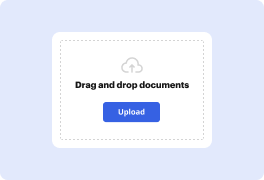
01. Upload a document from your computer or cloud storage service.
Service screenshot
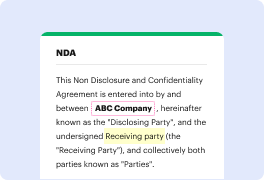
02. Modify your document or let the ai PDF editor summarize, rewrite, or proofread your PDF.
Service screenshot
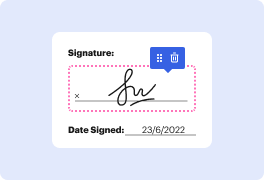
03. Sign your document online in a few clicks.
Service screenshot
04. Send, export, fax, download, or print out your document.

How to Create Termination using AI in Technology industry and streamline your document management tasks with DocHub

Form edit decoration

Managing business paperwork can be burdensome and time-consuming, even with comprehensive but old-fashioned working editors. However, tools empowered with Artificial Intelligence functionality can make your work much easier. Consider DocHub to Create Termination with AI in Technology industry and find your forms ready in just minutes.

Take these steps to Create Termination using AI in Technology sector in our editor:

  1. Log in to your account or sign up if you don’t have one.
  2. Add your Termination from your device or cloud storage.
  3. Open your file in the editor and launch its AI assistant.
  4. Click the appropriate button to Create your paperwork.
  5. Verify the AI DocHub robot’s work and apply other essential edits wherever necessary.
  6. Make sure you have everything as it should be, and save your document changes.

New technologies give more advanced opportunities for individuals and companies in different areas, including Technology sector. Take advantage of AI-driven editing features offered by DocHub and complete your document management tasks quickly and efficiently. Get started now!

A single solution for all your PDF needs

icon
Lossless PDF editing
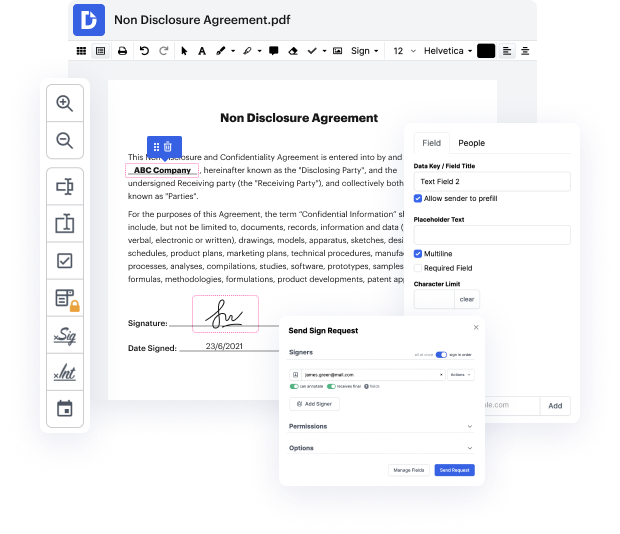
Edit a PDF as easily as you would a Word document. Add text, images, drawings, and highlight or white out information without affecting document quality. No rasterized text or removed fields.
icon
Secure collaboration and document sharing
Improve teamwork with comments and document permissions that allow others to view, edit, and sign your documents online. Securely send your document via email, fax, public or private link, and export the finalized PDF to the cloud or download it to your device.
icon
Quick data collection
Create and fill out PDF forms online on any device. Turn your form or document into a reusable template and share it via URL or email so anyone can fill out their own copy.
icon
Legally-binding eSignatures
Instantly sign any document — type or draw your signature, or upload an image of it. Request eSignatures from others and track them every step of the way. No need to print and scan.
icon
Google integrations
DocHub extends its PDF editing, form creation, and eSignature capabilities to Google Workspace so you can easily import, export, edit, fill out, and sign your documents directly from your favorite Google Apps.
icon
AI PDF functionality
Improve productivity with DocHub's ai tools. Get quick summaries with the ai PDF summarizer, enhance document readability with an ai that reads PDF, and use the ai PDF editor to ensure the quality of your document’s content.
dochub logo
google logo

Drive efficiency with the DocHub add-on for Google Workspace

Access documents and edit, sign, and share them straight from your favorite Google Apps.
Install now

Got questions?

Here are some common questions from our customers that may provide you with the answer you're looking for. If you can't find an answer to your question, please don't hesitate to reach out to us.
Contact us
AI also automates the task of candidate screening for HR. AI offers intelligent hiring methods that help collect information from different social media profiles, online job records of the employees, and their educational qualifications. This helps improve the ranking system for the candidates.
Employees wishing to use generative AI chatbots should discuss the parameters of their use with their [manager/director/etc.]. Managers may verbally approve, deny or modify those parameters as best meets company policy, legal requirements or other business needs.
Artificial Intelligence (AI) can play an important role in human resource management as it can automate mundane tasks and reduce bias associated with the screening process. AI can be used to support career growth, enhance employee engagement, and advance organizational strategies.
AI-powered personalized learning and development programs help employees develop their skills, resulting in increased engagement and satisfaction. AI technology also reduces unconscious biases in recruitment, streamlines employee onboarding, and provides predictive analytics for retention.
AI can automate many of the tasks performed by entry-level workers. Accounting features, purchase orders and job requisitions are Page 3 already being automated, and workplaces no longer need people who manually compile or analyze information.
Implementing AI can streamline HR by bringing increased speed and efficiency to many areas including analytics and daily processes. It can assist with improved productivity, better employee experiences and engagement and a reduction in bias in HR decision making.
The fusion of artificial intelligence (AI) with HRM practices is altering how companies recruit, manage, and engage their workforce. With the use of artificial intelligence, machines are now able to make decisions based on historical data and behavioural patterns more precisely than people.
AI enables the collection and analysis of data in your HR processes to eliminate biases and guesswork to guarantee you are choosing the right candidate or offering the best compensation and benefits plan.

See why our customers choose DocHub

Great solution for PDF docs with very little pre-knowledge required.
"Simplicity, familiarity with the menu and user-friendly. It's easy to navigate, make changes and edit whatever you may need. Because it's used alongside Google, the document is always saved, so you don't have to worry about it."
Pam Driscoll F
Teacher
A Valuable Document Signer for Small Businesses.
"I love that DocHub is incredibly affordable and customizable. It truly does everything I need it to do, without a large price tag like some of its more well known competitors. I am able to send secure documents directly to me clients emails and via in real time when they are viewing and making alterations to a document."
Jiovany A
Small-Business
I can create refillable copies for the templates that I select and then I can publish those.
"I like to work and organize my work in the appropriate way to meet and even exceed the demands that are made daily in the office, so I enjoy working with PDF files, I think they are more professional and versatile, they allow..."
Victoria G
Small-Business

Security and compliance

At DocHub, your data security is our priority. We follow HIPAA, SOC2, GDPR, and other standards, so you can work on your documents with confidence.

Learn more
ccpa2
pci-dss
gdpr-compliance
hipaa
soc-compliance
be ready to get more

Edit and sign PDFfor free

Get started now



