
Add US Currency Field PDF on iPhone mobile device


Add US Currency Field PDF on iPhone
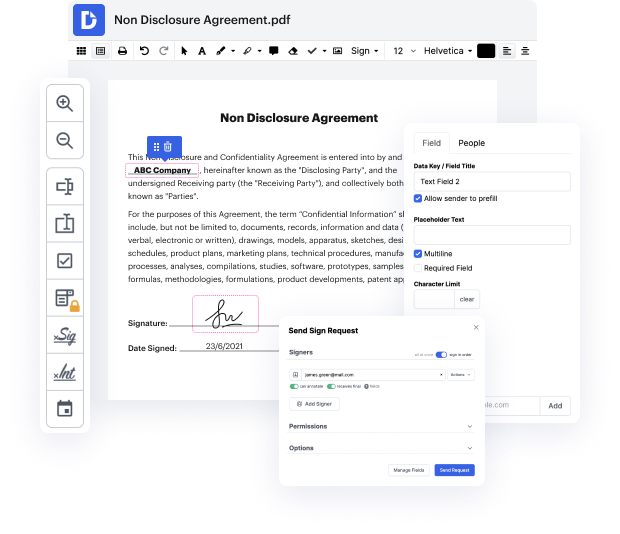
DocHub is your go-to platform for seamless document management, empowering users to edit, sign, and share documents online for free. With features tailored for efficiency, DocHub integrates deeply with Google Workspace, allowing you to easily import, export, modify, and sign documents directly from your favorite Google apps. Whether you're using the Apple iPhone 16e, Apple iPhone 16 Plus, Apple iPhone 15, Apple iPhone 15 Plus, or the Apple iPhone 16 Pro Max, you can manage your PDFs effortlessly using our online editor.
Follow the steps to Add US Currency Field PDF on iPhone
- Open your web browser on your iPhone and navigate to the DocHub website. Log in to your account using your credentials.
- Once logged in, access the document you wish to edit by uploading it from your device or importing it from your Google Drive.
- In the editing interface, locate the option to add fields to your document. Select the currency field option from the available tools.
- Position the currency field in the desired location on your PDF. You can adjust its size and format to fit your document's design.
- After placing the currency field, customize its properties, ensuring it reflects US currency formatting accurately.
- Once you are satisfied with your edits, proceed to save your document. You can choose to download it, print it, or share it directly via email or other platforms.
Experience the convenience of document management today—start using our platform for free!
PDF editing simplified with DocHub






Drive efficiency with the DocHub add-on for Google Workspace
Got questions about site dochub com apple?
How do you type on a document on an iPhone?
How do I use currency on my iPhone?
How to format numbers on iPhone?
How to change Currency format in iPhone?
How can you format these cells to display Currency?
How to change decimal places on iPhone?
How do you format currency in Apple?
See why our customers choose DocHub


Security and compliance
At DocHub, your data security is our priority. We follow HIPAA, SOC2, GDPR, and other standards, so you can work on your documents with confidence.
Learn more


