
Add Mandatory Field PDF on PC quickly



How to Add Mandatory Field PDF on PC with DocHub
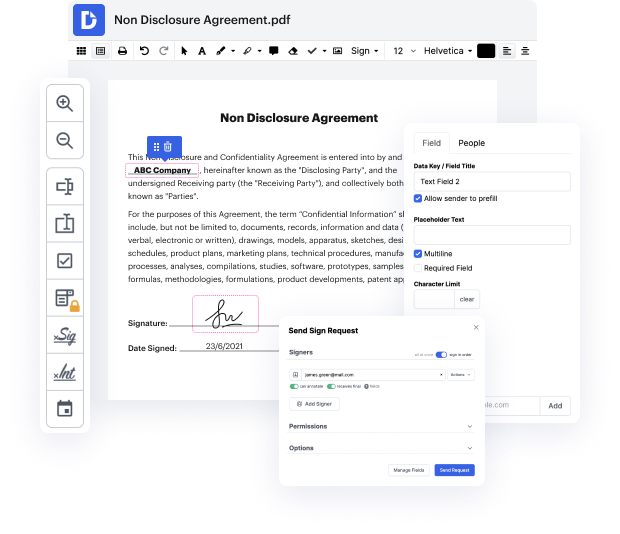
Our platform offers an efficient way to manage your documents with advanced features for editing, signing, and completing forms. With deep integration into Google Workspace, users can seamlessly import, modify, and distribute their documents online for free. This guide will empower you to add mandatory fields to your PDFs on PC, ensuring that your documents meet all necessary requirements.
Follow the steps to add mandatory fields to your PDF
- Open the website of the document editor and log in to your account.
- Upload the PDF file you want to edit by selecting the option to import it from your device.
- Once your document is open, navigate to the tools section where you can find options to add fields.
- Select the mandatory field option and place it on the desired location in your PDF.
- Customize the field settings to ensure it is marked as required for completion.
- After adding all necessary mandatory fields, review your document to ensure everything is accurate.
- Finally, download the edited PDF, print it, or share it via email directly from the platform.
Start using our platform today to enhance your document management experience!
PDF editing simplified with DocHub






Drive efficiency with the DocHub add-on for Google Workspace
How to Add Mandatory Field PDF on PC
Jewel Tolentino demonstrates how to make a fillable form in docHub. She shows how to access the prepare form tool, which automatically creates fillable boxes for detected areas in a PDF. This feature is available with docHub Pro, making the process more efficient and user-friendly.

Got questions?
Can a PDF auto populate fields?
How do you add a writing field to a PDF?
How do I enable form fields in PDF?
How to create a calculated field in PDF?
How to create mandatory fields in PDF?
How to create a fillable date field in PDF?
How do I add fillable fields to my PDF?
How do I add fillable fields in a PDF?
See why our customers choose DocHub


Security and compliance
At DocHub, your data security is our priority. We follow HIPAA, SOC2, GDPR, and other standards, so you can work on your documents with confidence.
Learn more


