
Add Conditional Fields to PDF for Sign on Motorola mobile device



Add Conditional Fields to PDF for Sign on Motorola
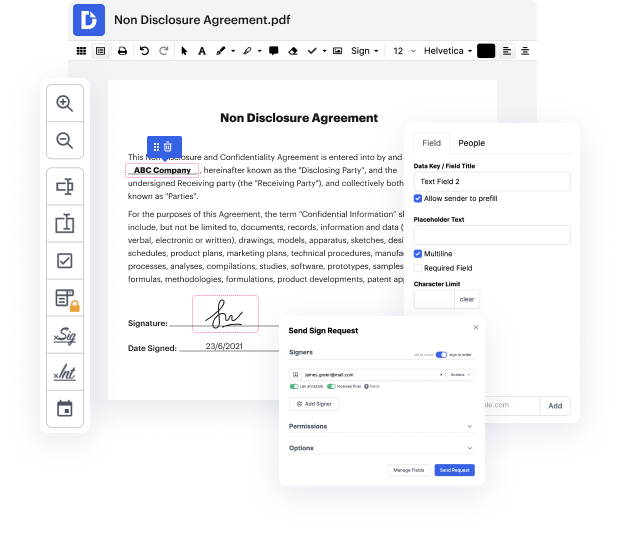
DocHub is an innovative platform that simplifies document management, allowing users to edit, sign, and distribute documents seamlessly. Its integration with Google Workspace enhances productivity, making it easier to import, export, modify, and sign PDFs directly from your favorite Google applications. Whether you're using a Motorola Moto G54, G54 Power Edition, Motorola Edge 60 Pro, or any other model, our editor provides a user-friendly experience for managing your digital paperwork online, for free.
Follow the steps to Add Conditional Fields to PDF for Sign on Motorola
- Open the website of the document management platform and log in to your account.
- Upload the PDF document that you want to edit using the upload feature available in the editor.
- Once the document is open, navigate to the section where you need to add conditional fields for signatures.
- Select the option to add fields and choose conditional fields from the available tools to customize your document according to your needs.
- Set the conditional rules that will determine when these fields should appear or be required, tailoring the experience specifically for your users.
- After setting up the fields, review your document to ensure everything is in order, and make any necessary adjustments.
- Finally, download, print, or share the completed document directly from the platform to finalize your workflow.
Start using our platform today to enhance your document management experience on your Motorola device!
PDF editing simplified with DocHub






Drive efficiency with the DocHub add-on for Google Workspace
See why our customers choose DocHub


Security and compliance
At DocHub, your data security is our priority. We follow HIPAA, SOC2, GDPR, and other standards, so you can work on your documents with confidence.
Learn more


