
Add Calculated Field PDF on PC quickly



How to Add Calculated Field PDF on PC with DocHub
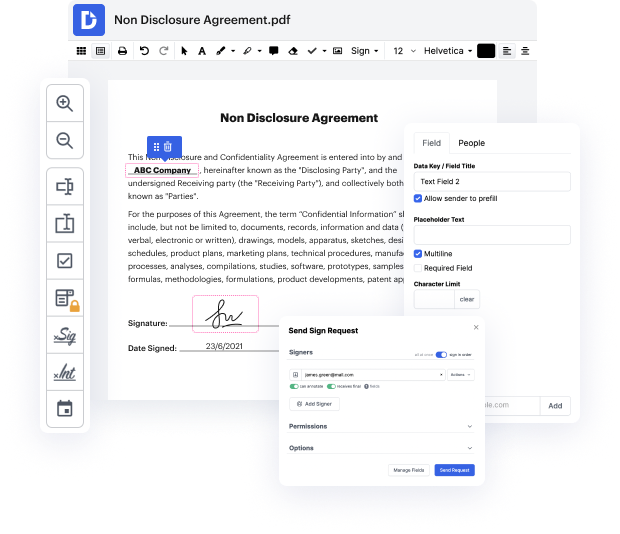
DocHub is an innovative platform designed to streamline document editing, signing, and distribution. With its powerful features, users can easily manage their documents online, ensuring smooth workflows and interactive forms completion. Whether you're importing, modifying, or signing documents, our editor integrates seamlessly with Google Workspace, allowing for enhanced productivity at no cost.
Follow the steps to Add Calculated Field PDF on PC
- Open the DocHub website and log in to your account.
- Upload the PDF document that requires a calculated field from your device or import it directly from Google Drive.
- Once the document is open in the editor, locate the option to add fields and select the appropriate field type for your calculation.
- Input the necessary parameters for the calculated field, ensuring to define the required operations and values.
- Adjust the field properties for visibility and formatting according to your needs.
- Preview the document to ensure that the calculated field functions correctly before finalizing.
- Once satisfied, download or export the document, or share it directly with your recipients.
Experience the convenience of DocHub today and elevate your document management skills!
PDF editing simplified with DocHub






Drive efficiency with the DocHub add-on for Google Workspace
How to Add Calculated Field PDF on PC
hi everybody this is ian from in 30 minutes guides today im going to show you how to adjust the form fields on a fillable pdf using docHub pro in windows or mac os if this video helps please take a moment to follow my channel and like the video and lets get started so i just created this fillable pdf form i did it in another video if youre curious to see the process for that but now im in the mode where im testing it out to make sure it works okay so the idea is you type in your name ian lamont you use the tab button to kind of go from field to field so i can just say uh jim smith place date of interview march 22nd 2022 etc etc but maybe youve noticed something as im typing this stuff in and that is even though the form field the blue field it kind of is right on the same level as the black line below it when i actually type things in the text is kind of you know maybe about an eighth of an inch or a quarter of an inch above the black line and we dont want that we dont

Got questions?
How do you add fillable text boxes to a PDF?
How do you add a variable field in PDF?
How do I write formulas in PDF?
How do you do math in a PDF?
How do I add a field in PDF?
Can calculations be done in PDF?
How do I add variable text to a PDF?
How do I add a calculated field in docHub?
How do I create a calculation script in PDF?
Can you do calculations in PDF?
See why our customers choose DocHub


Security and compliance
At DocHub, your data security is our priority. We follow HIPAA, SOC2, GDPR, and other standards, so you can work on your documents with confidence.
Learn more


