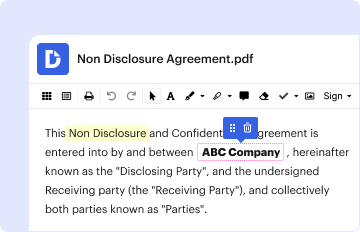
Create your Personal Injury Form from scratch

Start Building Now
Title decoration

Here's how it works

01. Start with a blank Personal Injury Form
Open the blank document in the editor, set the document view, and add extra pages if applicable.
02. Add and configure fillable fields
Use the top toolbar to insert fields like text and signature boxes, radio buttons, checkboxes, and more. Assign users to fields.
03. Distribute your form
Share your Personal Injury Form in seconds via email or a link. You can also download it, export it, or print it out.

Craft Personal Injury Form from the ground up with these step-by-step guidelines
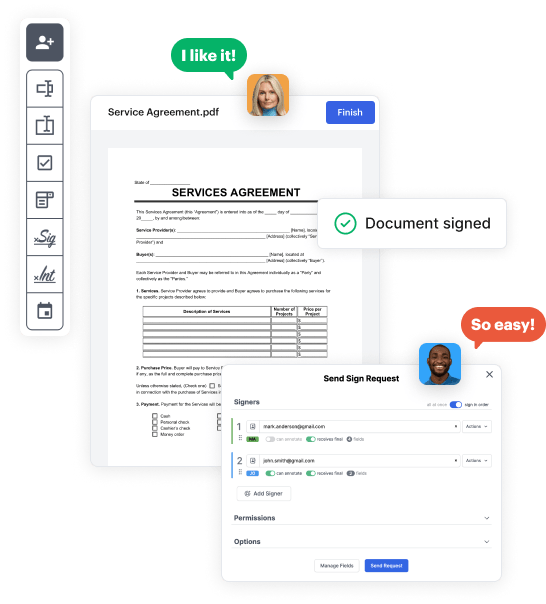
Form edit decoration

Step 1: Get started with DocHub.

Start by registering a free DocHub account using any offered sign-up method. Just log in if you already have one.

Step 2: Sign up for a free 30-day trial.

Try out the complete set of DocHub's advanced features by signing up for a free 30-day trial of the Pro plan and proceed to craft your Personal Injury Form.

Step 3: Start with a new empty doc.

In your dashboard, click the New Document button > scroll down and choose to Create Blank Document. You will be taken to the editor.

Step 4: Organize the document’s view.

Utilize the Page Controls icon marked by the arrow to toggle between different page views and layouts for more convenience.

Step 5: Begin by inserting fields to create the dynamic Personal Injury Form.

Navigate through the top toolbar to place document fields. Add and configure text boxes, the signature block (if applicable), insert images, etc.

Step 6: Prepare and configure the added fields.

Configure the fillable areas you added per your preferred layout. Modify the size, font, and alignment to ensure the form is straightforward and professional.

Step 7: Finalize and share your template.

Save the ready-to-go copy in DocHub or in platforms like Google Drive or Dropbox, or create a new Personal Injury Form. Share your form via email or use a public link to engage with more people.

be ready to get more

Build your Personal Injury Form in minutes

Start creating now

Got questions?

We have answers to the most popular questions from our customers. If you can't find an answer to your question, please contact us.
Contact us
Time limits The most common claim in a personal injury case is negligence and the time limit for this is 3 years. This means that court proceedings must be issued within 3 years of you first being aware that you have suffered an injury.
Key Stages to Making a Compensation Claim Initial Instructions. Letter of Claim. Collating Evidence. If Liability is Admitted. Obtaining Medical Evidence. Preparing a Schedule of Financial Losses. Negotiating Settlement. If Liability is Denied.
If you want to take legal action to claim compensation for a personal injury, you will need to get advice from a solicitor specialising in these types of cases. This must be done as soon as possible as there are strict time limits on taking legal action.
Personal Injury Demand Letter Basics describing the facts of the casethe who, what, where, and when. detailing your injuries and losses (damages) explaining why the other party is responsible for your injuries, and. demanding a certain dollar amount to settle your injury claim.
What should the letter of claim contain? Information about the Claimant. Information about the claim. Special damages. Road traffic accidents. Funding arrangements. Defendants insurer. Rehabilitation. Documents.
be ready to get more

Build your Personal Injury Form in minutes

Start creating now

Related Q&A to Personal Injury Form

Follow these steps to making a personal injury claim, which cover everything you need to do in the event of an accident and how to seek compensation. Report the accident. You should report the accident to whoever you believe was responsible for it as soon as possible. Gather evidence. Contact our lawyers.
Negligence: The Pillar of Personal Injury Law Duty of Care: The defendant owed a legal obligation to uphold a standard of care towards the plaintiff. BdocHub of Duty: The defendant bdocHubed this duty through their actions or failure to act in a manner consistent with the expected standard of care.

Additional resources on building your forms