

Create your Sample civil federal retaliation Complaint Form from scratch

Start Building Now
Title decoration

Here's how it works

01. Start with a blank Sample civil federal retaliation Complaint Form
Open the blank document in the editor, set the document view, and add extra pages if applicable.
02. Add and configure fillable fields
Use the top toolbar to insert fields like text and signature boxes, radio buttons, checkboxes, and more. Assign users to fields.
03. Distribute your form
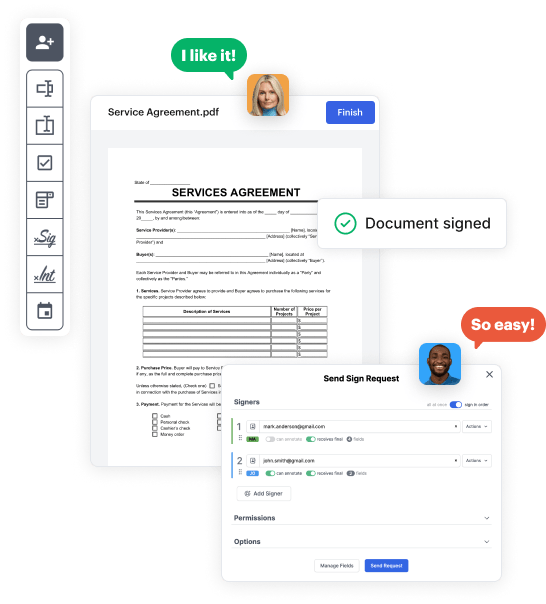
Share your Sample civil federal retaliation Complaint Form in seconds via email or a link. You can also download it, export it, or print it out.

Build Sample civil federal retaliation Complaint Form from the ground up by following these comprehensive instructions

Form edit decoration

Step 1: Open DocHub and get going.

Start by signing up for a free DocHub account using any offered sign-up method. If you already have one, simply log in.

Step 2: Register for a 30-day free trial.

Try out the whole set of DocHub's advanced features by registering for a free 30-day trial of the Pro plan and proceed to build your Sample civil federal retaliation Complaint Form.

Step 3: Build a new empty form.

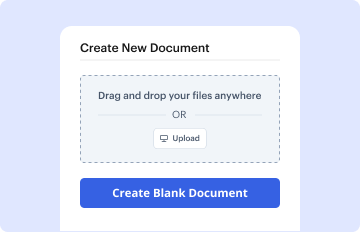
In your dashboard, select the New Document button > scroll down and choose to Create Blank Document. You’ll be taken to the editor.

Step 4: Organize the document’s layout.

Use the Page Controls icon marked by the arrow to toggle between two page views and layouts for more flexibility.

Step 5: Start adding fields to create the dynamic Sample civil federal retaliation Complaint Form.

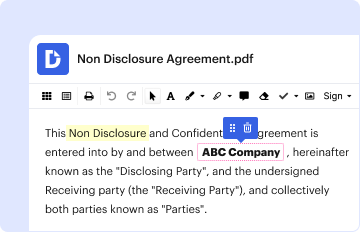
Use the top toolbar to add document fields. Add and configure text boxes, the signature block (if applicable), insert images, etc.

Step 6: Prepare and configure the added fields.

Configure the fields you added based on your preferred layout. Personalize the size, font, and alignment to make sure the form is easy to use and polished.

Step 7: Finalize and share your form.

Save the completed copy in DocHub or in platforms like Google Drive or Dropbox, or craft a new Sample civil federal retaliation Complaint Form. Distribute your form via email or utilize a public link to reach more people.


be ready to get more

Build your Sample civil federal retaliation Complaint Form in minutes

Start creating now

Got questions?

We have answers to the most popular questions from our customers. If you can't find an answer to your question, please contact us.
Contact us
A strong retaliation case must show three things: An employee faced discrimination or harassment in the workplace. They reported the incident. The employee was then fired, demoted or otherwise punished for their complaint.
reprimand the employee or give a performance evaluation that is lower than it should be; transfer the employee to a less desirable position; engage in verbal or physical abuse; threaten to make, or actually make reports to authorities (such as reporting immigration status or contacting the police);
The name, address, and telephone number of the person who is being treated unfairly; The name, address, and telephone number of the employer you are filing the complaint against; A brief description of the event or events that you believe are unfair or harassing; and. The dates these events occurred.
Writing the Retaliation Complaint Letter Your introduction should clearly state your purpose in writing the letter. Begin with a brief explanation of the issue and state that you are writing to report retaliation against you after raising concerns about illegal or unethical practices in the workplace.
Under Title VI, the evidence must show that (1) an individual engaged in protected activity of which the recipient was aware; (2) the recipient took a docHubly adverse action against the individual; and (3) a causal connection exists between the individuals protected activity and the recipients adverse action.
be ready to get more

Build your Sample civil federal retaliation Complaint Form in minutes

Start creating now

Related Q&A to Sample civil federal retaliation Complaint Form

Under the current law, a retaliation claim includes three stages of a shifting burden of proof: (1) the employee must establish a prima facie case of retaliation; (2) the employer must identify a legitimate, non-retaliatory reason for their act(s); and (3) the employee must prove that the employers non-retaliatory

Additional resources on building your forms