
Create your Nassau county commercial Complaint Form from scratch

Start Building Now
Title decoration

Here's how it works

01. Start with a blank Nassau county commercial Complaint Form
Open the blank document in the editor, set the document view, and add extra pages if applicable.
02. Add and configure fillable fields
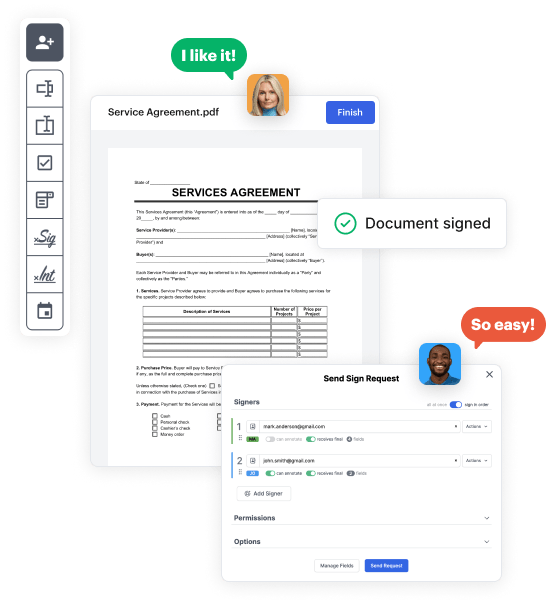
Use the top toolbar to insert fields like text and signature boxes, radio buttons, checkboxes, and more. Assign users to fields.
03. Distribute your form
Share your Nassau county commercial Complaint Form in seconds via email or a link. You can also download it, export it, or print it out.

Build Nassau county commercial Complaint Form from scratch by following these step-by-step guidelines

Form edit decoration

Step 1: Start off by launching DocHub.

Begin by creating a free DocHub account using any available sign-up method. Simply log in if you already have one.

Step 2: Register for a 30-day free trial.

Try out the whole suite of DocHub's advanced tools by signing up for a free 30-day trial of the Pro plan and proceed to build your Nassau county commercial Complaint Form.

Step 3: Start with a new blank doc.

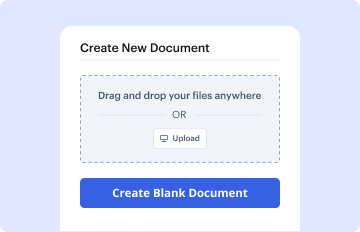
In your dashboard, hit the New Document button > scroll down and hit Create Blank Document. You will be redirected to the editor.

Step 4: Organize the document’s view.

Use the Page Controls icon marked by the arrow to switch between different page views and layouts for more flexibility.

Step 5: Begin by inserting fields to design the dynamic Nassau county commercial Complaint Form.

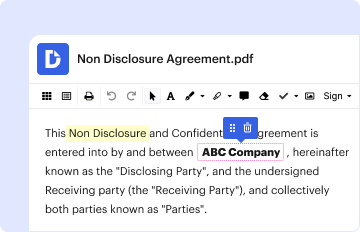
Navigate through the top toolbar to add document fields. Add and format text boxes, the signature block (if applicable), insert images, etc.

Step 6: Prepare and customize the incorporated fields.

Configure the fillable areas you incorporated based on your chosen layout. Adjust the size, font, and alignment to make sure the form is straightforward and professional.

Step 7: Finalize and share your template.

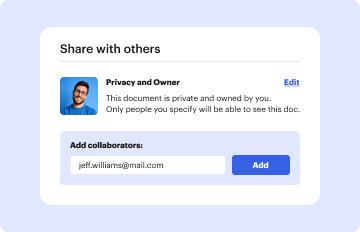
Save the completed copy in DocHub or in platforms like Google Drive or Dropbox, or craft a new Nassau county commercial Complaint Form. Distribute your form via email or get a public link to reach more people.


be ready to get more

Build your Nassau county commercial Complaint Form in minutes

Start creating now

Got questions?

We have answers to the most popular questions from our customers. If you can't find an answer to your question, please contact us.
Contact us
Call the toll-free Consumer Assistance Hotline at 800-697-1220 or file a complaint online at . Consumers can also request a consumer complaint form by calling the hotline.
If you are suing an individual in Nassau County District Court, you will need to properly fill out a Small Claims Complaint Form. In Nassau County, claimants (the person filing) must have a corporation in New York state to file a commercial claim against a business or individual.
Can I sue for more than $5,000 in Small Claims Court? If your claim is for more than $5,000 in either Nassau or Suffolk county you must start a civil case. In NYC you may sue for up to $10,000 in Small Claims Court.
After you file a complaint by calling 311 or using 311ONLINE, you will be given a Service Request number. You can follow up on the status of your complaint using the Service Request number through 311ONLINE.
Phone: 516-571-7755 Press 1 to report Sexual Abuse, Child Abuse, or Elder Abuse. Press 2 to report Tax, Welfare or Medicaid Fraud. Press 3 to report Frauds targeting immigrants. Press 4 to report Insurance Fraud. Press 5 to report Firearms, Narcotics or Gang Activity. Press 6 to report Corruption.
be ready to get more

Build your Nassau county commercial Complaint Form in minutes

Start creating now

Related Q&A to Nassau county commercial Complaint Form

TO REQUEST A COMPLAINT FORM THAT CAN BE FILED BY MAIL, PLEASE CALL 516-571-3505.
A complaint may be submitted to any member of the Sheriffs Office. All complaints are forwarded to the Internal Affairs Section whose regular office hours are 8 a.m. to 5 p.m., Monday through Friday. In addition, there is an investigator available upon request 24 hours a day, seven days a week.

Additional resources on building your forms


