Get and manage Home Balance Sheet Templates online

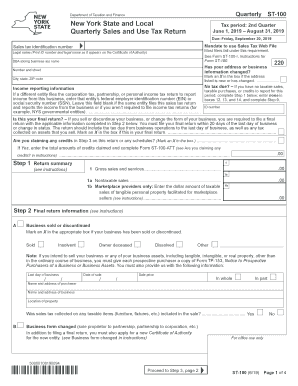
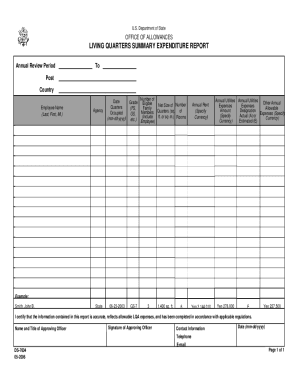
Accelerate your file management with the Home Balance Sheet Templates collection with ready-made form templates that suit your requirements. Get your document, change it, fill it, and share it with your contributors without breaking a sweat. Start working more efficiently with the forms.

How to use our Home Balance Sheet Templates:

  1. Open our Home Balance Sheet Templates and search for the form you need.
  2. Preview your form to ensure it’s what you want, and click on Get Form to begin working on it.
  3. Edit, include new text, or point out important information with DocHub features.
  4. Fill out your form and preserve the modifications.
  5. Download or share your form template with other people.

Discover all the possibilities for your online document administration with our Home Balance Sheet Templates. Get your free free DocHub account right now!


Video Guide on Home Balance Sheet Templates management

video background

Commonly Asked Questions about Home Balance Sheet Templates

The Balance Sheet Template for Excel is a pre-designed spreadsheet that allows users to enter their companys financial information, including assets, liabilities, and equity. This template is useful for businesses of all sizes, as it can be customized to fit each companys specific needs.
The QuickBooks Online balance sheet template makes it easy The difference between assets and liabilities is displayed at the bottom as the equity or net worth of the business. Simply choose Reports Balance Sheet in QuickBooks Online and the pre-installed template is populated with your data in seconds.
How to create a personal balance sheet Step 1: Make a list of your ASSETS and where to get the most current values. Step 2: Make a list of your DEBTS and where to get the most current values. Step 3: Compile the information. Step 4: Categorize your total assets. Step 5: Categorize your total liabilities / debts.
Go to the Reports menu, then select Company Financial Profit Loss Standard. Select Customize Report. Go to the Display tab: Set the From and To date fields to the years you want to display on the report.
QuickBooks does the math for you and can rapidly turn out accurate balance sheets so you dont have to spend all that time crunching numbers.
Start with a Balance Sheet Standard report. On the Display tab, change the From and To dates to include the months you want to report on. Choose Month for the Display columns by field. Click OK to run the report.
Steps to Preparing a Simple Balance Sheet: Add the value of all assets. List total under assets. Add the total obligations owed. List total under liabilities. Subtract the liabilities from the total assets to determine net worth. List the amount under personal equity.