What is the difference between SigningHub vs. PDFzorro?
The main difference between SigningHub and PDFzorro lies in their features and capabilities, giving users the option to choose the one that best suits their specific needs.
SigningHub is a comprehensive electronic signature solution that offers a wide range of advanced features to streamline document signing processes. With SigningHub, users can easily create, track, and manage digital signatures on multiple documents simultaneously, all in a secure and compliant manner. The platform provides audit trails and encryption to ensure the integrity and confidentiality of documents. Additionally, SigningHub integrates with various popular applications, allowing for seamless workflow integration.
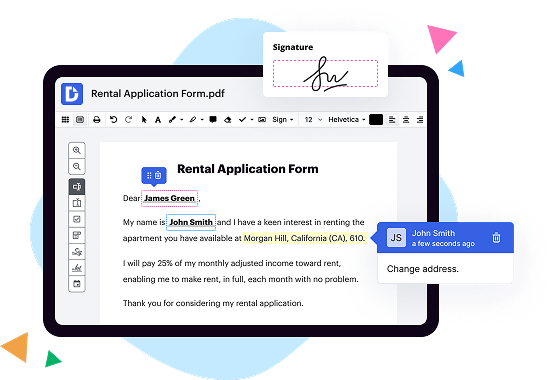
On the other hand, PDFzorro focuses primarily on providing users with a simple and user-friendly platform for editing and annotating PDF files. It offers basic editing tools that enable users to modify text, add comments, highlight content, and insert images or shapes. PDFzorro is known for its intuitive interface, making it accessible to users with varying levels of technical expertise.
While both SigningHub and PDFzorro focus on enhancing document management processes, SigningHub places a stronger emphasis on security, compliance, and advanced features, making it a preferred choice for businesses and individuals dealing with sensitive and legally binding documents. PDFzorro, on the other hand, caters more towards users who require basic PDF editing functionalities and value simplicity and ease of use.
Ultimately, the choice between SigningHub and PDFzorro depends on the specific needs and requirements of the user. SigningHub offers a robust and comprehensive electronic signature solution, while PDFzorro provides a more stripped-down and user-friendly platform for PDF editing and annotation. So, consider your priorities and workflows to determine which platform suits you best.
What is SigningHub and how does it work?
SigningHub is a powerful digital signature solution that streamlines the process of signing documents, making it secure, efficient, and hassle-free. With SigningHub, you can sign documents electronically without the need for any physical printing or scanning. It provides a seamless experience for both individuals and businesses, making document signing faster, more convenient, and legally binding.
When it comes to how SigningHub works, the process is quite simple. First, you upload the document you want to sign to the SigningHub platform. This can be done from your computer, mobile device, or even cloud storage services like Dropbox or Google Drive. Once the document is uploaded, you can easily add signature fields and specify who needs to sign.
Next, you invite the relevant parties to sign the document. SigningHub allows you to send invitation emails to multiple recipients, notifying them to review and sign the document. You also have the option to set the signing order, ensuring that each party signs in the correct sequence.
When the recipients receive the invitation, they can access the document securely through their web browser, eliminating the need for any additional software downloads. They can review the document, add their signature using a mouse or touchscreen, and even include any additional information or comments if necessary.
SigningHub employs advanced cryptographic technology to ensure the security and integrity of your documents. Each signature is uniquely encrypted and protected, providing assurance that the document has not been altered or tampered with. Additionally, SigningHub adheres to international standards and regulations, making the digital signatures legally binding and admissible in court.
Throughout the signing process, you have complete control and visibility. You can track the progress of each recipient, see who has signed, and even send reminders to those who haven't. Once all parties have signed, the completed document can be downloaded, saved, or shared as needed.
In conclusion, SigningHub offers a user-friendly and efficient way to digitally sign documents. It simplifies the signing process, enhances security, and saves time and resources. Whether you are an individual looking to sign a contract or a business managing numerous documents, SigningHub is a reliable solution that ensures your digital signatures are reliable, legally binding, and convenient to use.
What is PDFzorro and how does it work?
Have you ever found yourself needing to edit a PDF document but not having access to the original file? That's where PDFzorro comes in! PDFzorro is an online tool that allows you to easily edit and modify PDF files right in your web browser.
With PDFzorro, you don't need to worry about downloading any software or registering for an account. Simply visit the PDFzorro website, upload your PDF file, and you're ready to start editing.
Once your file is uploaded, you'll be presented with a user-friendly interface that provides a wide range of editing options. Whether you need to add text, images, or even draw directly on the PDF, PDFzorro has got you covered.
PDFzorro also offers a variety of useful features to enhance your editing experience. You can rearrange pages, delete unwanted pages, and even merge multiple PDF files into one. If you made a mistake during editing, don't worry - PDFzorro provides an undo function to easily revert any changes.
One of the standout features of PDFzorro is its ability to protect your sensitive information. You can easily add passwords to your PDF files to ensure that only authorized individuals can access them. This is particularly useful when sharing confidential documents with colleagues or clients.
When you're finished editing, simply click the save button and PDFzorro will generate a new, edited version of your PDF that you can download to your computer. It's that easy!
In summary, PDFzorro is a convenient and user-friendly online tool that allows you to edit PDF documents effortlessly. With its extensive editing options, intuitive interface, and added security features, PDFzorro is the perfect solution for all your PDF editing needs. So why wait? Give PDFzorro a try and experience the power of easy PDF editing today!
Is SigningHub free to use?
Yes, SigningHub is indeed free to use! With this impressive online platform, you can easily and securely sign and manage all your important documents without having to spend a dime. Whether you're an individual or a business, SigningHub offers a fantastic range of features that cater to your specific needs, all at no cost.
By simplifying the digital signing process, SigningHub empowers you to effortlessly sign contracts, agreements, and forms online. This means no more printing, scanning, or faxing documents, saving you valuable time and making your life much easier. Plus, you can access SigningHub from anywhere, anytime, using any device with an internet connection.
One of the great advantages of SigningHub is its user-friendly interface. It’s so intuitive that even those who are not tech-savvy will have no trouble navigating through the platform. Additionally, SigningHub ensures the highest level of security with advanced encryption algorithms, keeping your documents and signatures safe and tamper-proof.
Another fantastic feature of SigningHub is its collaborative functionalities. You can easily invite others to sign documents, track the progress, and receive notifications when they are completed. This ensures smooth and efficient workflow, especially when dealing with multiple signatories.
In terms of integration, SigningHub seamlessly integrates with various popular platforms and applications such as Microsoft SharePoint and Google Drive. This allows you to work seamlessly within your existing workflows and enhances your productivity.
With SigningHub’s free plan, you'll have access to a generous number of signing transactions per month, enabling you to handle a significant volume of paperwork without any restrictions or additional costs. However, if you require more advanced features or a higher volume of transactions, SigningHub also offers flexible paid plans that can cater to your specific needs.
In conclusion, SigningHub provides a truly exceptional and free digital signing solution that simplifies the process, saves you time, and gives you peace of mind. With its user-friendly interface, top-notch security, collaborative features, and seamless integration capabilities, SigningHub is an outstanding tool for individuals and businesses alike. So go ahead, give it a try and unlock the full potential of digital signing with SigningHub!
Is PDFzorro free to use?
Yes, PDFzorro is completely free for you to use! With PDFzorro, you can effortlessly edit and modify your PDF documents without any cost. You don't need to worry about any hidden fees or subscriptions. PDFzorro offers a user-friendly platform that allows you to easily make changes to your PDF files without any hassle.
One of the great things about PDFzorro is its simplicity. It's designed to be easy to navigate and understand, so you can make the necessary edits to your PDF documents quickly and efficiently. Whether you need to add text, images, or even annotate your PDFs, PDFzorro has got you covered.
PDFzorro provides a seamless and intuitive editing experience. You can rest assured that your documents will remain confidential and secure throughout the process, as PDFzorro takes privacy seriously. Your files are not stored on their servers and are automatically deleted after a short period of time, ensuring your privacy and peace of mind.
So, to sum it up, you can use PDFzorro for free and edit your PDF files effortlessly. Experience the convenience and simplicity of PDFzorro and start making your PDF editing tasks a breeze. Try PDFzorro now and unlock the potential of your PDF documents!
What are the plans and prices for SigningHub?
SigningHub offers flexible plans and prices to cater to your specific needs for secure and efficient document signing. Let me share with you all the details so that you can make an informed decision.
SigningHub provides three comprehensive plans: Basic, Professional, and Enterprise. Each plan is carefully designed to suit different business requirements and sizes.
Starting with the Basic plan, it offers a solid foundation for small teams or individuals seeking a secure way to digitally sign documents. Priced at an affordable rate, it provides essential features such as the ability to sign and seal documents, fill in forms, and manage workflow. This plan is perfect for those who want to streamline their document signing process without breaking the bank.
The Professional plan takes things up a notch, providing additional advanced features that are beneficial for larger teams or businesses. With enhanced collaboration capabilities, multiple signatures, and the ability to create workflows, this plan empowers you to manage and sign documents with utmost ease. The Professional plan is a great option for growing organizations seeking more flexibility and time-saving features.
For enterprises and businesses with complex needs, the Enterprise plan offers the ultimate flexibility and customization. This plan includes all the features from the Basic and Professional plans, along with advanced customization options, multi-tenancy support, and extensive integration capabilities. The Enterprise plan is tailored for larger organizations that require a robust, scalable, and tailor-made solution for their document signing needs.
Regarding the pricing, I encourage you to visit the SigningHub website to get the most accurate and up-to-date information on the plans and pricing. The website provides a transparent breakdown of the costs associated with each plan, ensuring you have a clear understanding of what you will be paying for.
To summarize, SigningHub offers three plans – Basic, Professional, and Enterprise – each tailored to cater to specific business needs. These plans come with various features designed to simplify and streamline your document signing process. So, take a moment to explore the SigningHub website and find the perfect plan that suits your requirements and budget.
Remember, with SigningHub, you can confidently manage your document signing process, ensuring security, efficiency, and peace of mind.
What are the plans and prices for PDFzorro?
PDFzorro offers various plans and prices to cater to your PDF editing needs. Let's dive into the details, shall we?
First and foremost, PDFzorro provides a user-friendly platform where you can effortlessly modify and manipulate your PDF files with ease. Whether you need to add or delete text, draw shapes, highlight sections, or even sign documents digitally, PDFzorro has got you covered.
Now, let's talk about the plans and prices offered by PDFzorro. They understand that different individuals and businesses have unique requirements, so they provide flexible options to suit your specific needs.
PDFzorro offers a free plan that allows you to edit PDF files up to a certain size. It's a fantastic option if you have occasional PDF editing requirements or want to experience what PDFzorro has to offer before committing to a paid plan. This free plan provides ample features to get you started on your PDF editing journey.
For those who require more advanced features and enhanced functionality, PDFzorro offers premium plans. These plans come with additional benefits such as larger file sizes, priority processing, faster uploads, and an ad-free editing experience. They understand the importance of efficiency, so these premium plans are designed to streamline your PDF editing process while ensuring top-notch quality.
To provide even more convenience, PDFzorro offers both monthly and yearly payment options for their premium plans. By opting for an annual subscription, you can enjoy cost savings and uninterrupted access to their exceptional PDF editing tools.
In summary, PDFzorro offers a range of plans and prices to cater to your specific PDF editing needs. Whether you opt for their free plan, which is a great starting point, or choose a premium plan to unlock advanced features, PDFzorro guarantees a user-friendly experience, excellent functionality, and top-quality results. So why wait? Start exploring the world of effortless PDF editing with PDFzorro today!
Is SigningHub safe?
Yes, SigningHub is definitely safe. You can trust this platform to securely handle your digital signatures and sensitive documents. Using the most up-to-date encryption techniques, SigningHub ensures that your information remains confidential and protected from any unauthorized access.
With SigningHub, you have complete control over your documents. The platform offers a wide range of authentication options, including multi-factor authentication, to verify the identity of signers and ensure that no one else can tamper with your signatures. This adds an extra layer of security, giving you peace of mind.
Transferring your documents on SigningHub is done over secure connections, meaning that your files are safeguarded during the entire process. Whether you're uploading, signing, or storing documents, you can rest assured that your data is in good hands.
Additionally, SigningHub complies with various industry standards and regulations, such as eIDAS and UETA, further solidifying its commitment to ensure the safety and legality of your electronic signatures. This platform takes security seriously and continuously updates its systems to stay ahead of any potential threats.
In conclusion, SigningHub prioritizes the security of your digital signatures and documents. Its robust security measures, authentication options, and adherence to industry standards make it a reliable and safe choice for all your signing needs. Bring your document management to the next level with SigningHub and enjoy the peace of mind knowing that your data is secure at every step of the process.
Is PDFzorro safe?
PDFzorro is absolutely safe to use. It is an online PDF editor that provides a convenient and secure platform to modify your PDF files. With its user-friendly interface and reliable features, PDFzorro ensures a smooth and worry-free experience.
One key aspect that guarantees safety is the use of encrypted connections when you access PDFzorro. This means that any data you upload or modify on the platform remains private and protected from unauthorized access. You can have peace of mind knowing that your sensitive information is kept secure.
Moreover, PDFzorro takes your privacy seriously. The platform does not store your files permanently, ensuring that your data is not retained longer than necessary. This not only safeguards your documents but also respects your privacy rights.
The reliability of PDFzorro is another noteworthy factor. The platform boasts a solid reputation for its consistent performance and efficiency. It handles your PDF files swiftly, allowing you to make edits without any hassle or delays.
Additionally, PDFzorro offers a range of useful features that enable you to conveniently edit your PDFs. You can add or delete pages, rotate and rearrange them, insert images or text, and even draw freehand on the documents. These features are designed to be intuitive, providing a seamless editing experience.
In conclusion, PDFzorro is a safe and reliable online PDF editor that prioritizes your privacy and ensures a smooth editing process. Give it a try, and you'll discover a user-friendly platform that allows you to effortlessly modify your PDF files.
What are the 10 best SigningHub alternatives?
When it comes to finding the best alternatives to SigningHub, there are indeed some exceptional options out there. Whether you're seeking user-friendly interfaces, robust features, or seamless document signing experiences, these ten alternatives have got you covered. So let's dive into the list and explore why DocHub, along with nine other impressive choices, deserve your attention.
1. DocHub: Offering a sleek and intuitive platform, DocHub takes the lead in our list. It not only allows you to sign documents securely but also boasts powerful features like PDF editing, annotation, and even electronic faxing.
2. Adobe Sign: Another top contender, Adobe Sign, provides a comprehensive solution for effortless document signing. Integrating seamlessly with other Adobe tools, it ensures a hassle-free experience for both individuals and businesses.
3. HelloSign: If simplicity and user-friendliness are your priorities, HelloSign will impress you. With its straightforward interface and wide accessibility options, including mobile apps, it makes signing and managing documents a breeze.
4. PandaDoc: Known for its versatility, PandaDoc suits various industries with its customizable templates and advanced analytics. Collaborate efficiently on documents, track progress, and even collect payments – all within the same platform.
5. SignNow: Well-regarded for its robust features, SignNow combines ease of use with powerful functionality. From multi-party signing to document merging, it covers all your essential document signing needs.
6. Docusign: As a pioneer in eSignature technology, Docusign has established a strong reputation for secure and legal document signing. With its extensive integration capabilities, it seamlessly fits into your existing workflow.
7. eversign: With eversign, you can streamline your entire document lifecycle effortlessly. From creating templates to setting up workflows, it offers a comprehensive solution for businesses of all sizes.
8. Signable: If you prioritize simplicity and affordability, Signable is definitely worth considering. It allows you to send, sign, and manage documents with ease, making it an excellent choice for small businesses and startups.
9. SignRequest: Offering a delightful user experience, SignRequest ensures a straightforward and efficient document signing process. Its focus on simplicity, combined with advanced features, makes it a compelling alternative to SigningHub.
10. RightSignature: Rounding off our list is RightSignature, which focuses on simplicity and speed. With its intuitive interface and robust security measures, it enables you to sign documents effortlessly, while ensuring compliance.
So there you have it – ten outstanding alternatives to SigningHub. Whether you're a business professional, student, or anyone needing reliable eSignature solutions, these platforms provide a plethora of features to meet your unique requirements. Give them a try and discover the one that perfectly aligns with your needs and preferences. Happy signing!
What are the 10 best PDFzorro alternatives?
Looking for alternatives to PDFzorro? You've come to the right place! We understand the need for flexibility and variety when it comes to PDF editing tools, so we've compiled a list of the 10 best PDFzorro alternatives for you to explore. While each option offers unique features and benefits, one standout alternative worth mentioning first is DocHub.
1. DocHub: DocHub deserves a top spot on our list due to its comprehensive features and user-friendly interface. With DocHub, you can easily edit, sign, and share PDF documents, making it a reliable all-in-one solution.
2. Smallpdf: Simplify your PDF editing process with Smallpdf. This user-friendly platform offers various tools to compress, convert, edit, and protect your PDF files effortlessly. Plus, it integrates seamlessly with popular cloud storage platforms.
3. PDFescape: Unleash your creativity with PDFescape, a versatile alternative that allows you to edit, annotate, and fill out forms within PDF documents. Its simple yet powerful interface makes it an excellent choice for both beginners and experienced users.
4. Adobe Acrobat DC: When it comes to PDF editing, Adobe Acrobat DC is a household name. This professional-grade software offers an extensive range of features, including OCR, advanced editing options, and seamless integration with other Adobe products.
5. Nitro Pro: Enhance your PDF productivity with Nitro Pro. This robust alternative lets you convert, edit, and collaborate on PDFs seamlessly. Its powerful OCR technology ensures accurate and efficient text recognition.
6. Foxit PhantomPDF: Foxit PhantomPDF is a feature-rich alternative that combines advanced PDF editing capabilities with ease of use. It boasts an intuitive interface, collaboration tools, and comprehensive security options to meet all your PDF needs.
7. PDFelement: PDFelement offers an intuitive and affordable solution for PDF editing. With its user-friendly interface, you can effortlessly edit, convert, and organize your PDF documents. Its powerful OCR technology ensures accurate text extraction.
8. Kami: Collaborate seamlessly with Kami, an alternative that specializes in real-time document collaboration. With features like annotation, digital signatures, and integration with popular cloud storage services, Kami is perfect for team collaboration and remote work.
9. Sejda PDF Editor: Sejda PDF Editor provides a simple yet powerful editing experience. From basic editing tasks to advanced features like form filling and merging files, this alternative has everything you need to handle your PDF documents efficiently.
10. PDF Buddy: PDF Buddy wraps up our list, offering a straightforward and intuitive online PDF editing experience. With PDF Buddy, you can easily edit, sign, and share your PDF documents on the go.
Explore these alternatives and choose the one that best suits your needs. Whether you're looking for advanced features or simplicity, there's a PDF editing tool on this list that will help you accomplish your tasks effectively.