DocHub vs. REVEAL Enterprise vs. SaveMyResearch; how DocHub benefits your business?
Switch to DocHub’s online storage alternative and compare DocHub vs. REVEAL Enterprise vs. SaveMyResearch. Get the best solution for your business today.
Create free account
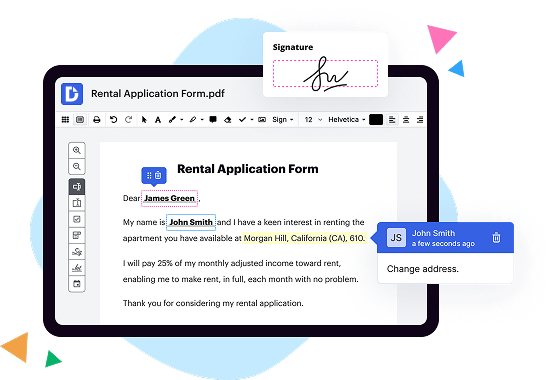
A quick comparison of DocHub vs. REVEAL Enterprise vs. SaveMyResearch key features

|
Other Solutions | |
|---|---|---|
| No Downloads | ||
| New Form and Document Creator | ||
| Host Fillable Forms | ||
| Edit PDF | ||
| Fill Online | ||
| Search text in PDF | ||
| Track Sending Documents | ||
| Get DocHub for free |

DocHub vs. REVEAL Enterprise vs. SaveMyResearch, which is better?
Although REVEAL Enterprise and SaveMyResearch offer vast features and integrations, DocHub provides full control of document management: editing, signature collection, and safe storage of documents with an opportunity to create reusable Templates.
Move from REVEAL Enterprise and SaveMyResearch to DocHub in a few steps
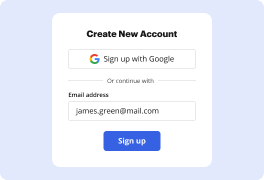
01. Register with DocHub using your email address or Google account. It's fast and easy. No credit card required.
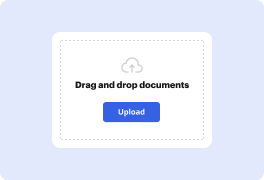
02. Upload the document you need or create it from scratch. Then, customize it by adding images, drawings, and different types of fillable fields.
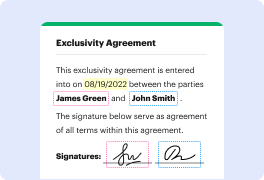
03. Customize your PDF in minutes. Type, highlight, underline, whiteout text, add comments, and sign your document.

04. Share your PDF with others to collaborate in real-time. Export your document, download or print it out.
Switch to DocHub from REVEAL Enterprise and SaveMyResearch to enjoy premium PDF customization

Online PDF creator and editor
Get your perfect document in minutes without hassle. Start with a blank document or modify an existing one. Type text, add shapes, drawings, images, and highlight or whiteout information. Whatever you do with a PDF, the result is always high quality, without rasterized text or removed fields.

Diverse PDF management tools
Manage your PDF to perfection. Add, delete, and rearrange document pages or merge them to create a new document. DocHub supports a variety of file types including PDF, DOC, PPT, XLS, TXT, DOCX, and PPTX, which you can easily convert to a PDF — all without leaving your account and switching between different apps.

Powerful PDF tools on your mobile device
Keep your work flowing from any location. Get DocHub capabilities on your mobile device so you can edit, annotate, manage, sign, and share PDFs just as easily as you would on desktop. No need to install the app.

Google integrations
Boost your productivity and deliver an amazing customer experience by managing your PDFs from your favorite Google apps. Import, edit, and sign your documents directly from your Gmail, Google Drive, and Dropbox. When finished, export documents to Google Drive or import your Google Address Book and share the document with your contacts.

Interactive PDF forms and templates
Get an intuitive and interactive experience when creating PDF forms and reusable document templates. With the easy-to-use field manager, you can modify existing fields or create new ones for checkboxes, signatures, initials, and more. Publish forms on your website, social media, or share them via URL to collect data.

Real-time collaboration
Collaborate effectively and securely on documents in real-time. Set document permissions to let others view, comment on, edit, and sign your documents. Stay in the loop with instant email notifications or track the status of your documents with court-admissible audit trails.
Industry-leading security and compliance
DocHub complies with industry-leading standards, regulations, and certifications to ensure the most effective and secure workflows.

GDPR compliance
Regulates the collection, use, and holding of personal data for EU residents.

PCI DSS certification
Ensures the security of credit and debit card transactions made by a customer.

CPRA compliance
Enhances the privacy rights of California residents while protecting their personal data.

SOC 2 certification
Ensures the security of your data and the privacy of your clients.

HIPAA compliance
Protects privacy, security, and integrity of sensitive healthcare information.
Check out what our customers are saying about their DocHub experience
Great solution for PDF docs with very little pre-knowledge required.

A Valuable Document Signer for Small Businesses.

I can create refillable copies for the templates that I select and then I can publish those.

Got questions?
Here are some common questions from our customers that may provide you with the answer you're looking for. If you can't find an answer to your question, please don't hesitate to reach out to us.
Contact us
What is the difference between DocHub vs REVEAL Enterprise vs. SaveMyResearch?
When comparing DocHub, REVEAL Enterprise, and SaveMyResearch, it is important to consider the unique features and benefits that each platform offers. While all three options provide valuable tools for document management, there are distinct differences that set them apart.
First and foremost, let's delve into DocHub, a highly regarded platform that provides a comprehensive range of options for editing, signing, and sharing documents online. DocHub stands out for its intuitive interface, making it effortless for users to navigate and utilize its various features. With powerful editing tools and the ability to add annotations, DocHub empowers users to collaborate seamlessly and efficiently.
Moving onto REVEAL Enterprise, this platform focuses on optimizing document analysis and data extraction. It offers advanced features such as machine learning algorithms, allowing users to effortlessly identify key data points within documents. REVEAL Enterprise's robust analytical capabilities make it an ideal choice for businesses that heavily rely on data-driven decision-making processes.
Lastly, SaveMyResearch caters specifically to academic and research needs. This platform streamlines the research process by providing tools for organizing, annotating, and citing sources. With an integrated citation manager and the ability to create research libraries, SaveMyResearch simplifies the often arduous task of managing references and citations.
One notable distinguishing feature of all three platforms is their commitment to security and privacy. Each option ensures that your documents and data are protected through encryption and secure storage practices, providing you with peace of mind.
In conclusion, while DocHub, REVEAL Enterprise, and SaveMyResearch all offer valuable document management solutions, their unique features and strengths cater to different user needs. Whether you require robust editing capabilities, advanced data extraction, or streamlined research tools, there is a platform that perfectly aligns with your requirements.
DocHub vs REVEAL Enterprise vs SaveMyResearch: which is better for Enterprises?
While REVEAL Enterprise and SaveMyResearch are good solutions to work with PDFs online, DocHub offers greater capabilities to help individuals and businesses digitize their documents and make them run smoothly across different devices and your favorite apps.
DocHub vs REVEAL Enterprise vs SaveMyResearch: which is better for small businesses?
REVEAL Enterprise and SaveMyResearch are good options for editing, signing, and sharing PDFs. However, DocHub offers a more comprehensive featureset that includes organizations, reusable templates, advanced eSignatures, seamless Google integrations, and more that are perfect for small businesses, helping them simplify and streamline document editing, sharing, signing, and form completition.
What is DocHub?
DocHub is a Google-integrated PDF editor and eSignature solution that helps you get your PDFs done online, using any device. DocHub comes with an online PDF editor, advanced eSignatures, PDF forms, reusable templates, and straightforward Google integrations so you can maximize your productivity when working within your favorite Google apps.
What is REVEAL Enterprise and how does it work?
REVEAL Enterprise is an innovative solution designed to revolutionize the way businesses operate. It is a cutting-edge software platform that empowers companies to streamline their operations, boost productivity, and drive growth. So, how does REVEAL Enterprise work? Let me break it down for you.
First and foremost, REVEAL Enterprise offers a user-friendly interface that makes it incredibly easy for businesses to navigate and implement. From small startups to large corporations, businesses of all sizes can seamlessly integrate this powerful software into their existing workflows. No extensive training or technical expertise required!
Once implemented, REVEAL Enterprise provides businesses with a comprehensive set of tools to optimize their processes. Through intelligent data analysis and automation, this platform empowers companies to make informed decisions, respond to market trends promptly, and stay one step ahead of the competition.
One of the standout features of REVEAL Enterprise is its ability to centralize data from across different departments and systems. By consolidating information in one place, it eliminates the need for manual data entry and reduces the risk of errors. This not only saves time but also enhances the accuracy and reliability of your data.
Furthermore, REVEAL Enterprise enables seamless collaboration among team members. It facilitates real-time communication, task assignment, and progress tracking, ensuring everyone is on the same page and working towards common goals. This boosts efficiency, fosters teamwork, and promotes a positive work environment.
Additionally, REVEAL Enterprise boasts advanced reporting and analytics capabilities. It allows businesses to generate detailed reports, gain valuable insights, and identify key performance indicators. Armed with this information, companies can make data-driven decisions, optimize their operations, and achieve greater profitability.
What sets REVEAL Enterprise apart is its flexibility and scalability. It can adapt to the evolving needs of your business, whether you're just starting out or experiencing rapid expansion. With this software, there are no limits to how far your company can grow!
In summary, REVEAL Enterprise is an all-encompassing software platform that empowers businesses to improve efficiency, make data-driven decisions, and drive growth. Its user-friendly interface, centralized data management, collaborative features, and advanced analytics make it a game-changer for any company looking to maximize their potential. Trust me, with REVEAL Enterprise, your business will reach new heights!
What is SaveMyResearch and how does it work?
SaveMyResearch is a remarkable tool that is designed to revolutionize the way you conduct and manage your research. It empowers you by providing a seamless platform to gather, organize, and store all your research materials.
When you embark on a research endeavor, it can be overwhelming to keep track of all the information you come across. SaveMyResearch acts as your trusty digital assistant, simplifying the entire research process. From academic papers to online articles, you can effortlessly save and categorize all your sources in a user-friendly interface.
Here's how it works: once you come across a relevant source, simply click a button or copy the link into SaveMyResearch. It automatically extracts key information, such as the author, publication date, and abstract, while also providing a space for you to add your own notes or annotations. This way, you have everything you need in one centralized location, making it a breeze to refer back to your sources when writing your masterpiece.
SaveMyResearch also takes organization to another level. You can create custom tags or folders to neatly arrange your sources based on themes, topics, or any other categories that make sense to you. This intuitive system allows for effortless navigation, saving you precious time and ensuring you stay on top of your research game.
Furthermore, SaveMyResearch values your privacy and the security of your data. All your information is encrypted, and you have full control over who can access your saved sources. You can choose to keep them private or collaborate with others by sharing select resources or entire folders, making it an ideal tool for group projects or collaborations.
So, no more wasting hours searching for that one elusive source or struggling to keep track of your research materials. SaveMyResearch is your ally, providing you with the ultimate research organization and management solution. Simplify your research, streamline your writing process, and achieve academic excellence with confidence.
Is DocHub free?
Yes. DocHub's free plan is a perfect fit for one-offs or occasional projects. You can start using DocHub’s Free Plan straight away after completing the quick account registration. No learning is needed. The DocHub Pro Plan has a 30-day free trial so you have enough time to test the product.
Is SaveMyResearch free to use?
Yes, SaveMyResearch is absolutely free to use! We understand how important it is for you to access reliable and trustworthy information without any additional costs. That's why our platform is designed to provide you with a seamless and cost-free experience. You can explore a vast array of research, articles, and resources without spending a single penny. So, go ahead, dive into the world of knowledge, and let SaveMyResearch be your ultimate research companion!
What is DocHub’s cost and pricing?
DocHub has straightforward pricing that includes one free plan and one paid plan. If you need to get documents done once in a while, the Free Plan is just the thing for you. It includes all the PDF tools to help you edit, sign, share, and organize your documents. For a growing document workflow, we recommend the DocHub Pro plan at $14 per user per month. It includes unlimited PDF capabilities and priority tech support. You can even test it free for 30 days before buying.
Is REVEAL Enterprise safe?
Yes, REVEAL Enterprise is a reliable and secure solution for all your needs. Our top priority is your safety, and we have taken every measure to ensure the utmost protection of your data. With state-of-the-art encryption and robust security protocols in place, you can rest assured that your information is in good hands.
Furthermore, REVEAL Enterprise has undergone rigorous testing and scrutiny to meet industry standards and exceed expectations. We adhere to best practices and continually update our security measures to stay one step ahead of any potential threats.
In terms of user experience, our platform is designed to be user-friendly and intuitive, making it easy for you to navigate and utilize its features. We prioritize simplicity without compromising on security.
Your privacy is of utmost importance to us, and we do not share or sell your data to third parties. You can trust REVEAL Enterprise to keep your information confidential and protected.
So, rest assured that when you choose REVEAL Enterprise, you are making a wise and secure choice. Join the countless satisfied users who have placed their trust in us, and experience the peace of mind that comes with using a safe and reliable platform.
Is SaveMyResearch safe?
Yes, SaveMyResearch is indeed a safe platform for all your research needs. We prioritize the security and privacy of our users. With our robust encryption and stringent data protection measures, you can rest assured that your valuable research is in good hands.
At SaveMyResearch, we take the security of your personal information seriously. We use state-of-the-art technology to safeguard your data and prevent any unauthorized access. Our dedicated team constantly monitors and updates our systems to ensure that your information remains confidential.
Furthermore, our platform has a user-friendly interface that allows you to navigate effortlessly while conducting your research. Whether you're a seasoned researcher or new to the field, SaveMyResearch offers an intuitive and seamless experience for all users.
In addition to providing a safe environment, we also prioritize delivering high-quality research materials. Our vast database consists of reliable and reputable sources, making it a reliable platform for accessing accurate and trustworthy information.
So, if you're seeking a safe and efficient platform to conduct your research, look no further than SaveMyResearch. With our commitment to security and the excellence of our services, we aim to provide you with a seamless and reliable research experience. Start exploring SaveMyResearch today and unlock a world of knowledge at your fingertips.
What are the main DocHub alternatives?
The main DocHub alternatives are Lumin PDF, Small PDF, PDF escape, and others. However, DocHub’s ease of use, flexibility, affordability, and deep Google integrations are the reasons why DocHub is ahead of the competition.
What are the 10 best REVEAL Enterprise alternatives?
When it comes to finding alternatives to REVEAL Enterprise, there are numerous options available that can cater to your needs. One standout option to consider is DocHub, a fantastic tool that offers a range of features to streamline your document management experience.
Another noteworthy alternative is PandaDoc, which provides a user-friendly interface and a wide array of tools for creating and sharing documents seamlessly. With PandaDoc, you can collaborate effortlessly with your team and clients, enhancing productivity and efficiency.
For those seeking a comprehensive document management solution, SignRequest is an excellent choice. This platform offers not only electronic signature functionality but also advanced document editing capabilities, making it a top contender.
PDFescape is another great alternative that deserves a mention. It allows you to create, edit, and fill PDF forms online without any hassle. This intuitive platform ensures that your document-related tasks are completed effortlessly.
Lumin PDF offers a visually appealing and intuitive interface paired with powerful features. With functionalities like document editing, e-signatures, and collaboration tools, Lumin PDF guarantees a smooth document workflow.
If you're in search of an alternative with robust security features, Smallpdf is worth considering. This tool prioritizes your document's confidentiality, boasting top-notch encryption technology to safeguard your data.
PDF Expert is an excellent choice for Apple users, as it offers seamless integration with macOS and iOS systems. This intuitive tool allows for easy document reading, editing, and annotating, ensuring a seamless user experience.
Fluix is a versatile option that not only allows for document editing and collaboration but also incorporates workflow automation capabilities. This all-in-one platform is perfect for businesses looking to optimize their document management processes.
Nitro Pro is a powerful alternative that provides a comprehensive suite of features for document creation, editing, and collaboration. With its straightforward interface and robust functionality, Nitro Pro is a suitable choice for both individuals and businesses.
Last but not least, Adobe Acrobat DC is a well-known and reliable alternative that offers a wide range of document management functionalities. From creating and editing PDFs to e-signing and collaboration features, Adobe Acrobat DC is a popular choice for many professionals.
Overall, there is no shortage of exceptional alternatives to REVEAL Enterprise, each uniquely catering to specific document management needs. Whether you prioritize ease of use, advanced editing features, or seamless collaboration abilities, these alternatives are sure to elevate your document management experience.
What are the 10 best SaveMyResearch alternatives?
If you're in need of some top-notch SaveMyResearch alternatives, let me point you in the right direction. DocHub is an excellent choice as it offers a wealth of features to make your research process a breeze. But fear not, for there are other fantastic options out there as well. Allow me to introduce you to the 10 best alternatives, each with their own unique strengths.
1. DocHub: As mentioned earlier, DocHub is a standout option with its user-friendly interface and robust set of tools.
2. FormSwift: This platform combines convenience and simplicity, allowing you to easily create and edit documents online.
3. Soda PDF: With its comprehensive editing capabilities and seamless integration, Soda PDF is a reliable choice for all your document needs.
4. Adobe Fill & Sign: From the renowned Adobe family, this tool offers a smooth user experience and powerful document management features.
5. PDF Buddy: Looking for an intuitive PDF editor? Look no further than PDF Buddy, where you can effortlessly make edits and collaborate with others.
6. Nitro PDF Reader: Nitro stands out with its lightning-fast performance and extensive annotation options, making it an excellent alternative for research purposes.
7. Smallpdf: This popular platform simplifies your document management tasks with its user-friendly interface and an array of handy features.
8. Foxit Reader: Known for its speed and reliability, Foxit Reader boasts a range of editing tools and integrated cloud storage options.
9. PDFescape: This user-friendly alternative allows you to create, edit, and fill forms online, making it ideal for various research needs.
10. Kami: Lastly, Kami offers an impressive suite of tools, from annotations to real-time collaboration, ensuring a smooth and efficient research process.
Rest assured, each of these alternatives provides a seamless experience and caters to your specific document management requirements. Whether you need advanced editing capabilities or a simplified interface, these alternatives have got you covered. Happy researching!