Insights on the DocHub vs. PDF Element Free trial comparison
Choose the best editing solution for your business once and for all. Check out the detailed comparison of DocHub and PDF Element Free trial
Create free account
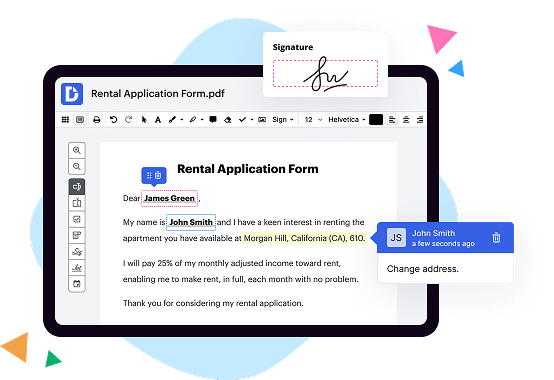
PDF Element vs. DocHub Free trial comparison in a nutshell

|
PDF Element | |
|---|---|---|
| No Downloads | ||
| Search Form Online | ||
| Edit PDF | ||
| Fill Online | ||
| Sign Online | ||
| Search text in PDF | ||
| Unlimited Cloud Storage | ||
| Annotate PDF | ||
| eFax Online | ||
| Track Sending Documents | ||
| Get DocHub for free |
Here are the main differences between DocHub and PDF Element Free trial
Go to the Edit tab. From there, click Delete Watermark from the Watermark drop-down list. And in the pop-up window, click OK to delete the watermark template.
Move from PDF Element PDF to DocHub in a few steps
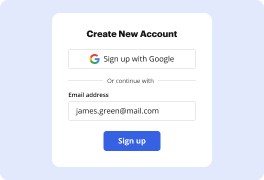
01. Register with DocHub using your email address or Google account. It's fast and easy. No credit card required.
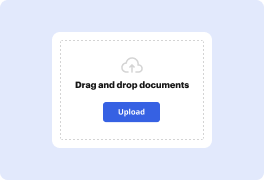
02. Upload the document you need or create it from scratch. Then, customize it by adding images, drawings, and different types of fillable fields.
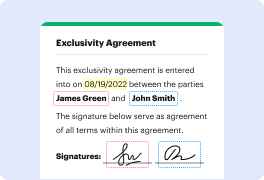
03. Customize your PDF in minutes. Type, highlight, underline, whiteout text, add comments, and sign your document.
04. Share your PDF with others to collaborate in real-time. Export your document, download or print it out.
Switch to DocHub to enjoy premium PDF customization

Online PDF creator and editor
Explore DocHub vs. PDF Element comparison data and choose the best platform for getting your perfect document without hassle. Start with a blank document or modify an existing one. Type text, add shapes, drawings, images, and highlight or whiteout information. Whatever you do with a PDF, the result is always high quality, without rasterized text or removed fields.

Diverse PDF management tools
Manage your PDF to perfection. Add, delete, and rearrange document pages or merge them to create a new document. DocHub supports a variety of file types including PDF, DOC, PPT, XLS, TXT, DOCX, and PPTX, which you can easily convert to a PDF.

Powerful PDF tools on your mobile device
Keep your work flowing from any location. Get DocHub, the most powerful PDF Element competitor. With DocHub's capabilities on your mobile device, you can edit, annotate, manage, sign, and share PDFs just as easily as you would on a desktop. No need to install the app.

Google integrations
Boost your productivity and deliver an amazing customer experience by managing your PDFs from your favorite Google apps. Import, edit, and sign your documents directly from your Gmail, Google Drive, and Dropbox.

Interactive PDF forms and templates
Get an intuitive and interactive experience when creating PDF forms and reusable document templates. Modify existing fields or create new ones for checkboxes, signatures, initials, and more. Publish forms on your website, social media, or share them via URL to collect data.

Real-time collaboration
Migrate from PDF Element to DocHub to collaborate effectively and securely on documents in real-time. Set document permissions to let others view, comment on, edit, and sign your documents. Stay in the loop with instant email notifications or track the status of your documents with court-admissible audit trails.
Industry-leading security and compliance
DocHub implements reasonable measures to comply with industry-leading standards, regulations, and certifications so you can securely edit, fill out, sign, and send documents and forms.

GDPR compliance
Regulates the collection, use, and holding of personal data for EU residents.

PCI DSS certification
Ensures the security of credit and debit card transactions made by a customer.

CPRA compliance
Enhances the privacy rights of California residents while protecting their personal data.

SOC 2 certification
Ensures the security of your data and the privacy of your clients.

HIPAA compliance
Protects privacy, security, and integrity of sensitive healthcare information.
Check out what our customers are saying about their DocHub experience
Great solution for PDF docs with very little pre-knowledge required.

A Valuable Document Signer for Small Businesses.

I can create refillable copies for the templates that I select and then I can publish those.

DocHub and PDF Element Free trial comparison FAQ
Is the PDFelement app free?
PDFelement supports a free trial version for mac and windows.
How to use PDFelement for free?
0:55 4:49 Best Free PDF Reader Editor: PDFelement 8 - YouTube YouTube Start of suggested clip End of suggested clip You can choose where you want the watermark to be and adjust the size to make the image transparentMoreYou can choose where you want the watermark to be and adjust the size to make the image transparent all you have to do is click on this button. And now you can change the angle of the watermark.
Is PDFelement on IOS free?
PDFelement boosts your productivity with everything you need to read, edit, annotate, convert and sign PDF files on the go. Register Wondershare ID and log in to use all functionalities for free without any in-app-purchase! - Change font, size, color, and more.
How much does PDFelement app cost?
PDFelement has a free version and offers a free trial. PDFelement paid version starts at US$19.00/month.
Is PDFelement worth it?
PDFelement is a good PDF editor and reader, with many helpful features that anyone can use easily. This software is not as good as docHub, the quality of the OCR results is not high enough and you must have a good scanned document to use the OCR, and converting to word or excel doesnt give high results.
What are the requirements for PDFelement?
1. System Requirement Operating System: Windows 10/8.1/8/7/Vista. Processor: 1Ghz Processor or above. RAM: 512 MB RAM or above. Available Hard Drive Space: 500 MB or above.