What is the difference between DocHub vs OpenKM vs. ScanFile?
DocHub, OpenKM, and ScanFile are all excellent options for managing your documents effectively, but they each have their unique strengths and features that set them apart.
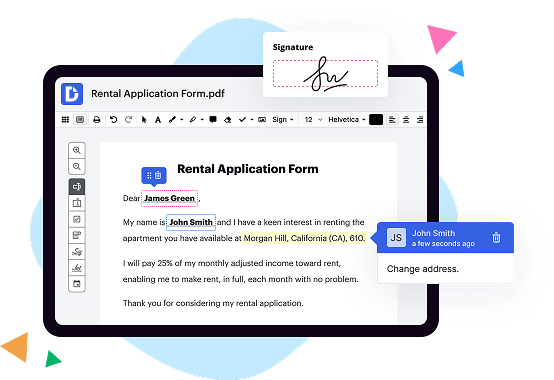
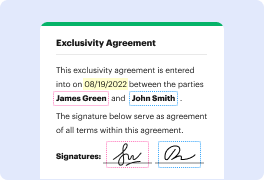
Let's start with DocHub. This user-friendly platform provides a seamless experience for editing, signing, and collaborating on PDF documents. Its intuitive interface allows you to easily make changes, add annotations, and insert text or images. With DocHub, you can also securely sign documents electronically, eliminating the need for time-consuming printing and scanning. The platform's powerful collaboration features enable multiple users to work on the same document simultaneously, enhancing productivity and efficiency. DocHub's robust integrations with popular cloud storage services such as Google Drive and Dropbox make it even more convenient to access and manage your documents. Overall, DocHub's simplicity, flexibility, and comprehensive set of features make it an ideal choice for individuals and businesses alike.
Moving on, let's talk about OpenKM. This robust document management system offers a wide range of features designed to meet the complex needs of organizations. OpenKM allows you to efficiently capture, store, organize, and retrieve your documents, helping you reduce paperwork and streamline your workflow. Its powerful search capabilities make it easy to find specific documents or information within your repository, saving you valuable time. OpenKM also offers advanced security features to protect your sensitive information, including access control and encryption options. Additionally, OpenKM enables seamless collaboration by allowing multiple users to work together on documents and providing version control to track changes. With its extensive customization options and integration capabilities, OpenKM offers a scalable solution that can adapt to the unique requirements of your organization.
Last but not least, we have ScanFile. This versatile document management system specializes in capturing, indexing, and organizing paper-based documents, making it an excellent choice for businesses dealing with large volumes of physical paperwork. ScanFile's advanced scanning capabilities allow you to digitize your documents quickly and accurately, enabling easy storage and retrieval. The software's robust indexing system ensures that your documents are efficiently organized, making it effortless to locate the information you need. Additionally, ScanFile offers comprehensive security features, such as user authentication and audit trails, to maintain the confidentiality and integrity of your documents. With its focus on scanning and organizing physical documents, ScanFile is a reliable solution for businesses looking to digitize their paper-based processes.
In conclusion, while all three platforms have their own unique strengths, DocHub stands out for its user-friendly interface, seamless collaboration features, and comprehensive document editing capabilities. OpenKM excels in meeting the complex needs of organizations with its extensive features and customization options. ScanFile, on the other hand, specializes in efficiently capturing and organizing physical documents. Ultimately, the best choice depends on your specific requirements and preferences.
DocHub vs OpenKM vs ScanFile: which is better for Enterprises?
While OpenKM and ScanFile are good solutions to work with PDFs online, DocHub offers greater capabilities to help individuals and businesses digitize their documents and make them run smoothly across different devices and your favorite apps.
DocHub vs OpenKM vs ScanFile: which is better for small businesses?
OpenKM and ScanFile are good options for editing, signing, and sharing PDFs. However, DocHub offers a more comprehensive featureset that includes organizations, reusable templates, advanced eSignatures, seamless Google integrations, and more that are perfect for small businesses, helping them simplify and streamline document editing, sharing, signing, and form completition.
What is DocHub?
DocHub is a Google-integrated PDF editor and eSignature solution that helps you get your PDFs done online, using any device. DocHub comes with an online PDF editor, advanced eSignatures, PDF forms, reusable templates, and straightforward Google integrations so you can maximize your productivity when working within your favorite Google apps.
What is OpenKM and how does it work?
OpenKM is a powerful, user-friendly document management system that allows individuals and organizations to efficiently manage and organize their digital files. It simplifies the process of storing, accessing, and collaborating on documents, ensuring that important information is easily accessible whenever and wherever you need it.
So, how does OpenKM work? Well, it's quite simple, really. Firstly, you upload your documents to the system, either by dragging and dropping them or through other convenient methods. Once your files are securely stored in OpenKM's repository, you can perform a variety of actions, such as categorizing, tagging, and adding metadata to make searching for documents a breeze.
OpenKM offers a range of intuitive features that enhance productivity and collaboration. For instance, you can create and manage workflows, allowing you to automate processes and ensure that tasks are completed in a timely manner. You can also assign permissions and access levels, empowering you to control who can view, edit, or share specific documents.
Navigating through your files is a seamless experience with OpenKM's user-friendly interface. You can easily search for documents using keywords, tags, or metadata, and even preview files before opening them. With OpenKM, you'll spend less time searching for that elusive file and more time focusing on your work.
One of the standout features of OpenKM is its ability to integrate seamlessly with other applications, such as CRM systems and email clients. This integration allows for a more streamlined workflow, eliminating the need to switch between multiple platforms and ensuring that all your important information is in one place.
Additionally, OpenKM emphasizes security and compliance, providing peace of mind knowing that your documents are protected. It offers features like version control, audit trails, and encryption to safeguard your data.
In summary, OpenKM is a robust document management system that simplifies document organization, enhances collaboration, and boosts productivity. It's a user-friendly and versatile solution that adapts to your needs, allowing you to effortlessly manage your documents, streamline workflows, and stay organized. With OpenKM, you'll experience a new level of efficiency and control over your digital files.
What is ScanFile and how does it work?
ScanFile is a powerful tool designed to make your life easier. It simplifies the process of organizing and managing your digital files, allowing you to access and locate them effortlessly. So, how does ScanFile actually work? Well, let me break it down for you.
Firstly, you start by digitizing your physical documents using a scanner or a smartphone. ScanFile then converts these scanned images into searchable PDFs, making it a breeze to find specific documents later on. This means no more rummaging through endless piles of paper!
Once your files are digitized, ScanFile uses smart algorithms to automatically categorize and organize them. It intelligently recognizes and groups similar documents together, like receipts, invoices, or contracts. This feature saves you valuable time and energy, as you no longer need to manually sort through your files.
With ScanFile, locating a particular document is as simple as typing in a few keywords or using filters such as date, file type, or tags. Its powerful search functionality swiftly locates the exact file you are looking for, even if you only remember a small fragment of information. No more wasting valuable minutes searching for that elusive file!
Furthermore, ScanFile ensures your documents are secure and protected. It offers robust encryption options, ensuring that only authorized individuals can access your sensitive information. You can also create backups and store your files on the cloud, providing an extra layer of security and peace of mind.
In addition to all these features, ScanFile seamlessly integrates with other productivity tools you may already be using. Whether it's a cloud storage service, email platform, or task management app, ScanFile effortlessly integrates with your existing workflow, making it an invaluable companion for streamlining your document management processes.
In conclusion, ScanFile revolutionizes the way you handle your digital files. Its user-friendly interface coupled with powerful search capabilities and smart categorization make it a must-have tool for individuals and businesses alike. Say goodbye to cluttered file cabinets and say hello to a more organized and efficient digital file management experience!
Is DocHub free?
Yes. DocHub's free plan is a perfect fit for one-offs or occasional projects. You can start using DocHub’s Free Plan straight away after completing the quick account registration. No learning is needed. The DocHub Pro Plan has a 30-day free trial so you have enough time to test the product.
Is OpenKM free to use?
Yes, OpenKM is indeed free to use. You can utilize its amazing features and functionalities without any cost involved. OpenKM offers a user-friendly and intuitive platform that allows you to manage and organize your documents efficiently. It provides seamless document collaboration, version control, and advanced search capabilities, ensuring that you can easily locate and access your files whenever you need them. With OpenKM, you can experience the benefits of a reliable document management system without the burden of paying for it. Start using OpenKM today and take control of your document management needs hassle-free!
Is ScanFile free to use?
Yes, ScanFile is absolutely free to use! You can utilize this amazing tool without any cost whatsoever. It's designed to help you with all your scanning needs, making it convenient and accessible for everyone. Simply upload your files, and ScanFile will quickly and efficiently process them for you. Plus, it's incredibly user-friendly, so you don't need any technical expertise to get started. So go ahead, take advantage of this fantastic service and enjoy the benefits of ScanFile completely free of charge.
What is DocHub’s cost and pricing?
DocHub has straightforward pricing that includes one free plan and one paid plan. If you need to get documents done once in a while, the Free Plan is just the thing for you. It includes all the PDF tools to help you edit, sign, share, and organize your documents. For a growing document workflow, we recommend the DocHub Pro plan at $14 per user per month. It includes unlimited PDF capabilities and priority tech support. You can even test it free for 30 days before buying.
What are the plans and prices for OpenKM?
OpenKM is an open-source document management system that offers both community and commercial editions. The community edition is free, while the commercial edition has various pricing plans based on the number of users and additional features needed. Here are the available plans and prices for OpenKM Commercial Edition:
1. Small Business:
- Pricing: Starts at $95/month or $950/year for 5 users.
- Additional users: $15/month or $150/year per user.
- Features: Basic document management, workflows, task management, email integration, auditing, reporting, and support via email.
2. Enterprise:
- Pricing: Starts at $195/month or $1,950/year for 10 users.
- Additional users: $15/month or $150/year per user.
- Features: All Small Business features plus advanced document management, enterprise search, Dropbox/Google Drive integration, Active Directory/LDAP integration, and priority support via email.
3. Professional Services:
- Pricing: Custom pricing based on specific requirements.
- Features: Tailored enterprise content management solutions, consulting, customization, integration with third-party systems, training, and extended support.
It's important to note that these prices are subject to change, and it's recommended to visit the OpenKM website or contact their sales team for the most up-to-date and accurate pricing information.
What are the plans and prices for ScanFile?
As of my knowledge, there is no specific product called ScanFile that provides plans and prices. It could be a custom or specialized software developed by a specific company, but without further information, it is difficult to provide exact details. It is recommended to contact the company or developer associated with ScanFile for accurate and up-to-date information regarding its plans and prices.
Is OpenKM safe?
Yes, OpenKM is indeed safe. We prioritize the security of your documents and data, ensuring they are well-protected at all times. With our comprehensive security measures in place, you can have peace of mind knowing that your information is safeguarded from any potential threats. Our active monitoring and regular updates help us stay on top of any emerging vulnerabilities, allowing us to address them swiftly. Moreover, our user-friendly interface makes it easy for you to navigate and manage your files securely. So, rest assured, with OpenKM, your documents are in safe hands.
Is ScanFile safe?
Yes, ScanFile is absolutely safe to use. Rest assured, our advanced security measures prioritize the protection of your files and ensure your data is kept secure at all times. With a user-friendly interface and seamless functionality, ScanFile allows you to effortlessly store, organize, and access your documents without any concerns. Our dedicated team continuously works to enhance the system's security features, guaranteeing a worry-free experience for every user. So, you can confidently rely on ScanFile to keep your files safe, giving you peace of mind knowing that your valuable information is in good hands.
What are the main DocHub alternatives?
The main DocHub alternatives are Lumin PDF, Small PDF, PDF escape, and others. However, DocHub’s ease of use, flexibility, affordability, and deep Google integrations are the reasons why DocHub is ahead of the competition.
What are the 10 best OpenKM alternatives?
If you're seeking alternatives to OpenKM, you're in luck! There are a plethora of excellent options available that can cater to your needs. One notable alternative to explore is DocHub; it deserves a special mention due to its exceptional features and functionality.
1. DocHub: With its user-friendly interface and robust features, DocHub makes managing and editing documents a breeze. It offers a variety of tools for annotating, signing, and collaborating on PDFs and other file formats.
Moving on, let's dive into some additional alternatives that are equally promising:
2. Alfresco: Known for its enterprise-level document management capabilities, Alfresco provides a comprehensive solution for managing, sharing, and collaborating on documents securely.
3. Nuxeo: This powerful content management platform offers advanced document collaboration features, including version control and workflow management, making it ideal for businesses of all sizes.
4. M-Files: With its AI-powered document management system, M-Files takes organization to the next level. Intelligent data classification and seamless integration with other systems make it a standout choice.
5. LogicalDOC: Offering a simple yet efficient document management solution, LogicalDOC empowers users to organize, access, and collaborate on their files effortlessly.
6. eFileCabinet: Perfect for workflow automation, eFileCabinet streamlines document management processes while ensuring compliance with industry standards and regulations.
7. Microsoft SharePoint: As a well-known and widely used platform, SharePoint enables efficient content management and collaboration across teams, enhancing productivity and knowledge sharing.
8. Nextcloud: A secure and open-source alternative, Nextcloud provides a self-hosted document management solution with versatile file syncing and sharing capabilities.
9. Zoho Docs: Zoho Docs offers a suite of online collaboration tools that allow users to create, edit, and store documents, making it a great choice for teams working remotely.
10. Google Drive: Widely adopted and feature-rich, Google Drive provides a straightforward cloud-based solution for document management and collaboration, ensuring easy access and seamless integration with other Google tools.
Regardless of your specific requirements, you can confidently explore these alternatives to OpenKM and find a solution that suits your needs. Happy exploring!
What are the 10 best ScanFile alternatives?
When it comes to finding the best alternatives to ScanFile, there are plenty of incredible options out there. One standout choice is DocHub, a powerful and user-friendly solution for managing documents. However, it's not the only fantastic option available. Let's explore the 10 best ScanFile alternatives that are sure to meet your needs seamlessly:
1. DocHub: This top-notch tool offers a wide range of features to make document management a breeze.
2. PandaDoc: With its intuitive interface and robust collaboration tools, PandaDoc streamlines the entire document workflow process.
3. Adobe Sign: Trusted by millions, Adobe Sign combines powerful e-signature capabilities with seamless document management.
4. HelloSign: Known for its simplicity and efficiency, HelloSign offers a user-friendly experience without compromising on functionality.
5. SignNow: This versatile platform caters to a range of industries with its comprehensive set of document management and e-signature features.
6. Docusign: Widely recognized and respected, Docusign provides a reliable and secure platform for managing documents and digital signatures.
7. Nitro Sign: Offering a straightforward interface and advanced document editing tools, Nitro Sign ensures a smooth and efficient workflow.
8. Smallpdf: While primarily known for its PDF editing capabilities, Smallpdf also offers an excellent set of electronic signature features.
9. SignEasy: With its focus on simplicity and ease of use, SignEasy provides a seamless signing experience across various devices.
10. SignRequest: This user-friendly solution allows for quick and secure document signing, making it an ideal choice for businesses of all sizes.
With these exceptional alternatives to ScanFile, you can manage and sign your documents with confidence. Whether you're a business professional, a student, or simply someone who values efficient document workflows, these options will exceed your expectations. Explore each alternative, consider your specific requirements, and find the perfect fit for your needs.