What is the difference between DocHub vs Laserfiche vs. Patrina ERM?
When it comes to document management solutions, there are several options available in the market. Among these options, three popular choices are DocHub, Laserfiche, and Patrina ERM. Each of these platforms offers unique features and capabilities, catering to different needs and preferences. Let's explore the differences between these platforms in a more human-friendly way, focusing on their strengths.
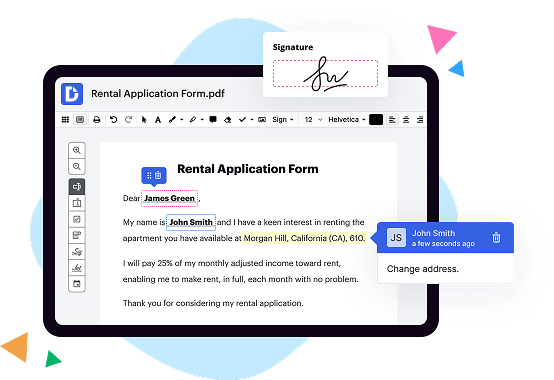
First on the list, we have DocHub. DocHub offers a user-friendly interface and a wide range of features that make document management effortless. With DocHub, you can easily create, edit, and sign documents online. It provides a seamless experience with advanced collaboration features, enabling multiple users to work on the same document simultaneously. DocHub's straightforward design ensures that even those with limited technical knowledge can navigate the platform with ease.
Moving on, we have Laserfiche. Laserfiche is renowned for its robust security measures and advanced document classification capabilities. This platform prioritizes data integrity and protects sensitive information through encryption and access controls. Laserfiche's powerful search function allows users to locate specific documents quickly, thanks to its smart indexing feature. With its emphasis on security and efficient search, Laserfiche is an excellent choice for organizations handling massive amounts of sensitive data.
Lastly, we have Patrina ERM, which stands out with its comprehensive compliance management features. Patrina ERM focuses on regulatory compliance, ensuring that businesses meet industry standards and requirements effortlessly. This platform offers customizable workflows, audit trails, and automated compliance reporting, saving businesses valuable time and resources. Patrina ERM's compliance-driven approach ensures peace of mind and reduces the risk of non-compliance for organizations in heavily regulated industries.
In summary, DocHub, Laserfiche, and Patrina ERM offer distinct advantages depending on your specific needs. DocHub shines in its user-friendly interface and collaboration features, while Laserfiche excels in security and search capabilities. Patrina ERM, on the other hand, is an excellent choice for organizations seeking comprehensive compliance management. By understanding your requirements and priorities, you can choose the document management solution that best suits your needs.
DocHub vs Laserfiche vs Patrina ERM: which is better for Enterprises?
While Laserfiche and Patrina ERM are good solutions to work with PDFs online, DocHub offers greater capabilities to help individuals and businesses digitize their documents and make them run smoothly across different devices and your favorite apps.
DocHub vs Laserfiche vs Patrina ERM: which is better for small businesses?
Laserfiche and Patrina ERM are good options for editing, signing, and sharing PDFs. However, DocHub offers a more comprehensive featureset that includes organizations, reusable templates, advanced eSignatures, seamless Google integrations, and more that are perfect for small businesses, helping them simplify and streamline document editing, sharing, signing, and form completition.
What is DocHub?
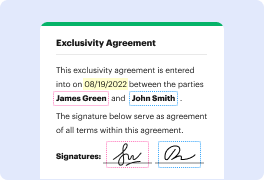
DocHub is a Google-integrated PDF editor and eSignature solution that helps you get your PDFs done online, using any device. DocHub comes with an online PDF editor, advanced eSignatures, PDF forms, reusable templates, and straightforward Google integrations so you can maximize your productivity when working within your favorite Google apps.
What is Laserfiche and how does it work?
Laserfiche is an impressive and powerful software that allows users to efficiently manage and organize their documents and business processes. It revolutionizes the way information is handled, making it easier and more streamlined.
From the moment you start using Laserfiche, you'll immediately notice the positive impact it has on your productivity. This intuitive software lets you digitize your paper documents, create electronic forms, and automate workflows. It centralizes all your information in one secure and easily accessible location, eliminating the need for messy file cabinets and the constant search for lost documents.
With Laserfiche, you'll experience a seamless and efficient workflow. It simplifies document retrieval by providing a robust search feature. Instead of wasting precious time digging through files, you can quickly locate any document you need with just a few clicks. This makes collaboration and sharing information with your team a breeze.
One of the standout features of Laserfiche is its ability to automate repetitive tasks. You can create customized workflows that will automatically route documents to the right people, enforce business rules, and trigger actions based on specific events. This not only saves you time and effort but also ensures consistency and compliance throughout your organization.
In addition to managing documents, Laserfiche also offers advanced analytics and reporting capabilities. You can gain valuable insights into your business processes, identify bottlenecks, and make data-driven decisions to drive continuous improvement.
Laserfiche is designed to integrate seamlessly with your existing systems, ensuring a smooth and hassle-free implementation. Its user-friendly interface makes it easy to navigate, and the wide range of customization options allows you to tailor the software to fit your specific needs.
Overall, Laserfiche is a game-changer in the world of document management. It empowers users to take control of their information, boost productivity, and enhance collaboration. So, if you're looking for a reliable and efficient solution to streamline your document management and business processes, look no further than Laserfiche.
What is Patrina ERM and how does it work?
Patrina ERM is an innovative solution that helps you effectively manage and mitigate risks within your organization. It stands for Patrina Enterprise Risk Management, a powerful platform designed to provide comprehensive risk oversight and enhance your decision-making process.
Imagine having a tool that empowers you to identify, assess, and control risks effortlessly. Well, that's exactly what Patrina ERM offers. With its user-friendly interface and intuitive features, you'll have full visibility into your organization's risk landscape.
So, how does it work? It all starts with capturing data from various sources, such as incident reports, employee feedback, and market trends. The platform then centralizes this information, making it easily accessible and allowing you to gain valuable insights.
Through its advanced analytics capabilities, Patrina ERM helps you identify patterns and trends, enabling you to proactively address potential risks before they escalate. By categorizing risks and assigning ownership, you can foster accountability and ensure that the right actions are taken at the right time.
Moreover, the platform generates comprehensive reports and visualizations, presenting a clear picture of your organization's risk profile. These insights enable you to make informed decisions, optimize resource allocation, and prioritize risk mitigation efforts.
One of the standout features of Patrina ERM is its ability to foster collaboration across teams and departments. Whether you're in finance, compliance, or operations, the platform allows everyone to contribute to risk management efforts, ensuring a holistic approach.
With its seamless integration capabilities, Patrina ERM works harmoniously with your existing systems and tools. This ensures that you experience a smooth transition and can leverage the synergies offered by the platform.
In conclusion, Patrina ERM is a game-changer for organizations seeking to enhance their risk management strategies. By providing a centralized, analytical, and collaborative platform, it empowers you to proactively identify, assess, and mitigate risks, ultimately safeguarding the success and longevity of your business. So, why settle for average risk management when you can have Patrina ERM?
Is DocHub free?
Yes. DocHub's free plan is a perfect fit for one-offs or occasional projects. You can start using DocHub’s Free Plan straight away after completing the quick account registration. No learning is needed. The DocHub Pro Plan has a 30-day free trial so you have enough time to test the product.
Is Patrina ERM free to use?
Yes, Patrina ERM is absolutely free to use. It offers a range of user-friendly features and functionalities that make it a breeze for individuals like you to manage your enterprise risk management. You'll find Patrina ERM to be a powerful tool that allows you to effortlessly identify, assess, and mitigate risks within your organization. With its intuitive interface and comprehensive capabilities, Patrina ERM empowers you to take proactive measures to ensure the safety and success of your business. So, go ahead and take advantage of this fantastic opportunity to streamline your risk management processes without any cost at all. Start using Patrina ERM today, and experience the peace of mind that comes with effective risk management.
What is DocHub’s cost and pricing?
DocHub has straightforward pricing that includes one free plan and one paid plan. If you need to get documents done once in a while, the Free Plan is just the thing for you. It includes all the PDF tools to help you edit, sign, share, and organize your documents. For a growing document workflow, we recommend the DocHub Pro plan at $14 per user per month. It includes unlimited PDF capabilities and priority tech support. You can even test it free for 30 days before buying.
What are the plans and prices for Laserfiche?
Laserfiche offers several different plans and pricing options that can be customized based on an organization's specific needs. The pricing structure typically includes the cost of licenses, maintenance and support, professional services, and any additional modules or features. However, the exact details of the plans and prices are not readily available as they may vary depending on factors like the size of the organization, number of users, required features, and deployment options (cloud-based or on-premises).
To get specific information about the plans and pricing for Laserfiche, it is recommended to contact their sales team directly, either through their official website or by reaching out to their sales representatives. They will be able to provide accurate and up-to-date details on the various plans available and help determine the most suitable option for your organization's requirements.
Is Laserfiche safe?
Yes, Laserfiche is indeed safe. When it comes to data security and privacy, Laserfiche takes all the necessary measures to ensure that your information is well-protected. With advanced encryption protocols, regular security audits, and a dedicated team of experts, Laserfiche prioritizes the safety of your data above all else.
Rest assured, your information is in good hands with Laserfiche. They have been trusted by countless individuals and organizations for years, and their commitment to providing a secure platform is unwavering.
Furthermore, Laserfiche continually updates its security features to stay ahead of emerging threats, giving you peace of mind knowing that your data is safeguarded in an ever-evolving digital landscape.
In summary, Laserfiche is not only safe, but they are also proactive in ensuring the security of your data. By choosing Laserfiche, you can confidently store and manage your information, knowing that it is protected by a reliable and trusted platform.
What are the main DocHub alternatives?
The main DocHub alternatives are Lumin PDF, Small PDF, PDF escape, and others. However, DocHub’s ease of use, flexibility, affordability, and deep Google integrations are the reasons why DocHub is ahead of the competition.
What are the 10 best Laserfiche alternatives?
If you're looking for exceptional alternatives to Laserfiche, we've got you covered! Here are ten outstanding options that will surely meet your needs. Let's dive in and explore these remarkable solutions together.
1. DocHub: DocHub holds the top spot on our list, and for good reason. This versatile platform offers seamless document management, electronic signature capabilities, and robust collaboration features. It's a true powerhouse that will revolutionize your document workflows.
2. PandaDoc: Simplify your document creation and management with PandaDoc. This intuitive tool streamlines the entire document lifecycle, allowing you to create, send, track, and sign contracts effortlessly. Say goodbye to manual paperwork and hello to increased efficiency.
3. eFileCabinet: Step into the future of document management with eFileCabinet. This cutting-edge platform offers secure file storage, automated workflows, and advanced search capabilities. Get ready to supercharge your productivity and access your files from anywhere.
4. Adobe Sign: Trust the industry leader, Adobe Sign, to take your document signing process to new heights. This feature-rich solution not only offers legally binding e-signatures but also integrates seamlessly with various popular applications.
5. Nintex: With Nintex, automate your document processes and watch your productivity soar. This powerful platform allows you to create intelligent workflows, generate complex documents, and collaborate effortlessly, all in a user-friendly interface.
6. M-Files: Searching for a smart and scalable alternative? Look no further than M-Files. This innovative solution utilizes artificial intelligence to streamline document management, providing a seamless experience across multiple devices and platforms.
7. Templafy: Enhance your organization's document consistency and brand compliance with Templafy. This platform empowers teams with customizable templates, thereby saving time and ensuring a consistent visual identity in all your documents.
8. SharePoint: Harness the power of collaboration with SharePoint, a widely recognized Microsoft tool. It enables teams to store, access, and manage documents in a secure and centralized ecosystem, fostering efficient teamwork and knowledge sharing.
9. Zoho Docs: If simplicity and affordability are your priorities, Zoho Docs is worth considering. This cloud-based platform allows you to create, store, and collaborate on documents seamlessly, while also providing essential features like version control.
10. Google Drive: Last but not least, we have the beloved Google Drive. This user-friendly cloud storage solution not only enables efficient document collaboration but also integrates seamlessly with other Google Workspace tools, fostering productivity and collaboration.
Dive into these excellent alternatives to Laserfiche, and you'll find the perfect fit for your document management needs. Embrace enhanced efficiency, collaboration, and organization as you take your workflows to new heights.
What are the 10 best Patrina ERM alternatives?
When it comes to finding alternatives to Patrina ERM, you have a multitude of options to choose from. One of the top choices, but not the only one, is DocHub. Not only does DocHub offer an incredible range of features, but it also provides a user-friendly experience that is hard to beat.
Moving on to the next alternative, we have Process Street. This robust platform allows you to streamline your risk management processes efficiently and effectively. Its intuitive interface and comprehensive features make it a great choice for businesses of all sizes.
Next up is LogicGate, a powerful tool that enables you to automate your risk and compliance processes. With LogicGate, you can easily identify, assess, and mitigate any potential risks that your organization may face.
Another alternative worth considering is Resolver. This versatile platform offers a wide range of tools to help you manage risks, incidents, audits, and more. With their user-friendly interface and comprehensive features, Resolver is definitely a contender to consider.
For those looking for a comprehensive risk management solution, look no further than Riskonnect. This platform offers a holistic approach to ERM and provides you with the tools you need to identify, assess, and mitigate risks effectively.
CyberGRX is also a noteworthy alternative. Specializing in third-party risk management, CyberGRX focuses on helping you assess and manage the risks associated with your vendors and suppliers.
Another great option is ProcessUnity, a platform that excels in managing vendor risk and compliance. With ProcessUnity, you can streamline your vendor risk assessment processes and ensure regulatory compliance.
ZenGRC is an innovative alternative that offers a simplified and integrated approach to risk management and compliance. Their user-friendly interface and robust features make it a top choice for modern businesses.
Continuing with our list, we have HighBond by Galvanize. This comprehensive platform combines risk management, compliance, and audit capabilities into a single solution, making it a great choice for organizations seeking an all-in-one tool.
Last but not least, we have AuditBoard. This powerful platform specializes in streamlining audit management processes, enabling you to effectively manage and mitigate risks throughout your organization.
Remember, these 10 alternatives to Patrina ERM offer a range of features and capabilities to meet your specific needs. Take the time to explore each option and find the perfect fit for your business.