
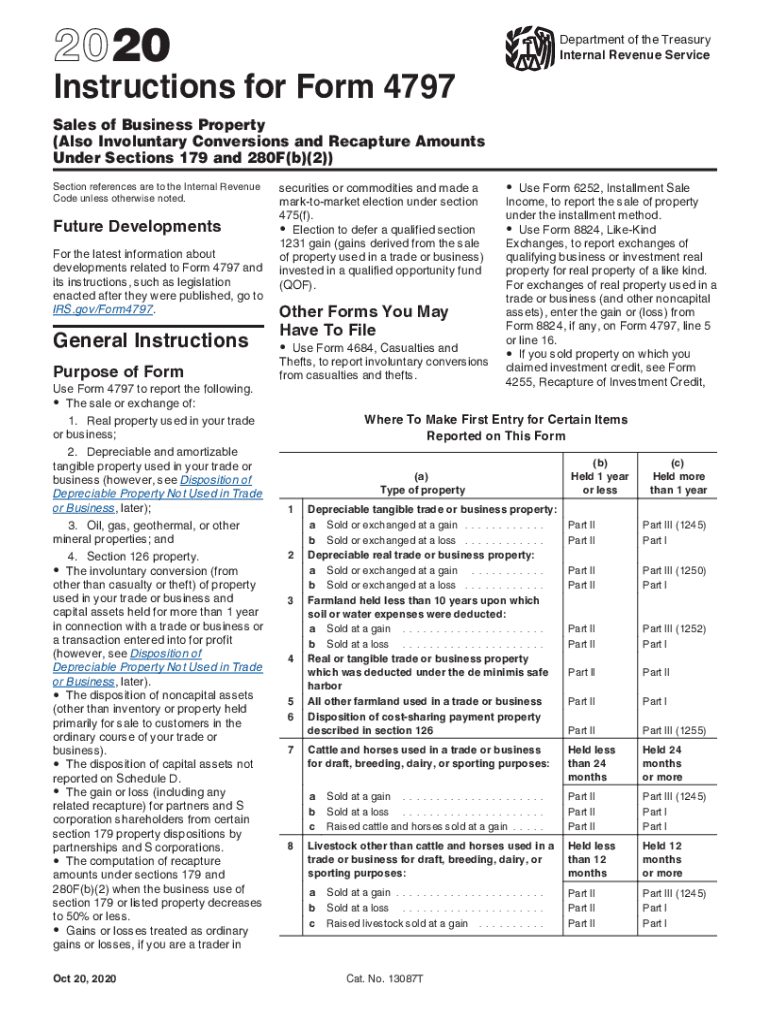







Understanding Form 4797
Form 4797, officially named "Sales of Business Property," is used to report the sale or exchange of business property. This form captures gains and losses on various transactions involving real estate, depreciable property, and other business assets. It is an essential document for individuals or businesses that dispose of property used in a trade or business, converting it into gains or losses for tax purposes. Understanding its structure and requirements helps ensure accurate reporting to the IRS, mitigating the risk of errors or omissions during tax filing.
Steps to Complete Form 4797
Completing Form 4797 requires precision and knowledge of relevant transactions. This section provides a step-by-step guide to filling out the form accurately:
-
Identify the Property Sold: Begin by categorizing the type of property sold, whether it’s real estate or other depreciable assets.
-
Gather Necessary Information:
- Original purchase price
- Date of sale or exchange
- Selling price and cost related to sale
- Depreciation claimed over the years
-
Calculate Gain or Loss:
- Subtract the adjusted basis (purchase price minus depreciation) from the selling price.
- Enter the result in the appropriate section of the form.
-
Complete Section III: Report gains or losses from dispositions.
-
Review Special Rules: Consider recapture rules under Internal Revenue Code sections like 1245 and 1250.
-
Attach Supporting Documentation: Include any necessary schedules or additional forms that complement the transaction, like Form 6252 for installment sales.
Who Typically Uses Form 4797?
Form 4797 is primarily used by individuals, partnerships, S corporations, and C corporations engaged in business. Those who own property used in trade or business operations, including real estate investors, equipment lessors, and traders using mark-to-market accounting, commonly need to file this form. Even self-employed individuals must file it when disposing of business assets. Understanding the user base helps in tailoring the completion approach based on specific business structures and activities.
Important Terms Related to Form 4797
Understanding key terminology associated with Form 4797 is crucial for accurate completion and filing:
- Adjusted Basis: The property's original cost minus any depreciation.
- Section 1231 Property: Business real or depreciable property held for over a year.
- Recapture: Reclaiming previously taken depreciation deductions on the sale of an asset.
- Involuntary Conversions: Events like theft or natural disaster leading to asset disposition.
- Depreciation: Allocation of the cost of tangible property over its useful life.
IRS Guidelines for Form 4797
Guidelines provided by the IRS are essential for ensuring compliance when filing Form 4797. These rules cover how to determine and report gains or losses, apply recapture rules, and more:
- Section 1231 Gain Treatment: Gains can be treated as capital gains if net positive, providing favorable tax rates.
- Exclusions: Some transactions may qualify for exclusion under specific IRS criteria.
- Filing Requirements: Mandatory for anyone with transactions involving qualified property.
Filing Deadlines and Important Dates
Timeliness is crucial when filing Form 4797. The form must be submitted as part of your annual tax return, adhering to relevant deadlines, typically the 15th of April:
- Extension Filings: An automatic six-month extension can be obtained via Form 4868 if needed.
- Year-End Transactions: It's important to ensure all relevant transactions within the fiscal year are included.
Required Documents for Form 4797
Filing Form 4797 entails assembling various documents to ensure accuracy and compliance:
- Purchase and Sale Agreements: Contracts detailing the transaction.
- Depreciation Records: Documentation of all depreciation claimed.
- Receipts for Sale Costs: Proof of expenses incurred in selling the property.
Software Compatibility with Form 4797
Exploring the compatibility of Form 4797 with popular tax filing software simplifies the filing process. Programs like TurboTax, QuickBooks, and H&R Block Tax Software support Form 4797:
- TurboTax: Direct data entry for Form 4797 ensures accurate calculations and reporting.
- QuickBooks: Integrates with sales contracts to streamline data entry.
- H&R Block Tax Software: Provides guided instructions tailored for business sales.
These software solutions aid in preventing errors, offering step-by-step guidance based on IRS instructions, and auto-populating fields to save time.




