




01. Edit your form online
Type text, add images, blackout confidential details, add comments, highlights and more.

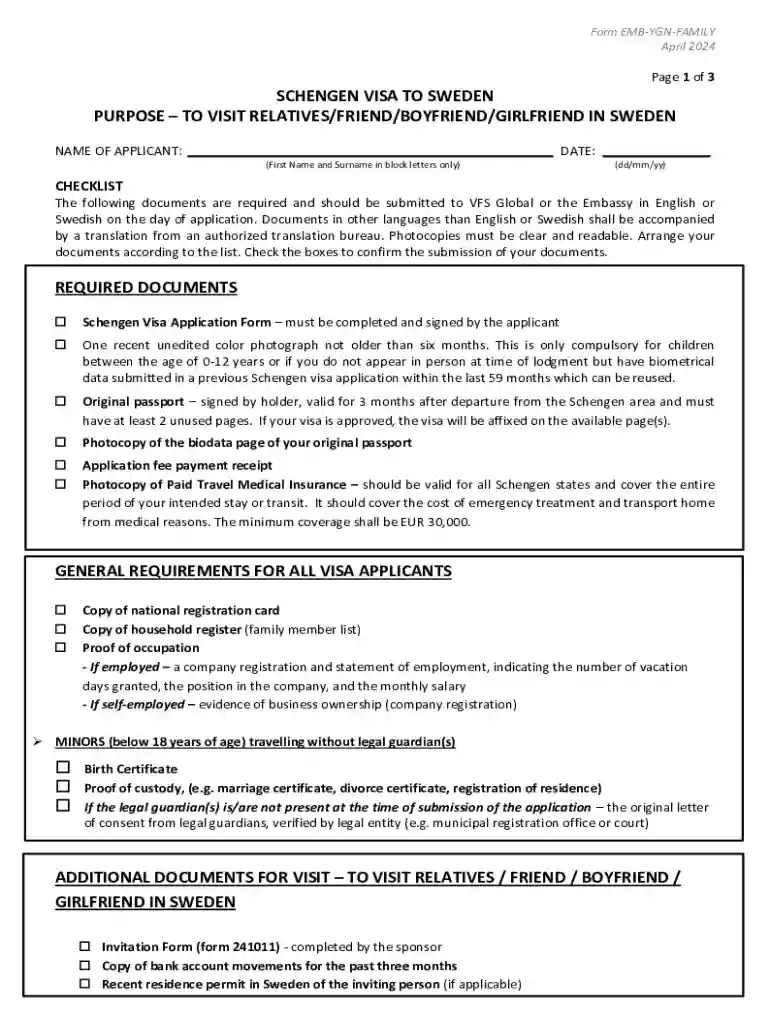
Type text, add images, blackout confidential details, add comments, highlights and more.

Draw your signature, type it, upload its image, or use your mobile device as a signature pad.

Send it via email, link, or fax. You can also download it, export it or print it out.
"Form online" refers to the electronic versions of traditional paper forms that can be accessed and filled out over the internet. These forms facilitate the digital submission and processing of documents, thus eliminating the need for physical paperwork. In a business or personal context, these online forms streamline data collection, make it easier to share information, and often include built-in functionalities like automatic saving and error checking. They are commonly used across various domains such as government applications, business transactions, and personal data submissions.
These forms often include features such as real-time data validation to ensure accuracy and completeness before submission. This, in turn, enhances user experience by reducing errors and facilitating faster processing times.
To use an online form effectively, follow these general steps:
Access the Form: Locate the form on the relevant website. It might be accessible via a link sent through an email or found on the institution's official portal.
Review the Instructions: Always begin by reading any accompanying instructions or guidelines to understand the requirements and details necessary for completion.
Enter Required Information: Click on designated fields to input information. Ensure that all fields marked as mandatory are filled out accurately to avoid submission errors.
Use Available Tools: Utilize helper tools such as dropdowns, date pickers, or auto-fill options for efficient data entry.
Review and Submit: Double-check all entered information for accuracy. Many platforms offer the option to preview the completed form before submission.
Receive Confirmation: After submission, expect a confirmation message or email. Retain this for your records as proof of submission.
Completing an online form involves several detailed steps tailored to ensure comprehensive and error-free submission. Here's a step-by-step process:
Locate the Required Form: Begin by navigating to the website hosting the form. Use search functions if necessary.
Create or Log into an Account: Some forms may require users to register or log into an existing account before access is granted.
Fill in Personal Information: Start with mandatory fields such as name, address, and contact details. Ensure that all information is current and correct.
Attach Necessary Documents: If the form requires additional documentation, such as identification or proof of income, ensure files are in supported formats (e.g., PDF, DOCX).
Review Field Entries: Check each section for accuracy, ensuring there are no missing fields. Some systems highlight incomplete fields automatically.
Submit for Processing: Once complete, submit the form. Watch for any confirmation numbers or tracking IDs to save for recordkeeping.
This systematic approach minimizes errors and ensures all required data is accurately captured.
Utilizing online forms presents numerous benefits that outweigh traditional methods:
Efficiency: Online forms reduce the time taken to complete and submit documents, speeding up processes like applications, claims, or agreements.
Convenience: Accessible from any location, online forms do not require physical visits to offices, making them ideal for busy schedules.
Error Reduction: Built-in error-checking mechanisms help minimize the risk of incorrect submissions, ensuring data integrity.
Cost Savings: Elimination of printing, postage, and physical storage reduces costs associated with paper handling.
These advantages make online forms an excellent choice for individuals and businesses seeking to optimize their document management processes.
The user base for online forms is diverse and varies according to the form's purpose:
Individuals: For personal applications, registrations, or service requests.
Businesses: To streamline processes like client onboarding, feedback collection, and administrative recordkeeping.
Educational Institutions: For student and staff data collection and management.
Government Agencies: For public service applications, registrations, and compliance submissions.
Online forms adapt to diverse requirements, making them a versatile tool across sectors.


The structure of an online form comprises several essential elements designed to facilitate effective data collection:
Input Fields: Text boxes, radio buttons, checkboxes, and dropdowns for data entry.
Instructions and Guidelines: Provide clarity on how to complete the form and any specific requirements or supporting documentation needed.
Validation Features: To ensure information is correctly entered and all necessary fields are completed before submission.
Submit and Reset Buttons: Clearly marked options for finalizing input or clearing entries to start over.
Understanding these elements is critical for creating or filling out online forms efficiently.
Online forms need to be compatible with various software systems to enhance user experience and facilitate seamless data processing:
Web Browsers: Compatible with all major browsers including Chrome, Firefox, Safari, and Edge to ensure accessibility.
Integration with Tools: Forms should integrate with tools such as Google Workspace (Drive, Gmail) for importing/exporting documents.
API Connections: Allow form data to connect with CRM systems, databases, or other enterprise software used by organizations.
Ensuring compatibility across platforms is vital for widespread adoption and operational efficiency.
While online submission is the most efficient, forms can often be submitted in various ways to suit user needs:
Online: The most preferred method, offering immediate submission and receipt acknowledgment.
Mail: Sending completed forms via postal services for those who prefer or require paper trails.
In-Person: Physical submission at designated locations, usually necessary for specific official or sensitive documents.
Understanding these methods ensures you select the most appropriate and convenient option for your circumstances.
Comparing digital and paper forms helps highlight the advantages of choosing the online option:
Digital Advantages:
Paper Forms:
Hybrid Use: Some organizations provide both to cater to all user preferences.
Choosing between digital and paper depends on access, convenience, and user familiarity with technology.
We've got more versions of the Schengen Visa Application Form form. Select the right Schengen Visa Application Form version from the list and start editing it straight away!
| Versions | Form popularity | Fillable & printable |
|---|---|---|
| 2024 | 4.7 Satisfied (50 Votes) | |
| 2024 | 4.1 Satisfied (26 Votes) | |
| 2022 | 4.9 Satisfied (41 Votes) | |
| 2022 | 4.8 Satisfied (52 Votes) | |
| 2022 | 4.7 Satisfied (37 Votes) | |
| 2022 | 4.1 Satisfied (56 Votes) | |
| 2022 | 4.5 Satisfied (39 Votes) | |
| 2022 | 1.2 Satisfied (406 Votes) | |
| 2021 | 4.5 Satisfied (50 Votes) | |
| 2021 | 4.8 Satisfied (114 Votes) | |
| 2021 | 4.3 Satisfied (37 Votes) | |
| 2020 | 4.8 Satisfied (53 Votes) | |
| 2020 | 4.8 Satisfied (121 Votes) | |
| 2020 | 4.8 Satisfied (137 Votes) | |
| 2020 | 4.6 Satisfied (59 Votes) |
At DocHub, your data security is our priority. We follow HIPAA, SOC2, GDPR, and other standards, so you can work on your documents with confidence.




3 days ago How to Fill Austria Visa Application?: The Ultimate Guide 2025 Austria Visa Application Form !.Schengen Visa Refused Due To This 1 Document.
Here are instructions on how to complete the online visa application form process. This is the second step of the. French visa application process.Read more


