






Definition and Purpose of the 1099-NEC Form 2020
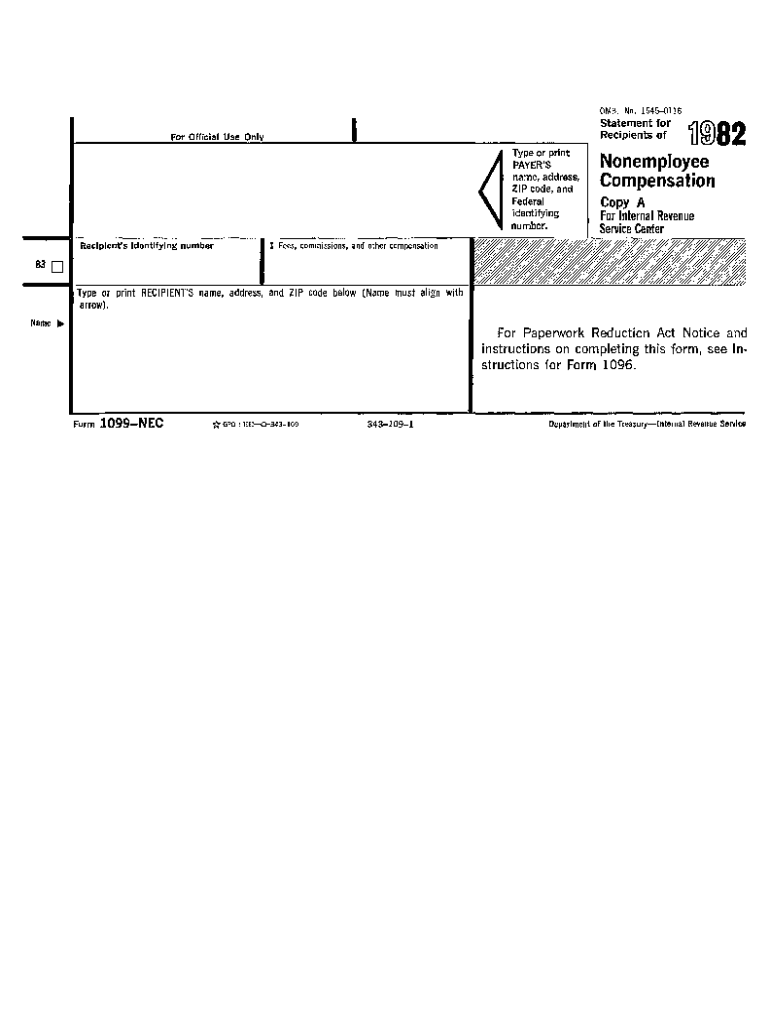
The 1099-NEC form is used to report nonemployee compensation for services rendered by independent contractors or freelancers. Traditionally, these payments were reported on Form 1099-MISC but starting in the 2020 tax year, the Internal Revenue Service (IRS) reinstated Form 1099-NEC to exclusively handle nonemployee compensation. This form is crucial for businesses that have paid $600 or more to a nonemployee during the tax year, ensuring accurate tax reporting and compliance.
How to Use the 1099-NEC Form 2020 Printable Version
The printable version of the 1099-NEC form allows businesses to provide required financial details easily. Users can print and fill this form manually or use an online document editor like DocHub to fill it digitally. The digital filling process involves uploading the printable PDF, entering the relevant information such as payer and recipient details, amounts, and taxpayer identification numbers, and then printing the completed document for submission.
Obtaining the 1099-NEC Form 2020 Printable Version
The IRS website is the primary source for downloading the 1099-NEC form. Additionally, tax preparation software and online document management platforms like DocHub offer access to the printable form. These platforms may provide enhanced functionality, such as editing, storing, and sharing features that facilitate better document management and compliance.
Steps to Complete the 1099-NEC Form 2020 Printable Version
Filling out the 1099-NEC form requires precision. Follow these steps:
- Enter Payer Information: Include the payer's name, address, phone number, and taxpayer identification number (TIN).
- Complete Recipient Details: Provide the recipient’s name, TIN, and address.
- Provide Nonemployee Compensation Amount: Record the total amount paid to the nonemployee in Box 1.
- Miscellaneous Information: Fill out any applicable state identification numbers and amounts if relevant.
- Review and Submit: Double-check all entries for accuracy, then print the completed form for submission and personal records.
Legal Use and Compliance for the 1099-NEC Form 2020
The 1099-NEC form ensures businesses comply with IRS regulations for reporting nonemployee compensation. Legally, entities must issue this form by January 31st of the year following the payment to both the IRS and the individual contractor to avoid potential penalties. This regulation is in place to prevent underreporting of income, ensuring both parties adhere to tax obligations.
Important Terms Related to the 1099-NEC Form 2020
Understanding key terms associated with the 1099-NEC form is essential:
- Nonemployee Compensation: Payment to an individual not employed by the company.
- TIN (Taxpayer Identification Number): The identification number used for tax reporting.
- Payer and Recipient: The entity paying and receiving the compensation, respectively.
Filing Deadlines and Important Dates
The critical deadline for issuing the 1099-NEC form is January 31st. This applies to both providing a copy to the recipient and filing with the IRS. Timeliness is imperative to avoid penalties for late submissions. Employers should also verify the submission deadlines for the states where they operate, as requirements can vary.
Penalties for Non-Compliance
Failing to file or misreporting information on the 1099-NEC can result in significant penalties from the IRS. Penalties are graduated based on how late the forms are submitted, ranging from $50 to over $500 per form, depending on how many days past the deadline the filing occurs. Accurate and timely filing is vital to avoid these fines.
Digital vs. Paper Version
The 1099-NEC form can be used in both digital and paper formats. The IRS accepts digital submissions through their e-file system, which expedites the reporting process and reduces errors. Many businesses prefer using digital versions for their ease of use, integration with accounting software, and reduced environmental impact.