




01. Edit your 2021 565 online
Type text, add images, blackout confidential details, add comments, highlights and more.

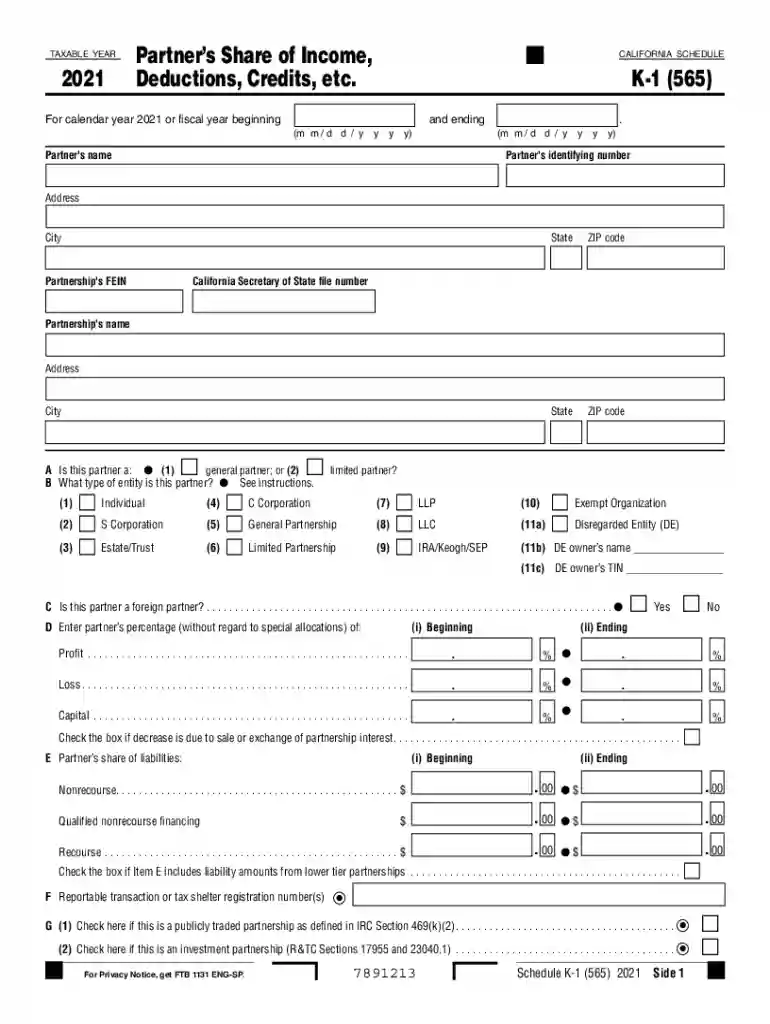
Type text, add images, blackout confidential details, add comments, highlights and more.

Draw your signature, type it, upload its image, or use your mobile device as a signature pad.

Send 2021 k1 via email, link, or fax. You can also download it, export it or print it out.

Start using our platform today for free to simplify your ca k1 form completion!
We've got more versions of the 2021 565 form. Select the right 2021 565 version from the list and start editing it straight away!
| Versions | Form popularity | Fillable & printable |
|---|---|---|
| 2025 | 4.3 Satisfied (39 Votes) | |
| 2023 | 4.4 Satisfied (43 Votes) | |
| 2022 | 4.5 Satisfied (40 Votes) | |
| 2021 | 4.8 Satisfied (83 Votes) | |
| 2020 | 4.4 Satisfied (238 Votes) | |
| 2019 | 4.3 Satisfied (80 Votes) | |
| 2018 | 4.4 Satisfied (52 Votes) | |
| 2017 | 4.4 Satisfied (58 Votes) | |
| 2016 | 4.3 Satisfied (247 Votes) | |
| 2015 | 4.4 Satisfied (44 Votes) | |
| 2012 | 4.2 Satisfied (60 Votes) | |
| 2011 | 4 Satisfied (38 Votes) |
At DocHub, your data security is our priority. We follow HIPAA, SOC2, GDPR, and other standards, so you can work on your documents with confidence.
Partners share of nonbusiness income from real and tangible personal property sourced or allocable to California. 7894253.Read more
Getting to Miramar College has never been easier! Our new MTS Transit Center connects all San Diego neighborhoods with the Mira Mesa campus.Read more
Level switch made of stainless steel with 1/4 NPT mounting thread Wiring 800-835-1060. Rotate float by 180 for NC.


