




Here's how it works

01. Edit your wcwt 5 online
Type text, add images, blackout confidential details, add comments, highlights and more.

02. Sign it in a few clicks
Draw your signature, type it, upload its image, or use your mobile device as a signature pad.

03. Share your form with others
Send wcwt via email, link, or fax. You can also download it, export it or print it out.
How to use or fill out wcwt 5 with our platform

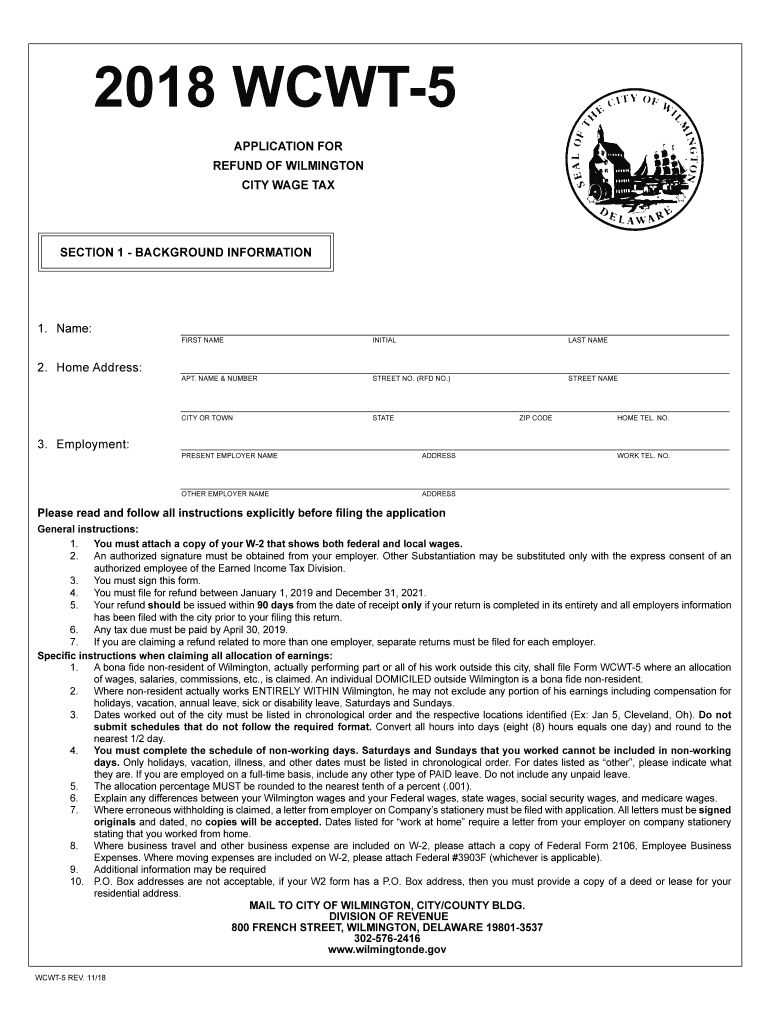
- Click ‘Get Form’ to open the wcwt 5 application in the editor.
- Begin by filling out Section 1 - Background Information. Enter your name, home address, and employment details accurately. Ensure that all fields are completed, including your home and work telephone numbers.
- Attach a copy of your W-2 form that shows both federal and local wages as instructed. This is crucial for processing your refund claim.
- Proceed to Section 2 - Refund Computation. Carefully input your gross earnings, overtime details, and calculate the allocation percentage based on the days worked outside Wilmington.
- In Section 3 - Employer Certification, ensure that an authorized official from your employer signs off on the certification to validate your claims.
- Finally, review all entries for accuracy before submitting. Use our platform’s features to save and share the completed form easily.
Start using our platform today for free to streamline your wcwt 5 application process!
Fill out wcwt 5 online
It's free
It's free
See more wcwt 5 versions
We've got more versions of the wcwt 5 form. Select the right wcwt 5 version from the list and start editing it straight away!
| Versions | Form popularity | Fillable & printable |
|---|---|---|
| 2024 | 4.7 Satisfied (35 Votes) | |
| 2023 | 4.7 Satisfied (51 Votes) | |
| 2022 | 4.3 Satisfied (41 Votes) | |
| 2021 | 4.9 Satisfied (24 Votes) | |
| 2020 | 3.9 Satisfied (28 Votes) | |
| 2019 | 4.2 Satisfied (100 Votes) | |
| 2018 | 4.4 Satisfied (174 Votes) | |
| 2017 | 4.4 Satisfied (103 Votes) | |
| 2016 | 4.1 Satisfied (57 Votes) | |
| 2015 | 3.9 Satisfied (28 Votes) | |
| 2014 | 4.4 Satisfied (168 Votes) | |
| 2013 | 4 Satisfied (36 Votes) | |
| 2011 | 4 Satisfied (43 Votes) | |
| 2010 | 4.3 Satisfied (43 Votes) |
Security and compliance
At DocHub, your data security is our priority. We follow HIPAA, SOC2, GDPR, and other standards, so you can work on your documents with confidence.
Learn more


Related forms

Using Kurzweil 3000 for Web Browsers
The document is a Physical Restraint and Time Out Form required for educational institutions in Illinois. It outlines th ...

ENG - CA ELARC Request for Payment form- Transportation- 10 05 12
The document is a Request for Payment form for transportation services to be submitted to Acumen. It requires detailed c ...
Business CommunicationCommunicationOrganizational
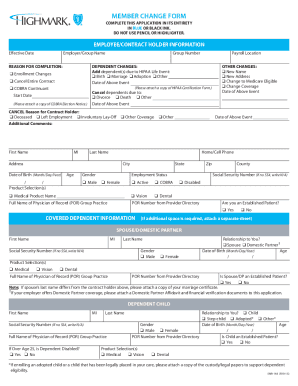
The document is a Member Change Form used for updating employee or contract holder information regarding health insuranc ...

DL-176
The document is an application form for a Pennsylvania Military Status Endorsement Card, designed for military personnel ...

New Vehicle Titles - Alaska Department of Administration
The document is a Power of Attorney form from the State of Alaska's Division of Motor Vehicles, allowing an appointed in ...

TC 31-519 xlsm - Kentucky Transportation Cabinet - transportation ky
The document TC 31-519 is a standard invoice form used by the Kentucky Transportation Cabinet's Division of Accounts. It ...

Mailing - California Department of Industrial Relations
The document is a Public Records Act Request Form from the California Department of Industrial Relations, specifically t ...

Speaker Disclosure Form-FRC 2014
The document outlines the disclosure requirements for presenters at the Florida Residency Conference 2014, emphasizing t ...