Type text, add images, blackout confidential details, add comments, highlights and more.
02. Sign it in a few clicks
Draw your signature, type it, upload its image, or use your mobile device as a signature pad.
03. Share your form with others
Send it via email, link, or fax. You can also download it, export it or print it out.
How to use or fill out asset purchase with our platform
Ease of Setup
DocHub User Ratings on G2
Ease of Use
DocHub User Ratings on G2
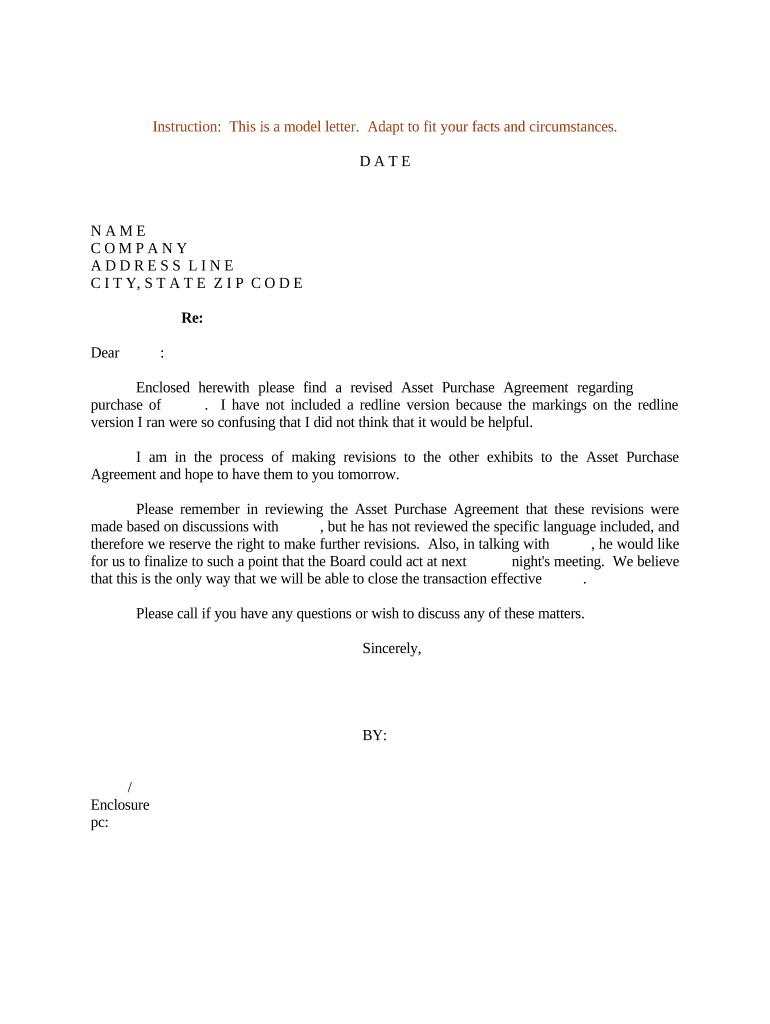
Click ‘Get Form’ to open the Asset Purchase Agreement in the editor.
Begin by entering the date at the top of the document. This is crucial for establishing a timeline for the agreement.
Fill in your name, company, and address details in the designated fields. Ensure accuracy as this information identifies you as a party to the agreement.
In the section labeled 'Re:', specify the subject of the asset purchase clearly to avoid any confusion.
Address your recipient formally in the greeting line, ensuring you maintain a professional tone throughout.
Review and modify any sections that require updates based on discussions with involved parties. Use our platform’s editing tools for clarity.
Finally, sign off with your name and title, and attach any necessary enclosures using our platform’s file upload feature.
Start using our platform today to streamline your asset purchase process for free!
Mar 16, 2015 purchase request. The Asset Administrator Role is required to receive purchase orders. From the Purchasing tab, click on the Receive iconRead more
other than the Excluded Assets, Seller shall sell, transfer, convey, assign and deliver to Buyer, and. Buyer shall purchase from Seller, all rights, title, andRead more
Cookie consent notice
This site uses cookies to enhance site navigation and personalize your experience.
By using this site you agree to our use of cookies as described in our Privacy Notice.
You can modify your selections by visiting our Cookie and Advertising Notice.