Type text, add images, blackout confidential details, add comments, highlights and more.
02. Sign it in a few clicks
Draw your signature, type it, upload its image, or use your mobile device as a signature pad.
03. Share your form with others
Send it via email, link, or fax. You can also download it, export it or print it out.
How to use or fill out PLLC Notices and Resolutions - Kansas with our platform
Ease of Setup
DocHub User Ratings on G2
Ease of Use
DocHub User Ratings on G2
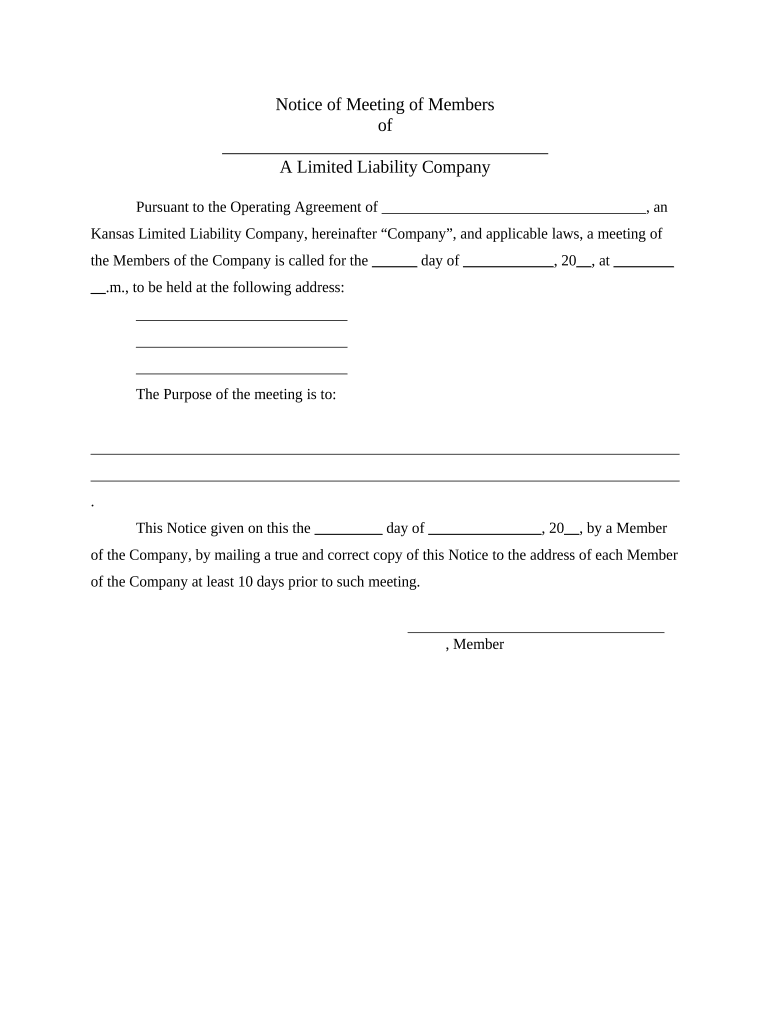
Click ‘Get Form’ to open the PLLC Notices and Resolutions - Kansas document in the editor.
Begin by filling in the name of your Limited Liability Company (LLC) at the top of the notice. Ensure that it matches the name registered with the state.
Specify the date, time, and location of the meeting in the designated fields. This information is crucial for notifying all members.
Clearly outline the purpose of the meeting. This could include topics such as amendments to operating agreements or resolutions regarding member changes.
For resolutions, ensure you detail any decisions made during meetings, including who is authorized to take action on behalf of the company.
Finally, have each member sign where indicated. You can easily add signatures using our platform’s signing feature for a seamless process.
Start editing your PLLC Notices and Resolutions today for free on our platform!
Fill out PLLC Notices and Resolutions - Kansas online It's free
Ks sos business formsKS business license searchSos ks gov Business SearchKs business registrationKansas pllcKS llc lookupKs sos loginSos ks gov businesses Business login
Security and compliance
At DocHub, your data security is our priority. We follow HIPAA, SOC2, GDPR, and other standards, so you can work on your documents with confidence.
Kansas Secretary of State | Businesses | Businesses Home
Jul 1, 2025 The Secretary of State, through the Business Services Division, files and maintains records of corporations, limited liability companies, limited partnerships.Read more
by DR Richmond 2010 Cited by 34 The resolution of this critical issue necessarily determines the answers to most other questions concerning non-equity partners rights andRead more
Cited by 238 NOTICE: The project that is the subject of this report was approved by the Govern- ing Board of the National Research Council, whose members are drawn fromRead more
Cookie consent notice
This site uses cookies to enhance site navigation and personalize your experience.
By using this site you agree to our use of cookies as described in our Privacy Notice.
You can modify your selections by visiting our Cookie and Advertising Notice.