Acceptance of Office - Corporate Resolutions 2026

Get Form
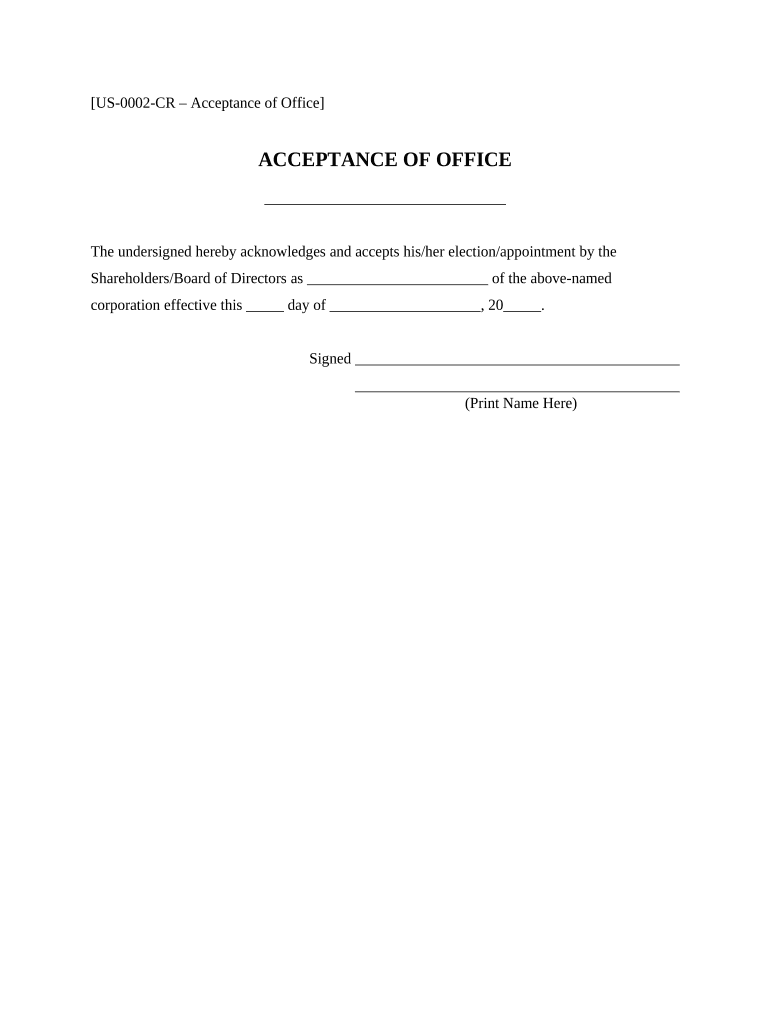
Acceptance of Office - Corporate Resolutions Preview on Page 1

Here's how it works

01. Edit your form online
Type text, add images, blackout confidential details, add comments, highlights and more.
02. Sign it in a few clicks
Draw your signature, type it, upload its image, or use your mobile device as a signature pad.
03. Share your form with others
Send it via email, link, or fax. You can also download it, export it or print it out.

How to use or fill out Acceptance of Office - Corporate Resolutions with our platform

Form edit decoration
9.5
Ease of Setup
DocHub User Ratings on G2
9.0
Ease of Use
DocHub User Ratings on G2
  1. Click ‘Get Form’ to open the Acceptance of Office - Corporate Resolutions in the editor.
  2. In the first field, enter your title or position within the corporation where indicated as '______'. This is crucial for identifying your role.
  3. Next, fill in the effective date of your appointment in the format '__ day of _____, 20__'. Ensure this date reflects when you officially accept the office.
  4. Proceed to sign the document by clicking on the signature field. You can draw, type, or upload a signature for convenience.
  5. Finally, print your name clearly in the designated area below your signature to complete the form accurately.

Start using our platform today to streamline your document editing and signing process for free!

be ready to get more

Complete this form in 5 minutes or less

Get form

Got questions?

We have answers to the most popular questions from our customers. If you can't find an answer to your question, please contact us.
Contact us
In order to prepare and execute a certified board resolution, the secretary of the corporation should follow these procedures: Review the corporate by-laws. The chairperson will call the meeting to order. The chairperson will call for a vote on the issue before the board. The vote will be taken.
Do board members need to sign all resolutions? Not always. In most cases, resolutions are approved by a vote during a board meeting and are recorded in the meeting minutes, which are then signed by the board secretary or an authorized officer.
The resolution is approved when the majority of the board members vote yes. Provide a section for the board presidents signature. The resolution is not complete without the board presidents signature and the date they signed it. Some boards provide room for all the boards officers to sign resolutions.
Generally, a written resolution will take effect when it has been signed by all the relevant directors.
A corporate resolution is a binding document and a legal document that formalizes and records board actions and board decisions made by the companys board.

Security and compliance

At DocHub, your data security is our priority. We follow HIPAA, SOC2, GDPR, and other standards, so you can work on your documents with confidence.

Learn more
ccpa2
pci-dss
gdpr-compliance
hipaa
soc-compliance

People also ask

Passing a resolution outside a general or directors meeting To pass a circulating resolution, every director or member who can vote on the matter must sign the document saying they agree to the resolution. This gives a unanimous agreement. The resolution is passed when the last person signs it.

Related links