Form traveling 2026

Get Form
form traveling Preview on Page 1

Here's how it works

01. Edit your form online
Type text, add images, blackout confidential details, add comments, highlights and more.
02. Sign it in a few clicks
Draw your signature, type it, upload its image, or use your mobile device as a signature pad.
03. Share your form with others
Send it via email, link, or fax. You can also download it, export it or print it out.

How to use or fill out form traveling

Form edit decoration
9.5
Ease of Setup
DocHub User Ratings on G2
9.0
Ease of Use
DocHub User Ratings on G2
  1. Click ‘Get Form’ to open it in the editor.
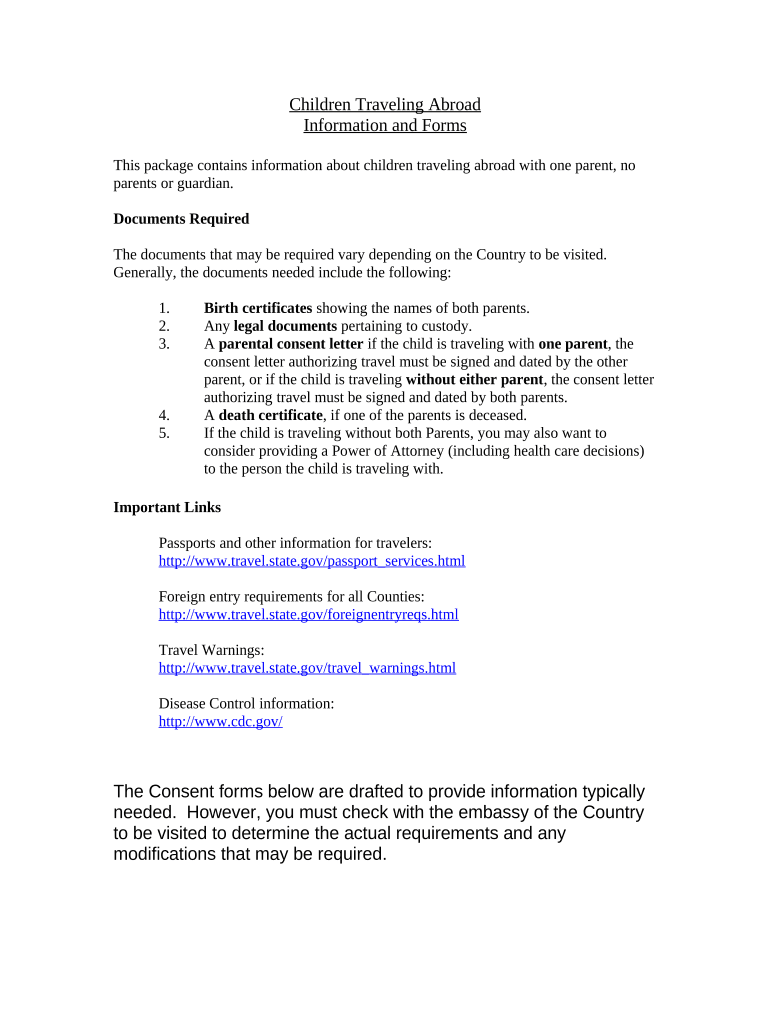
  2. Begin by entering the child's full name, date of birth, and place of birth in the designated fields. Ensure accuracy as this information is crucial for identification.
  3. Fill in the details of both parents, including their names and dates of birth. This section may require legal documents pertaining to custody if applicable.
  4. If one parent is not accompanying the child, provide a signed parental consent letter authorizing travel. Include the full name and passport details of the accompanying person.
  5. For children traveling without either parent, ensure that both parents sign a consent letter and consider adding a Power of Attorney for health care decisions.
  6. Review all entered information for accuracy before finalizing. Utilize our platform's features to save or print your completed form.

Start using our platform today to streamline your document editing and ensure a smooth travel experience!

be ready to get more

Complete this form in 5 minutes or less

Get form

Got questions?

We have answers to the most popular questions from our customers. If you can't find an answer to your question, please contact us.
Contact us
A business travel request form is a document employees can use to request approval for business travel. It outlines travel details, seeks authorization, and ensures compliance with your companys travel policies.
If you are traveling by air or sea, a Customs and Border Protection officer will issue you an electronic I-94 at your point of entry during the admission process.
You must complete the CBP Declaration Form 6059B.
A declaration needs to be completed for each traveller, including babies and children. To make your arrival easier do your digital declaration before your flight to New Zealand, instead of filling in a paper declaration onboard.

Security and compliance

At DocHub, your data security is our priority. We follow HIPAA, SOC2, GDPR, and other standards, so you can work on your documents with confidence.

Learn more
ccpa2
pci-dss
gdpr-compliance
hipaa
soc-compliance