Type text, add images, blackout confidential details, add comments, highlights and more.
02. Sign it in a few clicks
Draw your signature, type it, upload its image, or use your mobile device as a signature pad.
03. Share your form with others
Send it via email, link, or fax. You can also download it, export it or print it out.
How to use or fill out Petition for Certificate of Descent Judgment Determining Descent - Wisconsin with DocHub
Ease of Setup
DocHub User Ratings on G2
Ease of Use
DocHub User Ratings on G2
Click ‘Get Form’ to open it in the editor.
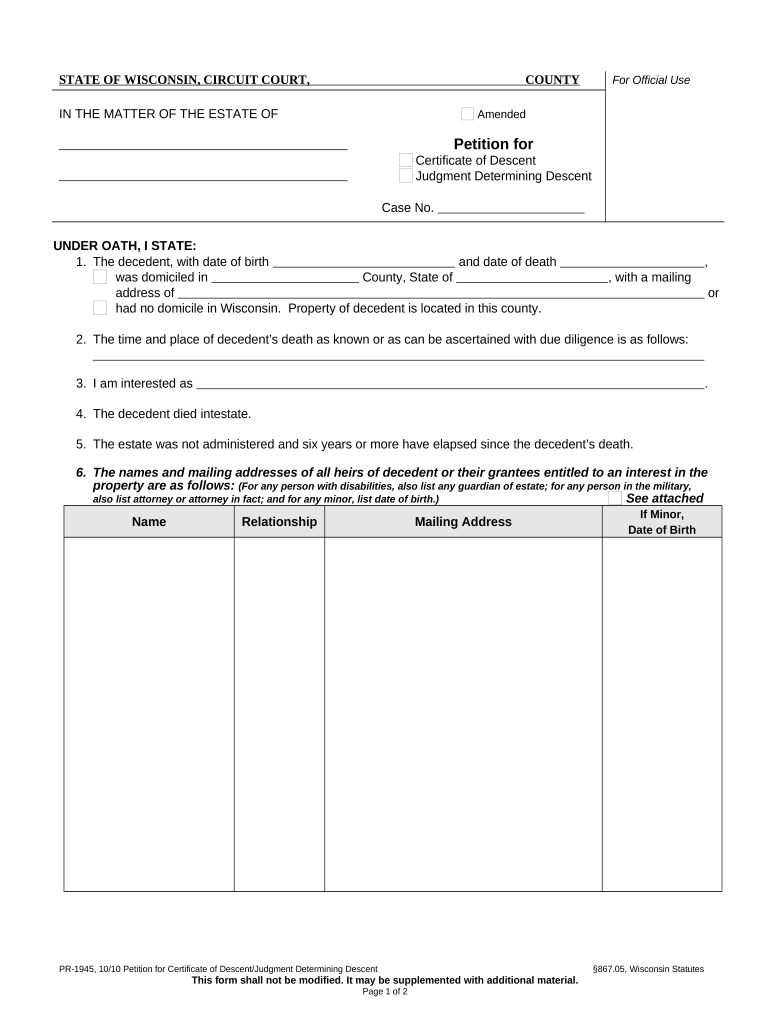
Begin by entering the decedent's full name, date of birth, and date of death in the designated fields. Ensure accuracy as this information is crucial for the court's records.
Fill in the county and state where the decedent was domiciled, along with their mailing address. If applicable, indicate that they had no domicile in Wisconsin.
Provide details about the time and place of the decedent’s death. This may require some research if not readily available.
Indicate your interest in the estate by selecting your relationship to the decedent from the options provided.
List all heirs or grantees entitled to an interest in the property, including their names, relationships, and mailing addresses. Attach additional documentation if necessary.
Complete sections regarding inheritance tax status and describe any property for which a determination of descent is sought.
Finally, review all entries for accuracy before signing and submitting your petition. Utilize our platform’s features to save or print your completed form easily.
Start using our platform today to streamline your document editing process for free!
Fill out Petition for Certificate of Descent Judgment Determining Descent - Wisconsin online It's free
Feb 6, 2020 The judgments include determining reserves for potential adverse outcomes regarding tax positions that have been taken and may be subject toRead more
Petition for Certificate of Descent/Judgment Determining Descent. To seek a determination of the heirs and their rights in the property of the decedent. UsedRead more
Archival Resources in Wisconsin: Descriptive Finding Aids
certificate of descent giving the courts decision. Files contain the petition, showing the time and place of death and the residence of the decedent, theRead more
Cookie consent notice
This site uses cookies to enhance site navigation and personalize your experience.
By using this site you agree to our use of cookies as described in our Privacy Notice.
You can modify your selections by visiting our Cookie and Advertising Notice.