Restraining order and 2026

Get Form
restraining order and Preview on Page 1

Here's how it works

01. Edit your form online
Type text, add images, blackout confidential details, add comments, highlights and more.

02. Sign it in a few clicks
Draw your signature, type it, upload its image, or use your mobile device as a signature pad.

03. Share your form with others
Send it via email, link, or fax. You can also download it, export it or print it out.

How to Use or Fill Out a Restraining Order with Our Platform

Form edit decoration
9.5
Ease of Setup
DocHub User Ratings on G2
9.0
Ease of Use
DocHub User Ratings on G2
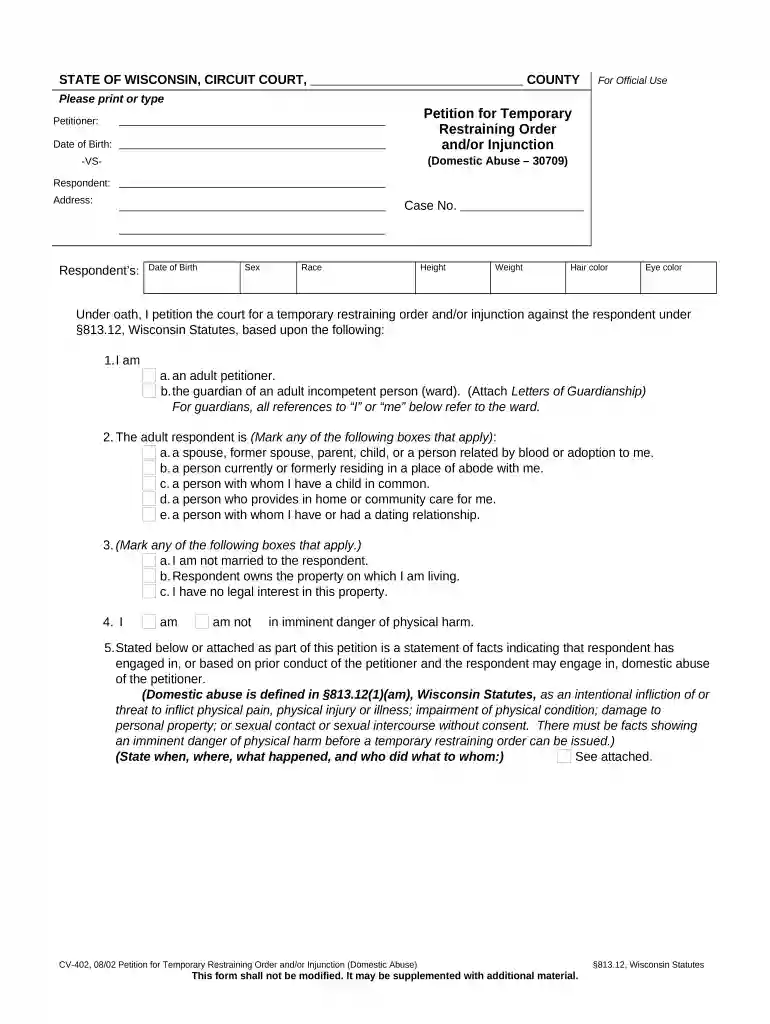
  1. Click ‘Get Form’ to open the Petition for Temporary Restraining Order in the editor.
  2. Begin by entering your personal information as the petitioner, including your name and date of birth. Ensure accuracy for legal purposes.
  3. Fill in the respondent's details, including their address and physical characteristics such as sex, race, height, weight, hair color, and eye color.
  4. Indicate your relationship to the respondent by marking the appropriate boxes that apply to your situation.
  5. State whether you are in imminent danger of physical harm by checking 'am' or 'am not'.
  6. Provide a detailed statement of facts regarding any incidents of domestic abuse. Be specific about when and where these occurred.
  7. Select the requests you wish to make from the court regarding the restraining order and any additional relief needed.
  8. Sign and date the form before submitting it for processing. Ensure all sections are completed accurately.

Start using our platform today to fill out your restraining order form online for free!

be ready to get more

Complete this form in 5 minutes or less

Get form

Got questions?

We have answers to the most popular questions from our customers. If you can't find an answer to your question, please contact us.
Contact us
The primary difference lies in the relationship between the parties. Restraining orders are typically used in non-domestic situations involving harassment, stalking, or civil disputes. Protective orders are used in cases of domestic violence or abuse where the abuser has a close personal relationship with the victim.
At court, you generally have the right to question the person who sought the order, to present evidence in your own defense, and to argue to the court as to why the order should not be extended.
To prevent someone from entering your property, you may seek a restraining order if you can prove harassment, threats, or danger. The process involves filing a petition with the court detailing the reasons for protection. Courts require evidence of harm or risk.
An Order of Protection (also known as a restraining order) is a document issued by a court and signed by a judge to help protect you from harassment or abuse. It restricts someone who has abused a family/household member, spouse or partner in a dating relationship.
Restraining orders. There are different types of restraining orders. Most restraining orders can order a person to not contact someone and stay away from them. Some restraining orders can include more protection, like order a person to move out, or include protections for your children or other family members.

Security and compliance

At DocHub, your data security is our priority. We follow HIPAA, SOC2, GDPR, and other standards, so you can work on your documents with confidence.

Learn more
ccpa2
pci-dss
gdpr-compliance
hipaa
soc-compliance
be ready to get more

Complete this form in 5 minutes or less

Get form

People also ask

Stay away order is a form of restraining order in which a court orders someone not to go within a certain distance of another person or place.
What Are The Key Differences Between Harassment And Restraining Orders? A Harassment Order is used when someone keeps bothering or threatening you, but hasnt physically hurt you. A Restraining Order is used when someone has hurt you or made serious threats.
A temporary restraining order (TRO) or temporary protective order (TPO) is a court order signed by a judge that requires someone to stop harming or stalking you for a certain amount of time.

Related links