Improve your form managing with Account Balance Sheet Templates

Your workflows always benefit when you can easily find all the forms and documents you will need at your fingertips. DocHub gives a a huge library of documents to alleviate your day-to-day pains. Get hold of Account Balance Sheet Templates category and easily discover your document.

Begin working with Account Balance Sheet Templates in a few clicks:

  1. Gain access to Account Balance Sheet Templates and locate the document you need.
  2. Click Get Form to open it in our online editor.
  3. Begin changing your file: add fillable fields, highlight paragraphs, or blackout sensitive information and facts.
  4. The application saves your changes automatically, and once you are ready, you can download or distribute your file with other contributors.

Enjoy smooth document administration with DocHub. Explore our Account Balance Sheet Templates online library and locate your form today!


Video Guide on Account Balance Sheet Templates management

video background

Commonly Asked Questions about Account Balance Sheet Templates

Access Google Sheets and Open a template and identify assumptions. Set up Transaction Tab. Define the Elements of a Balance Sheet. Understand the data being presented in the Profit Loss Tab and the Dashboard Tab.
Creating a balance sheet on a spreadsheet involves: Setting up three main sections: Assets, Liabilities, and Shareholders Equity. Under each section, list the respective items and their values. Ensure that the equation Assets = Liabilities + Shareholders Equity holds true.
A balance sheet is based on a simple formula: Assets = Liabilities + Shareholders equity. This formula shows how the things a company owns (assets) were paid for. Either the owners have invested money in them (this is called shareholders equity) or have taken out debt (liabilities) to pay for them.
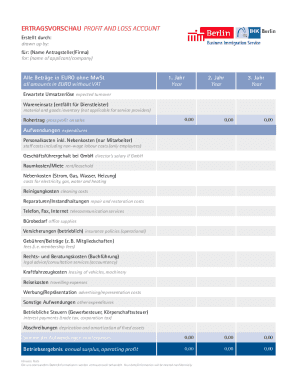
If you open up Excel and then use the relevant keyword in the Search All Templates box, you should be able to find a basic template that will fit your needs. For example, Excel has an inbuilt profit and loss statement template, business expenses budget template, budget planner template, and more.
The Balance Sheet Template for Excel is a pre-designed spreadsheet that allows users to enter their companys financial information, including assets, liabilities, and equity. This template is useful for businesses of all sizes, as it can be customized to fit each companys specific needs.
The balance sheet is based on the fundamental equation: Assets = Liabilities + Equity. As such, the balance sheet is divided into two sides (or sections). The left side of the balance sheet outlines all of a companys assets.
What is the basic format of a balance sheet? The basic format of a balance sheet includes three main sections: assets, liabilities, and equity. Assets list resources owned, liabilities outline obligations, and equity shows net worth or ownership.
How to make a balance sheet Invest in accounting software. Create a heading. Use the basic accounting equation to separate each section. Include all of your assets. Create a section for liabilities. Create a section for owners equity. Add total liabilities to total owners equity.