




Here's how it works



How to use or fill out pre complaint intake form with our platform

- Click ‘Get Form’ to open the pre-complaint intake form in the editor.
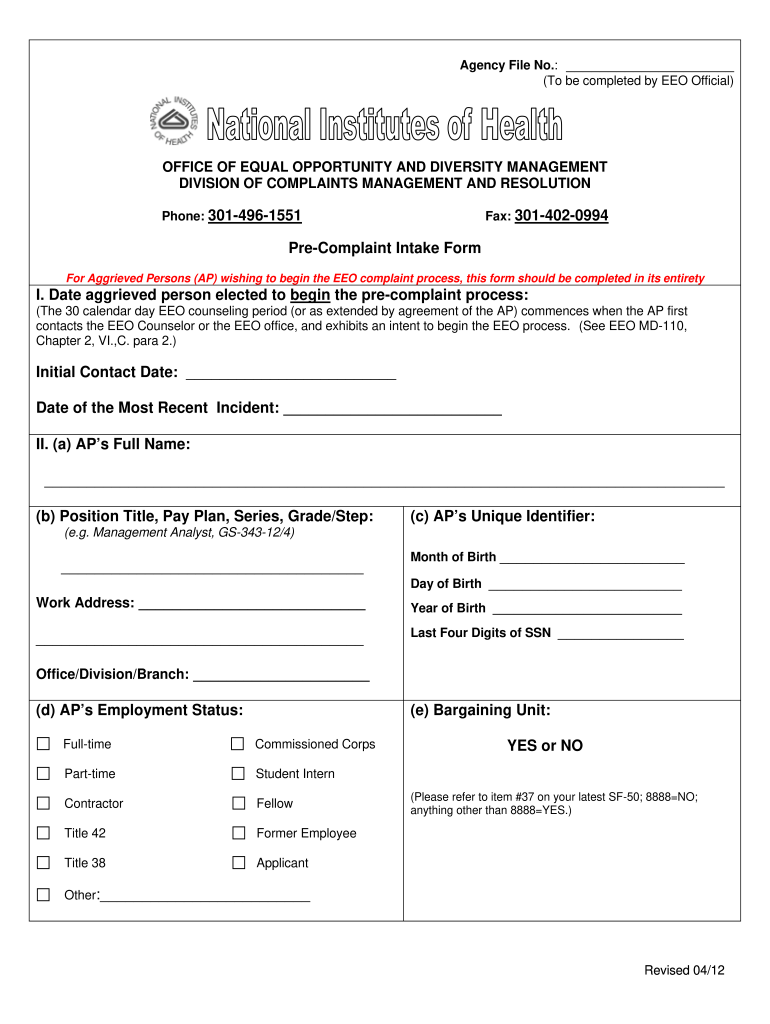
- Begin by entering the 'Initial Contact Date' and 'Date of the Most Recent Incident' in Section I. This marks the start of your EEO counseling period.
- In Section II, provide your full name, position title, and unique identifier. Ensure accuracy as this information is crucial for processing your complaint.
- Fill out your work and home addresses, including email and phone numbers. Avoid using P.O. Boxes for your home address.
- In Section V, check all applicable bases for discrimination. Be thorough to ensure all relevant issues are captured.
- Provide a brief narrative of your claims in Section VII. This is an opportunity to explain your situation clearly.
- Complete Sections VIII through X regarding responsible officials, remedies requested, and any related actions taken previously.
- Finally, review all entries for accuracy before submitting the form through our platform.
Start filling out your pre complaint intake form today for free using our platform!
It's free
See more pre complaint intake form versions
| Versions | Form popularity | Fillable & printable |
|---|---|---|
| 2012 | 4.9 Satisfied (467 Votes) |
Got questions?
How do I sign my pre complaint intake form without printing?
eSignatures are a great replacement for traditional signing, as they save time, effort, and costs people spend on printing, scanning, and paper delivery. You can electronically sign your pre complaint intake form utilizing a trustworthy and robust online document processing services like DocHub. It complies with main eSignature policies (ESIGN and UETA), so all forms approved there are legally binding and have the same validity as manually signed ones.
How do you fill out pre complaint intake form online?
You can get and edit your pre complaint intake form online with the help of DocHub. Its straightforward but feature-rich design enables you to start productive work right after you register your account. Create your profile and add your document, and then our user interface will guide you via our stress-free form completion experience.
What is the intake process for case management?
What to include in a complaint form?
What are the stages of a complaint process?
Security and compliance
At DocHub, your data security is our priority. We follow HIPAA, SOC2, GDPR, and other standards, so you can work on your documents with confidence.
Learn more


