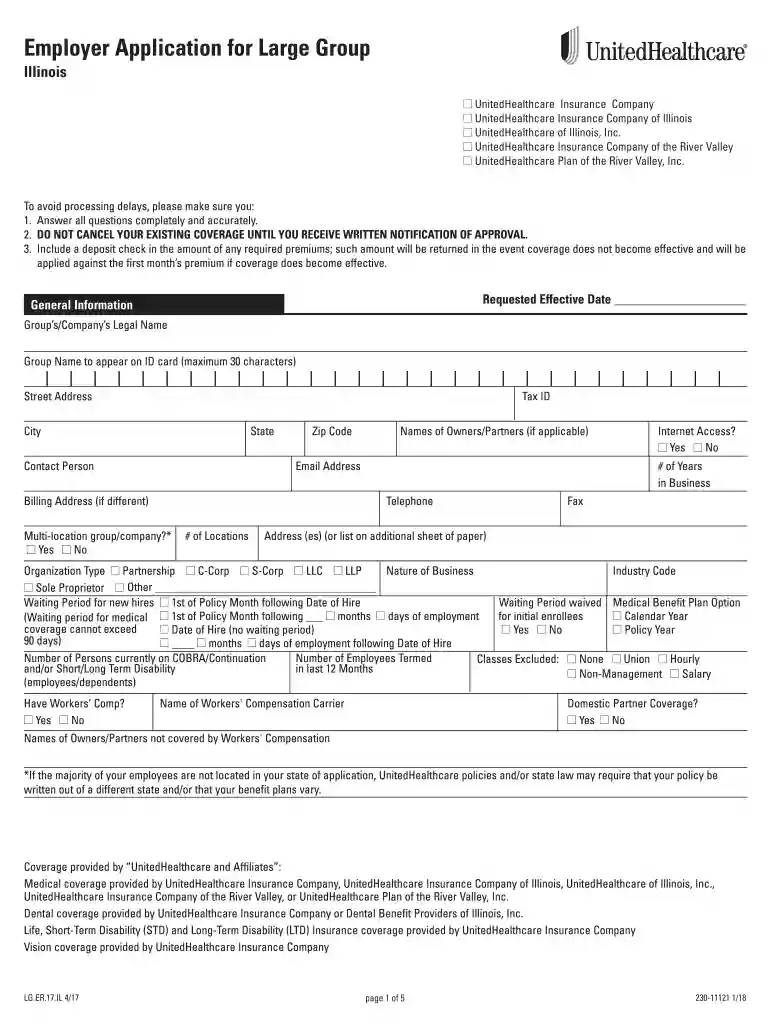
Employee Enrollment Form Illinois - Rogers Benefit Group 2026

Get Form
Employee Enrollment Form Illinois - Rogers Benefit Group Preview on Page 1

Here's how it works

01. Edit your form online
Type text, add images, blackout confidential details, add comments, highlights and more.

02. Sign it in a few clicks
Draw your signature, type it, upload its image, or use your mobile device as a signature pad.

03. Share your form with others
Send it via email, link, or fax. You can also download it, export it or print it out.

Definition and Purpose of the Employee Enrollment Form Illinois - Rogers Benefit Group

The Employee Enrollment Form Illinois - Rogers Benefit Group is a document used to enroll employees in various insurance plans offered by Rogers Benefit Group. This form captures essential employee information required to process their medical, dental, life, and disability insurance applications. The primary aim is to ensure accurate and comprehensive data collection for efficient insurance coverage enrollment, reflecting employees' entitlement to benefits as part of their employment package.


Steps to Complete the Employee Enrollment Form

  1. Gather Required Information: Before starting the form, ensure you have all necessary personal and employment details, including social security numbers, contact information, and employment start dates.
  2. Personal Details Section: Fill out basic personal information, such as full name, address, and phone number. Accuracy is crucial in this section to prevent processing errors.
  3. Employment Information: Include details such as position, department, and duration of employment. This helps verify eligibility for specific insurance plans.
  4. Select Insurance Plans: Choose from available medical, dental, life, and disability plans. Employees should understand the coverage and premiums associated with each option.
  5. Dependents Information: If applicable, list dependents who will be covered under the insurance plans. Include their full names, relationships, and social security numbers.
  6. Sign and Date the Form: Once completed, the form must be signed by the employee to confirm the accuracy of provided information.

How to Obtain the Employee Enrollment Form

  • Rogers Benefit Group Portal: Most companies provide access to necessary forms through their HR portals. Employees affiliated with Rogers Benefit Group should log in to access the enrollment form.
  • HR Department: Alternatively, contact the human resources department for a physical copy or a digital download link of the form.
  • DocHub Platform: For digital completion, DocHub offers tools to acquire and fill out forms online, ensuring secure and efficient submission.

Who Typically Uses the Employee Enrollment Form

  • New Employees: Recently hired individuals must complete the form as part of their onboarding process to enroll in company-provided benefits.
  • Existing Employees Updating Benefits: Individuals undergoing life changes (e.g., marriage, childbirth) that affect their insurance needs will use this form to update their enrollment status.
  • HR Professionals: HR teams use these forms to manage employee benefits and ensure compliance with company policies and external regulations.
decoration image ratings of Dochub

Key Elements of the Form

  • Personal Information: Includes employees' full names, addresses, and identifying information.
  • Plan Selection: Details about chosen insurance plans, such as coverage type and level.
  • Dependent Coverage: Information needed to enroll family members in selected plans.
  • Authorization and Consent: Section for employee acknowledgment of terms and conditions related to the selected insurance plans.

Legal Use and Compliance

Employers and employees must adhere to federal and state regulations when completing and processing the Employee Enrollment Form. Privacy laws require that personal data captured in the form is securely handled, ensuring compliance with HIPAA guidelines. Deliberate inaccuracies or omissions can lead to penalties or delays in insurance claims.

Required Documents for Enrollment

  • Proof of Identity: A government-issued ID, such as a driver's license or passport.
  • Employment Verification: Official documentation showing the employment relationship with the company offering the benefits.
  • Dependent Documentation: Birth certificates or marriage licenses for verifying dependent eligibility.

State-Specific Rules for Illinois

Illinois has specific regulations regarding health insurance plans, including minimum coverage requirements and mandates on dependents' eligibility. Employers must ensure that enrollment forms align with these rules, and employees should be aware of their rights to appeal insurance decisions under the state law.

Penalties for Non-Compliance

Failure to accurately complete or submit the Employee Enrollment Form on time can result in denied insurance coverage or disciplinary actions from the employer. Employers may face scrutiny from regulatory bodies if they fail to adhere to state-specific insurance laws or mishandle employee data.

Examples of Using the Employee Enrollment Form

  • Case Study - New Hire: John, a new accounting employee, used the form to select health and dental plans upon joining the company. His proactive completion allowed benefits activation by his start date.
  • Scenario - Updating Dependents: Amanda, an existing employee, needed to add her newborn to her medical insurance. She used the form to update her enrollment within the 30-day life event window.

By understanding and accurately completing the Employee Enrollment Form Illinois - Rogers Benefit Group, employees can ensure seamless access to essential healthcare and other insurance benefits.

See more Employee Enrollment Form Illinois - Rogers Benefit Group versions

We've got more versions of the Employee Enrollment Form Illinois - Rogers Benefit Group form. Select the right Employee Enrollment Form Illinois - Rogers Benefit Group version from the list and start editing it straight away!
Versions Form popularity Fillable & printable
2020 4.8 Satisfied (115 Votes)
2018 4.3 Satisfied (45 Votes)
be ready to get more

Complete this form in 5 minutes or less

Get form

Got questions?

We have answers to the most popular questions from our customers. If you can't find an answer to your question, please contact us.
Contact us
Benefits enrollment, also known as open enrollment or benefits election, refers to the process through which employees choose and sign up for the employee benefits offered by their employer. These benefits often include health insurance, dental insurance, vision insurance, life insurance, retirement plans, and similar.
Legally, employers are not required to do anything for employees who have missed the open enrollment deadline. In fact, the terms of your benefits plans may prohibit you from making exceptions for employees who do not make benefits elections within a certain time period, such as before the new plan year begins.
Enrollment forms record whether employees have enrolled in or waived group benefits. For instance, if you have more than 50 full-time employees, you will need this data to complete IRS forms 1094 and 1095, which record health care coverage.
Benefits enrollment is a designated time when eligible employees may elect to participate in employer-sponsored benefits for the upcoming plan year. New employees can elect benefits as allowed by the plan when first hired, while current employees can review and modify their selections from the previous plan year.
In an insurance office, you help enroll new members into programs, maintain current members, and answer questions about each new program while educating individuals about their benefits.

Security and compliance

At DocHub, your data security is our priority. We follow HIPAA, SOC2, GDPR, and other standards, so you can work on your documents with confidence.

Learn more
ccpa2
pci-dss
gdpr-compliance
hipaa
soc-compliance
be ready to get more

Complete this form in 5 minutes or less

Get form