




01. Edit your form online
Type text, add images, blackout confidential details, add comments, highlights and more.

Type text, add images, blackout confidential details, add comments, highlights and more.

Draw your signature, type it, upload its image, or use your mobile device as a signature pad.

Send it via email, link, or fax. You can also download it, export it or print it out.
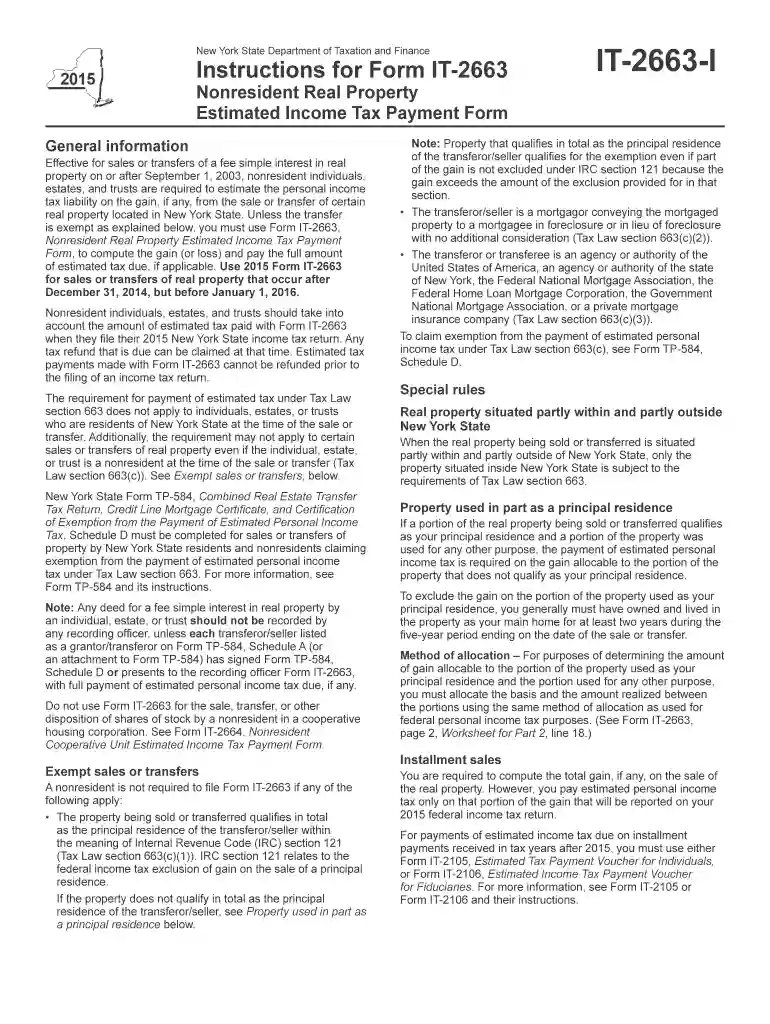
Form IT-2663 is a tax document specifically used for estimating and paying New York State personal income tax on the gains from the sale or transfer of real property located in New York. This form is particularly relevant for nonresident individuals, estates, and trusts. It ensures that sellers fulfill their tax obligations concerning any profit gained from such transactions within the state.
To use Form IT-2663, the taxpayer must first determine the gain or loss from selling the real property. This involves calculating the difference between the selling price and the property's adjusted basis. The calculated gain is then used to figure out the estimated tax, which is reported on the form. The completed form needs to be submitted with the required payment.
Filling out Form IT-2663 requires careful attention to detail. Below are the steps for accurate completion:
This form is primarily used by nonresident individuals who sell or transfer real property located in New York State. Estates and trusts that have ownership of such real property and are involved in a sale also frequently use this form. Typically, the form is necessary for parties that do not reside in New York but are liable for tax due to property transactions within the state.


New York State has specific regulations concerning the sale of real property by nonresidents. The IT-2663 form reflects these rules, requiring nonresidents to estimate and remit any income tax due when property is sold. These rules ensure that New York State can collect taxes on gains made from property transactions within its jurisdiction, regardless of the taxpayer's residence.
The deadline to file Form IT-2663 and pay the estimated tax coincides with the closing date of the property sale. It is crucial for taxpayers to ensure that the form and payment are submitted promptly to avoid penalties. An extension to file personal tax returns does not extend the deadline for submitting this form.
Failing to file Form IT-2663 or pay the estimated tax by the required date can lead to several penalties. These penalties may include interest on the unpaid tax and additional fines for late submission. Non-compliance can also complicate future tax filings and property transactions, as the state aggressively enforces its property tax laws to ensure compliance.
Understanding and following these guidelines ensures that the filing and payment process for the IT-2663 form is smooth, maintaining compliance with New York State's tax requirements for nonresident property sales.
We've got more versions of the it 2663 i 2015 form form. Select the right it 2663 i 2015 form version from the list and start editing it straight away!
| Versions | Form popularity | Fillable & printable |
|---|---|---|
| 2025 | 4.3 Satisfied (21 Votes) | |
| 2024 | 4.6 Satisfied (48 Votes) | |
| 2023 | 4.7 Satisfied (30 Votes) | |
| 2021 | 4.2 Satisfied (24 Votes) | |
| 2020 | 4.3 Satisfied (64 Votes) | |
| 2019 | 4.3 Satisfied (163 Votes) | |
| 2018 | 4.4 Satisfied (176 Votes) | |
| 2016 | 4.3 Satisfied (175 Votes) | |
| 2015 | 4.1 Satisfied (55 Votes) | |
| 2014 | 4.3 Satisfied (65 Votes) | |
| 2013 | 4 Satisfied (39 Votes) |
At DocHub, your data security is our priority. We follow HIPAA, SOC2, GDPR, and other standards, so you can work on your documents with confidence.
Apr 15, 2015 Whats New. Premium tax credit. You may be eligible to claim the premium tax credit if you, your spouse, or a dependent.
Jan 3, 2025 IT-2663 (Fill-in) (2025) IT-2663-I (Instructions), Nonresident Real Property Estimated Income Tax Payment Form - valid for sales or transfers
27 Estimate of income tax to be withheld, estimated income tax paid with Form IT-2663 and/or IT-2664, and estimated tax paid on your behalf by a partnership


