Declaration domicile seminole 2026

Get Form
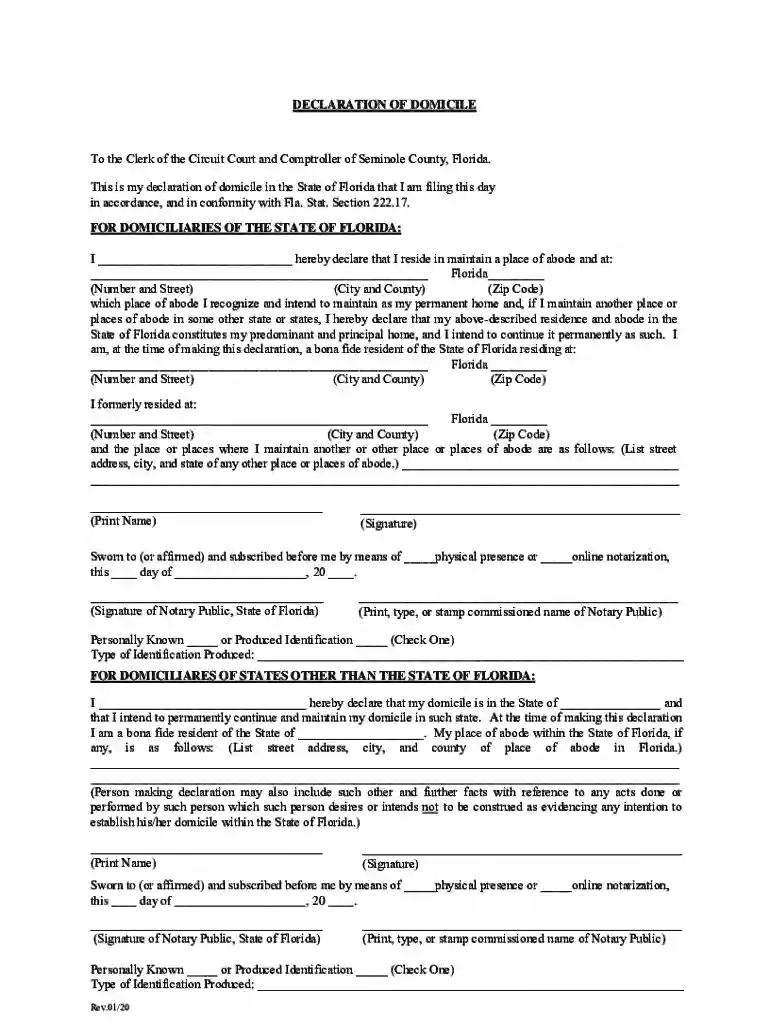
declaration of domicile Preview on Page 1

Here's how it works

01. Edit your declaration of domicile online
Type text, add images, blackout confidential details, add comments, highlights and more.

02. Sign it in a few clicks
Draw your signature, type it, upload its image, or use your mobile device as a signature pad.

03. Share your form with others
Send seminole county noc via email, link, or fax. You can also download it, export it or print it out.

How to use or fill out declaration domicile seminole with our platform

Form edit decoration
9.5
Ease of Setup
DocHub User Ratings on G2
9.0
Ease of Use
DocHub User Ratings on G2
  1. Click ‘Get Form’ to open the declaration domicile seminole in the editor.
  2. Begin by filling in your name in the designated field where it states 'I __________ hereby declare that I reside in...'.
  3. Next, provide your current address, including number, street, city, county, and zip code in the appropriate fields.
  4. Indicate if you have other places of abode by listing them as required. Ensure all addresses are complete for clarity.
  5. Sign the document where indicated and ensure to include the date of signing.
  6. If notarization is required, select whether it will be done physically or online and have a notary public sign and stamp the document.

Start using our platform today to easily fill out your declaration domicile seminole for free!

See more declaration domicile seminole versions

We've got more versions of the declaration domicile seminole form. Select the right declaration domicile seminole version from the list and start editing it straight away!
Versions Form popularity Fillable & printable
2020 4.8 Satisfied (59 Votes)
2018 4.3 Satisfied (44 Votes)
be ready to get more

Complete this form in 5 minutes or less

Get form

Got questions?

We have answers to the most popular questions from our customers. If you can't find an answer to your question, please contact us.
Contact us
Steps to Establish Florida Domicile File a Florida Declaration of Domicile in the Office of the Clerk of the Circuit Court in the county in which you reside. Declare you are a legal resident of the State of Florida in your will, codicil or trust. Register to vote in Florida, and actually vote there.
Completing the Form Line 1 - Fill in the last address you lived at before you moved to the state of Florida/or if within Florida, your previous address. Line 2 - Fill in the date you moved to Florida. Line 3 - Fill in your current address. Line 4 - Your signature. Line 5 - Clearly and legibly PRINT the name that you signed.
What is a Declaration of Domicile? (FL Statute 222.17) It is a legal document that defines where you reside and intend to maintain your permanent and principal home and declares that you are a bona fide resident of the State of Florida.
To establish Florida residency, you typically need to physically reside in Florida for at least 183 days per year, maintain a primary residence in the state, register to vote in Florida and file a Declaration of Domicile document to formally declare your intent to make Florida your permanent home.
How to Establish a New Domicile Change your drivers license to the state of your domicile, as well as your car registration. Make sure to change your voter registration, too. In addition to forwarding your mail, alert your bank and other financial companies you use to your change of address.

Security and compliance

At DocHub, your data security is our priority. We follow HIPAA, SOC2, GDPR, and other standards, so you can work on your documents with confidence.

Learn more
ccpa2
pci-dss
gdpr-compliance
hipaa
soc-compliance
be ready to get more

Complete this form in 5 minutes or less

Get form

People also ask

, being duly sworn deposes and says that he/she resides at , State of and is executor/administrator of the estate of deceased, who died on the

Related links