Definition & Meaning
"Form online" refers to the process of creating, filling out, and submitting various types of forms electronically over the internet. This method of handling forms has become increasingly popular due to its convenience, speed, and the ability to minimize physical paperwork. Forms that can be managed online include tax forms, applications, surveys, and consent documents, among many others. Online forms can be tailored to capture specific data, required personal information, or responses effectively, utilizing digital platforms like DocHub to simplify and secure the process.
Types of Online Forms
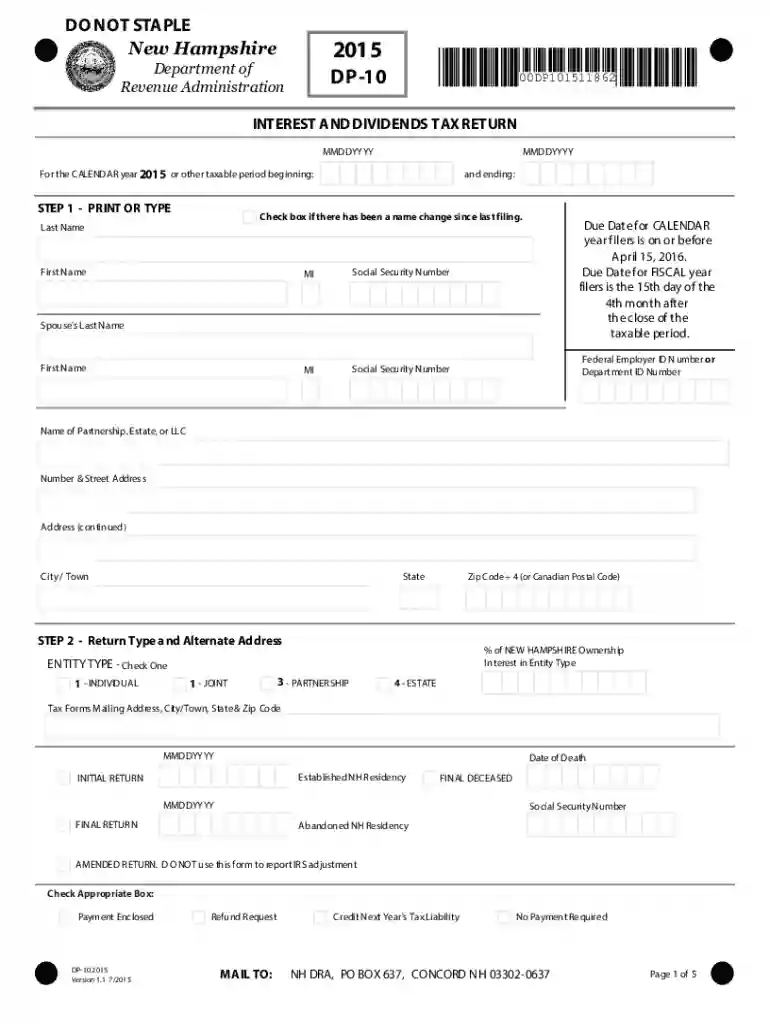
- Tax Returns: Specific to financial declarations such as the 2015 Interest and Dividends Tax Return form (DP-10).
- Applications: Including job applications, university enrollments, and grant requests.
- Surveys and Feedback Forms: Useful for collecting insights from individuals or groups.
- Legal Documents: Such as contracts, non-disclosure agreements, and consent forms.
- HR Documents: Employee onboarding documents, timesheets, and evaluations.
Importance of Online Forms
- Reduction of manual errors and lost paperwork.
- Increased efficiency by automating data collection and handling.
- Enhanced accessibility for users across various devices and locations.
How to Use the Form Online
Using forms online typically involves several key steps, all of which are facilitated by platforms like DocHub. The process is designed to be straightforward, even for those with limited technical expertise.
Step-by-Step Guide
- Search and Download: Locate the required form from the relevant website or platform, such as a governmental agency site for tax forms.
- Open the Form: Use an appropriate platform, which may include browsers or specific applications that support the file format.
- Fill Out Required Fields: Begin entering information into the designated fields. These may include text boxes, checkboxes, and dropdown menus.
- Review Information: Before submission, ensure that all data entered is correct and complete to avoid any delays or errors.
- Submit the Form: Use the platform's submission feature to send your completed form to the intended recipient or processing body.
Additional Tips
- Save your work frequently to avoid data loss.
- Use spell-check tools or built-in grammar suggestions to ensure professional quality.
- Enable form validation features, if available, to promote accuracy.
Steps to Complete the Form Online
Completing an online form involves careful attention to instructions provided within the form and ensuring all necessary details are correctly filled.
Detailed Completion Process
- Read Instructions Carefully: Start by thoroughly reading through any guidelines accompanying the form.
- Enter Personal Information: Provide details such as names, addresses, and contact information accurately.
- Fill Specific Sections: Complete particular sections that relate to your purpose for filling out the form, such as income details in tax forms.
- Attach Supporting Documents: If required, upload any supporting documents in the specified formats.
- Check for Mandatory Fields: Ensure all required fields marked by asterisks or highlighted boxes are filled to avoid submission errors.
Troubleshooting Common Issues
- If a digital signature is required, verify the compatibility of the signing method with the platform.
- For technical errors, check FAQs or contact support for specific troubleshooting steps.
Key Elements of the Form Online
Understanding the essential components of an online form helps in efficiently navigating and completing it.
Essential Components
- Heading and Purpose: Clearly states the form's purpose and identifies the issuing body.
- Section Dividers: Separate different parts of the form into logical groups for easy navigation.
- Interactive Fields: Include areas for input, like text fields, checkboxes, and dropdowns.
- Legal Disclaimers: Outline the rights, responsibilities, and obligations of the form user.
- Submission Instructions: Provide guidance on how to submit the form and expected timelines for processing.
Enhancements for Accessibility
- Online forms often incorporate features such as screen reader compatibility, large text options, and high-contrast display settings to ensure inclusivity.
Legal Use of the Form Online
Legal compliance is a crucial aspect of utilizing online forms, ensuring your processes and data handling adhere to applicable laws.
Compliance Guidelines
- Data Protection Laws: Ensure adherence to regulations such as the GDPR or CCPA regarding personal data protection.
- Electronic Signature Laws: Follow the ESIGN Act for validating electronic signatures as legally binding.
- Industry-Specific Regulations: Acknowledge any specialized regulations relevant to the form, such as HIPAA for health-related documents.
Importance of Legal Compliance
- Legal compliance protects users and organizations from potential liabilities and ensures that the form's use is ethical and legitimate.
- Provides a legal basis for enforcing agreements, especially in contractual forms.
Who Typically Uses the Form Online
Online forms cater to a broad audience but certain groups benefit more from their use.

Typical Users
- Individuals: For personal tax filings, job applications, or personal surveys.
- Businesses: To streamline operations such as HR tasks, client intake forms, and contract management.
- Educational Institutions: For student enrollments, feedback surveys, and research data collection.
- Government Agencies: To distribute and collect information efficiently for services and compliance requirements.
Advantages for Users
- Convenience and flexibility of submission.
- Real-time updates and online tracking of form status.
- Enhanced accessibility for users with disabilities.
Required Documents
When using forms online, certain documents often need to be submitted along with the main form content.
Commonly Required Documents
- Proof of Identity: Including government-issued IDs, passports, or driver’s licenses.
- Financial Statements: Such as bank statements, tax returns, or pay stubs for verifying income.
- Supplemental Documents: For applications, this might include resumes, cover letters, or reference lists.
- Authorizations or Permissions: Legal documents showing consent or authorization as part of compliance.
Handling and Verification
- Ensure documents are in acceptable formats (PDF, JPEG).
- Use secure methods for document upload to protect sensitive information.
- Confirm that all necessary documents are attached before submission to avoid delays.
Examples of Using the Form Online
Real-world examples illustrate the practical applications and utility of online forms.
Case Studies
- Small Business Application: Use of online forms for securing business permits or licenses, where all necessary information is collected digitally, reducing the need for office visits.
- Academic Enrollment: Streamlined student enrollment processes using online forms to gather student data, track course preferences, and manage tuition payment plans.
- Non-Profit Grants: Online forms facilitate grant applications, allowing non-profits to provide required documentation and access funding opportunities efficiently.
Scenario Benefits
- Showcases time reduction and improved accuracy over manual processes.
- Enhances collaboration and information sharing, allowing multiple stakeholders to access necessary data simultaneously.
By understanding various elements such as how to use, legal compliance, and real-world applications, managing forms online becomes a more accessible and efficient process.