




01. Edit your form online
Type text, add images, blackout confidential details, add comments, highlights and more.

Type text, add images, blackout confidential details, add comments, highlights and more.

Draw your signature, type it, upload its image, or use your mobile device as a signature pad.

Send it via email, link, or fax. You can also download it, export it or print it out.
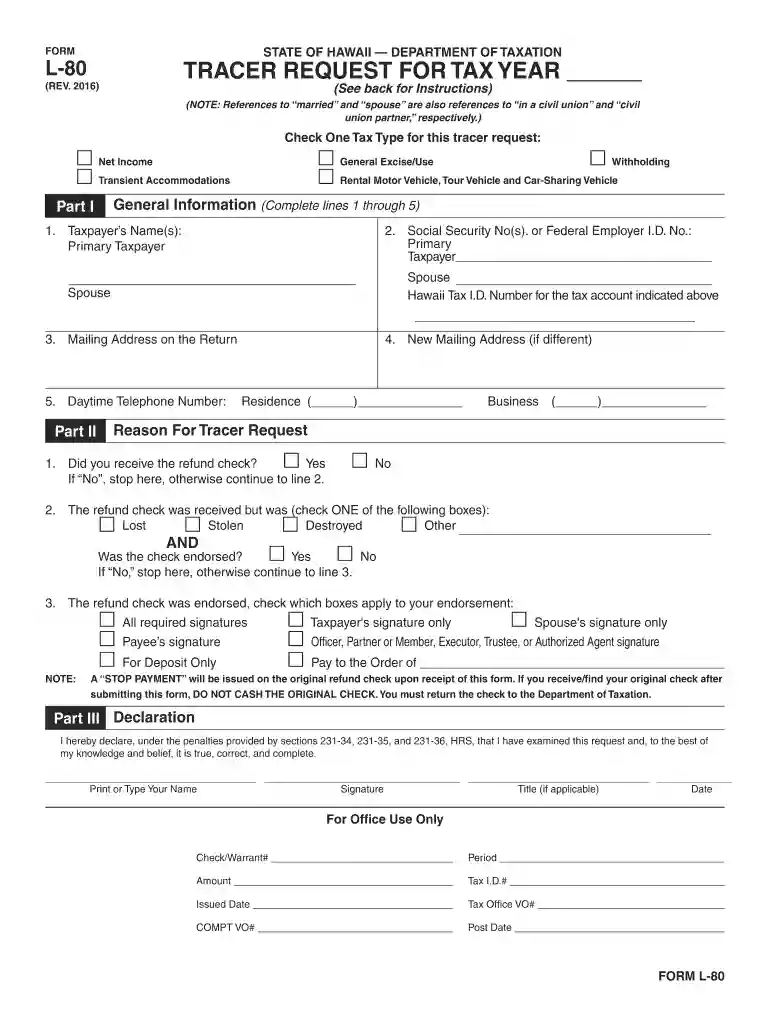
Form L-80 Rev 2016, issued by the State of Hawaii Department of Taxation, serves as a tracer request for tax year forms 2016. This form is essential for taxpayers who need to inquire about the status of their tax refund checks. The document requires the taxpayer to provide personal information, details regarding the expected refund, and a declaration of truth regarding the request. This form is crucial in ensuring individuals can track and resolve any discrepancies concerning their state tax refunds efficiently.
To utilize Form L-80 Rev 2016, taxpayers must have filed a tax return for the year 2016 in Hawaii and expect to receive a refund. Eligibility is determined based on the filing of your state taxes and the status of any pending refunds. Users must also ensure that all personal details provided are accurate and up-to-date to avoid any delays. Additionally, the form mandates tax filers to declare truthfulness, ensuring the form is used for legitimate inquiries only.


Obtaining a copy of Form L-80 Rev 2016 is straightforward. Taxpayers can access the form via:
Ensuring you have the most recent version of the form is critical, as outdated versions might lead to processing delays.
Completing Form L-80 Rev 2016 requires attention to detail. Follow these steps:
The form comprises several essential sections:
Ensuring each section is completed accurately will facilitate a quick resolution of your refund status inquiry.
Taxpayers have multiple options when submitting Form L-80 Rev 2016:
Every method requires the form to be fully completed and signed to be considered valid.
Understanding specific terms associated with Form L-80 Rev 2016 is crucial:
Grasping these terms can enhance understanding and proper use of the form.
Non-compliance with requirements when filing Form L-80 Rev 2016 can result in several penalties, including:
Adherence to instructions and accurate information submission will ensure compliance and prevent potential issues.
While traditional paper forms are common, digital versions may offer convenience:
Considering both forms’ advantages can guide users their choice of submission method.
We've got more versions of the Form L-80 Rev 2016 Tracer Request for Tax Year Forms 2016 form. Select the right Form L-80 Rev 2016 Tracer Request for Tax Year Forms 2016 version from the list and start editing it straight away!
At DocHub, your data security is our priority. We follow HIPAA, SOC2, GDPR, and other standards, so you can work on your documents with confidence.
Dec 31, 2019 report on Form 10-K for the fiscal year ended December 31, 2019, to be signed on its behalf by the undersigned, and in the capacities.
Jan 7, 2025 Individual Income Tax Resident and Nonresident ; L-80, Tracer Request For Tax Year ; L-82, Refund Change Request for Tax Year ; N-2
May 31, 2013 SECTION 1. SHORT TITLE. This Act may be cited as the Consolidated Appropriations. Act, 2016.


