




Here's how it works

01. Edit your form online
Type text, add images, blackout confidential details, add comments, highlights and more.

02. Sign it in a few clicks
Draw your signature, type it, upload its image, or use your mobile device as a signature pad.

03. Share your form with others
Send it via email, link, or fax. You can also download it, export it or print it out.
How to use or fill out About Form 8824 Internal Revenue Service - IRS with DocHub

- Click ‘Get Form’ to open it in the editor.
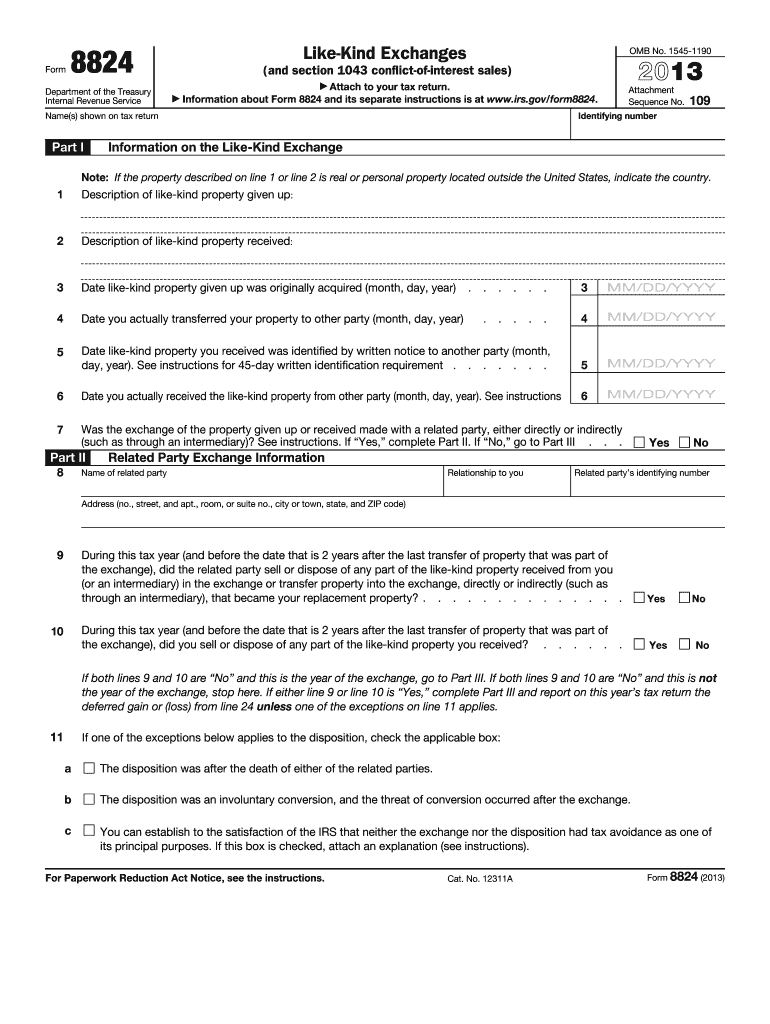
- Begin with Part I, where you will provide information on the like-kind exchange. Fill in the descriptions of the properties given up and received in lines 1 and 2.
- Enter the dates for when you acquired the property, transferred it, identified it, and received it in lines 3 through 6. Ensure all dates are formatted correctly.
- In Part II, indicate if the exchange was made with a related party by selecting 'Yes' or 'No' on line 7. If 'Yes', complete the additional fields regarding related party information.
- Proceed to Part III to calculate realized gain or loss. Complete lines 12 through 25 based on your transactions, ensuring accuracy in reporting any cash or other property involved.
- If applicable, fill out Part IV for deferral of gain from conflict-of-interest sales, providing necessary details as instructed.
Start using our platform today to easily fill out Form 8824 online for free!
Fill out About Form 8824Internal Revenue Service - IRS online
It's free
It's free
See more About Form 8824Internal Revenue Service - IRS versions
We've got more versions of the About Form 8824Internal Revenue Service - IRS form. Select the right About Form 8824Internal Revenue Service - IRS version from the list and start editing it straight away!
| Versions | Form popularity | Fillable & printable |
|---|---|---|
| 2025 | 4.1 Satisfied (30 Votes) | |
| 2024 | 4.4 Satisfied (30 Votes) | |
| 2023 | 4.2 Satisfied (49 Votes) | |
| 2022 | 4.3 Satisfied (40 Votes) | |
| 2021 | 4.9 Satisfied (59 Votes) | |
| 2020 | 4.3 Satisfied (74 Votes) | |
| 2019 | 4.2 Satisfied (89 Votes) | |
| 2018 | 4.3 Satisfied (230 Votes) | |
| 2017 | 4.2 Satisfied (106 Votes) | |
| 2016 | 4.1 Satisfied (30 Votes) | |
| 2013 | 4.4 Satisfied (485 Votes) | |
| 2005 | 4.2 Satisfied (25 Votes) |
Security and compliance
At DocHub, your data security is our priority. We follow HIPAA, SOC2, GDPR, and other standards, so you can work on your documents with confidence.
Learn more


