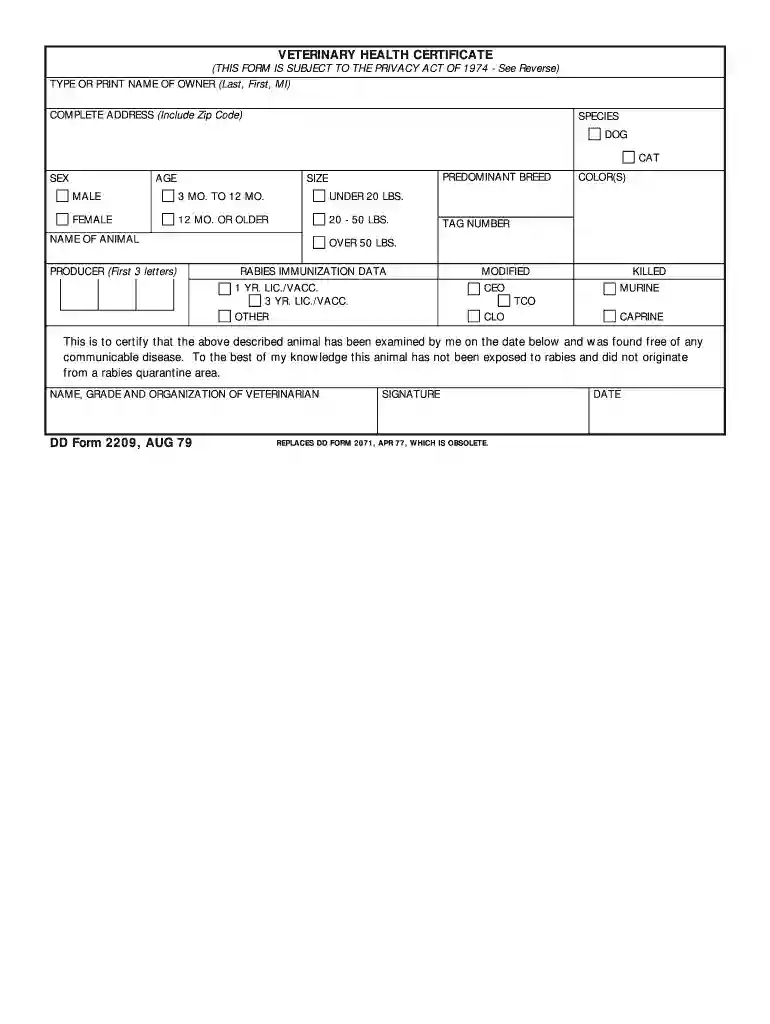
dd form 2209 Preview on Page 1

DD Form 2209, Veterinary Health Certificate, August 1979.-2026

Here's how it works

  • 01. Edit your dd form 2209 online

    Type text, add images, blackout confidential details, add comments, highlights and more.

  • 02. Sign it in a few clicks

    Draw your signature, type it, upload its image, or use your mobile device as a signature pad.

  • 03. Share your form with others

    Send animal health certificate pdf via email, link, or fax. You can also download it, export it or print it out.

How to use or fill out DD Form 2209, Veterinary Health Certificate, August 1979 with our platform

Form edit decoration
9.5
Ease of Setup
DocHub User Ratings on G2
9.0
Ease of Use
DocHub User Ratings on G2
  1. Click ‘Get Form’ to open the DD Form 2209 in the editor.
  2. Begin by entering the owner's name in the designated field. Ensure you type or print clearly for legibility.
  3. Fill in the complete address of the owner, including the zip code, to ensure accurate identification.
  4. Select the species of the animal (Dog or Cat) by checking the appropriate box.
  5. Indicate the sex of the animal by selecting either Male or Female.
  6. Provide details about the age and predominant breed of your pet. Choose from options like '3 MO. TO 12 MO.' or '12 MO. OR OLDER'.
  7. Specify the size category: Under 20 lbs., 20 - 50 lbs., or Over 50 lbs.
  8. Enter the name of your animal and any identifying tags in their respective fields.
  9. Complete the rabies immunization data section by selecting from options such as '1 YR. LIC./VACC.' or '3 YR. LIC./VACC.'.
  10. Finally, have a veterinarian complete their section, including their name, grade, organization, signature, and date of examination.

Start using our platform today to fill out your DD Form 2209 for free and streamline your document management!

See more dd form 2209 versions

We've got more versions of the dd form 2209 form. Select the right dd form 2209 version from the list and start editing it straight away!

VersionsForm popularityFillable & printable
20094.9 Satisfied (461 Votes)
19794.1 Satisfied (51 Votes)

be ready to get more

Complete this form in 5 minutes or less

Security and compliance

At DocHub, your data security is our priority. We follow HIPAA, SOC2, GDPR, and other standards, so you can work on your documents with confidence.

Related links

Care of FArm Animals 2023 GAAMPs

Farmers should consult with their veterinarian to determine the options and guidelines for euthanizing such animals in accordance with practices outlined by theRead more

Learn more
VETERINARY CARE AND MANAGEMENT OF THE

May 9, 2019 DD Form 2209, Health Certificate. Any other import or export documents necessary for travel. 8. Miscellaneous correspondence will includeRead more

Learn more
Remedy Selection for Contaminated Sediments

ITRC produces documents and training that broaden and deepen technical knowledge and expedite quality regulatory decision making while protecting human healthRead more

Learn more
If you believe that this page should be taken down, please follow our DMCA take down process here