01. Edit your things not to say at a judgement debtor exam online
Type text, add images, blackout confidential details, add comments, highlights and more.
02. Sign it in a few clicks
Draw your signature, type it, upload its image, or use your mobile device as a signature pad.
03. Share your form with others
Send judgement debtor examination via email, link, or fax. You can also download it, export it or print it out.
How to use or fill out debtor examination with our platform
Ease of Setup
DocHub User Ratings on G2
Ease of Use
DocHub User Ratings on G2
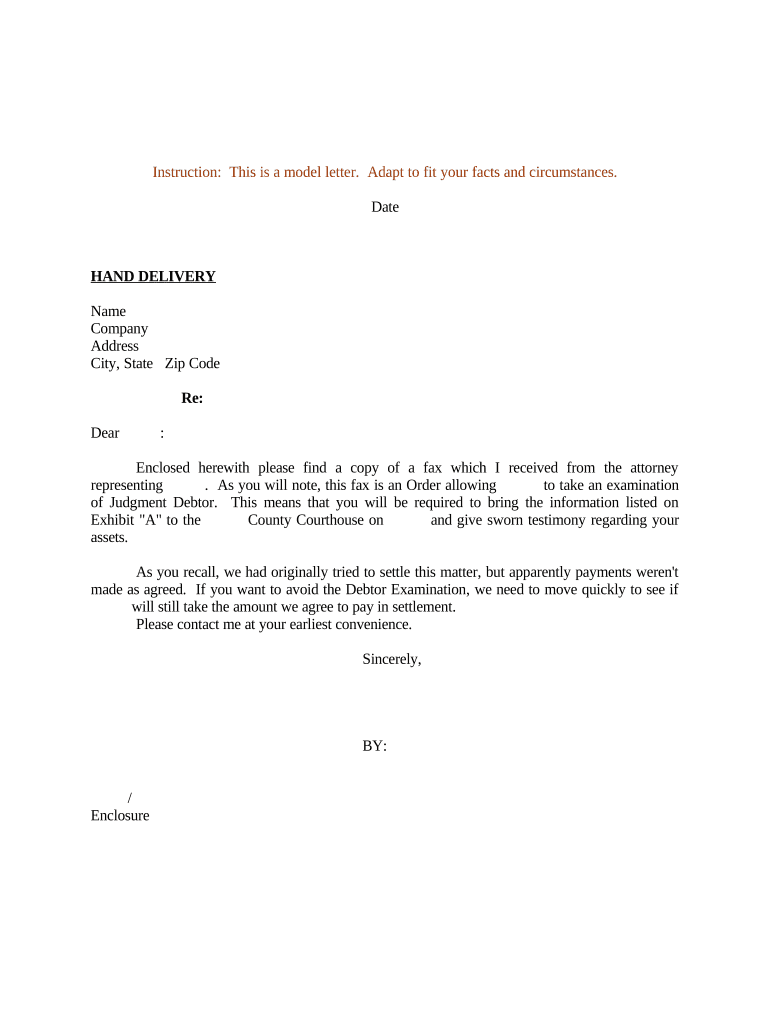
Click ‘Get Form’ to open the debtor examination document in the editor.
Begin by entering the date at the top of the form. This is crucial for record-keeping and ensures that all parties are aware of the timeline.
Fill in your name, company, and address details accurately. This information identifies you as the debtor and is essential for legal purposes.
In the section labeled 'Re:', specify the name of the creditor or attorney involved in this examination. This helps clarify who is requesting the examination.
Review Exhibit 'A' carefully, as it lists specific information you must bring to the courthouse. Ensure you have all required documents ready for your testimony.
Finally, sign and date the document at the bottom to confirm your acknowledgment of this examination requirement.
Start using our platform today to streamline your debtor examination process for free!
Things not to say at a judgement debtor examJudgment debtor exam sample questionsJudgment debtor examination outlineHow to prepare for a debtors examWhat Happens at a debtors examination hearingDebtor exam questions FOR corporationMotion for examination of judgment debtorJudgment debtor examination California
Security and compliance
At DocHub, your data security is our priority. We follow HIPAA, SOC2, GDPR, and other standards, so you can work on your documents with confidence.
A continuing writ of garnishment is similarly available to collect a debtors non-exempt wages, provided the debtor is not considered the head of household..Read more
Key takeaways A debtors examination is a court process that helps you find out what the other person earns or owns so you can collect money they owe you.Read more
Cookie consent notice
This site uses cookies to enhance site navigation and personalize your experience.
By using this site you agree to our use of cookies as described in our Privacy Notice.
You can modify your selections by visiting our Cookie and Advertising Notice.