




Here's how it works

01. Edit your st 101 form 2024 online
Type text, add images, blackout confidential details, add comments, highlights and more.

02. Sign it in a few clicks
Draw your signature, type it, upload its image, or use your mobile device as a signature pad.

03. Share your form with others
Send st 101 form via email, link, or fax. You can also download it, export it or print it out.
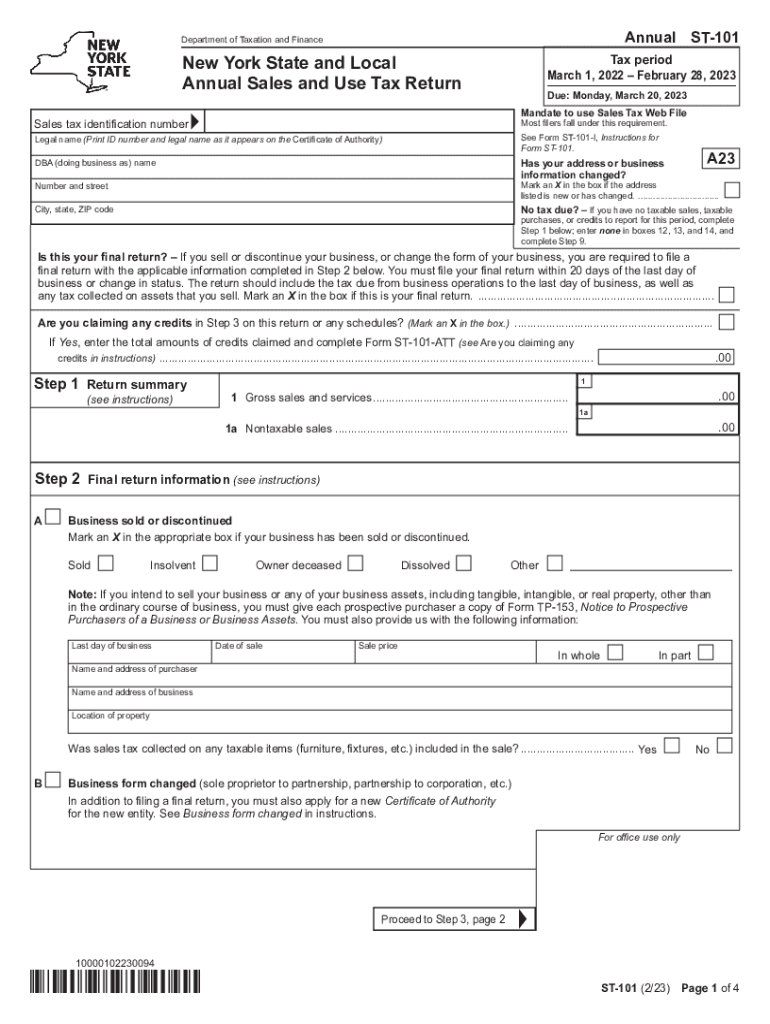
How to use or fill out Form ST-101 New York State and Local Annual Sales and Use Tax Return Revised 2 23 with our platform

- Click ‘Get Form’ to open it in the editor.
- Begin by entering your sales tax identification number and legal name as it appears on your Certificate of Authority. If your address has changed, mark the appropriate box.
- In Step 1, summarize your gross sales and services. If you have no taxable sales, enter 'none' in boxes 12, 13, and 14.
- If this is your final return, complete Step 2 by marking the relevant box and providing details about the sale or discontinuation of your business.
- Proceed to Step 3 to calculate sales and use taxes based on taxable sales for each jurisdiction. Ensure you enter totals from any applicable schedules.
- Continue through Steps 4 to 9 to calculate special taxes, credits, and the total amount due. Make sure to sign the return before submission.
Start using our platform today for free to streamline your form completion process!
Fill out Form ST-101 New York State and Local Annual Sales and Use Tax Return Revised 2 23 online
It's free
It's free
See more Form ST-101 New York State and Local Annual Sales and Use Tax Return Revised 2 23 versions
We've got more versions of the Form ST-101 New York State and Local Annual Sales and Use Tax Return Revised 2 23 form. Select the right Form ST-101 New York State and Local Annual Sales and Use Tax Return Revised 2 23 version from the list and start editing it straight away!
| Versions | Form popularity | Fillable & printable |
|---|---|---|
| 2025 | 4.4 Satisfied (29 Votes) | |
| 2024 | 4.8 Satisfied (37 Votes) | |
| 2023 | 4.8 Satisfied (29 Votes) | |
| 2022 | 4.8 Satisfied (192 Votes) | |
| 2021 | 4.2 Satisfied (41 Votes) | |
| 2020 | 4.4 Satisfied (38 Votes) | |
| 2019 | 4.2 Satisfied (52 Votes) | |
| 2018 | 4.3 Satisfied (56 Votes) | |
| 2017 | 4.3 Satisfied (62 Votes) | |
| 2016 | 4.4 Satisfied (48 Votes) | |
| 2015 | 4.4 Satisfied (63 Votes) | |
| 2013 | 4 Satisfied (31 Votes) | |
| 2001 | 4 Satisfied (43 Votes) |
Got questions?
We have answers to the most popular questions from our customers. If you can't find an answer to your question, please contact us.
Contact us
How to fill out a New York State resale certificate?
Complete the Application: Log in to your NY.gov Business Account. Navigate to the application for a Certificate of Authority. Fill out the application with the prepared information. Submit the application at least 20 days before you begin selling taxable goods or services.
How to fill out st-101 form?
How to fill out Form ST-101? Locate your business information in the form. Fill in your name, address, and the type of business. Provide the sellers information, including their name and address. Indicate the type of property being purchased. Sign the form with an electronic signature. Download the completed form.
What is the form for NYS annual sales tax return?
Form ST-101, New York State and Local Annual Sales and Use Tax Return.
Security and compliance
At DocHub, your data security is our priority. We follow HIPAA, SOC2, GDPR, and other standards, so you can work on your documents with confidence.
Learn more


